
Start with the identity source
Before a user can be created, establish which directory or identity platform manages that account. It may be Active Directory Domain Services, another directory accessed through LDAP, Microsoft Entra ID, or an application's own user directory. In a hybrid environment, record which system is authoritative and how account changes reach the connected services.
An account has a lifecycle
Begin with the directory then connect approval and everyday access to verified removal.
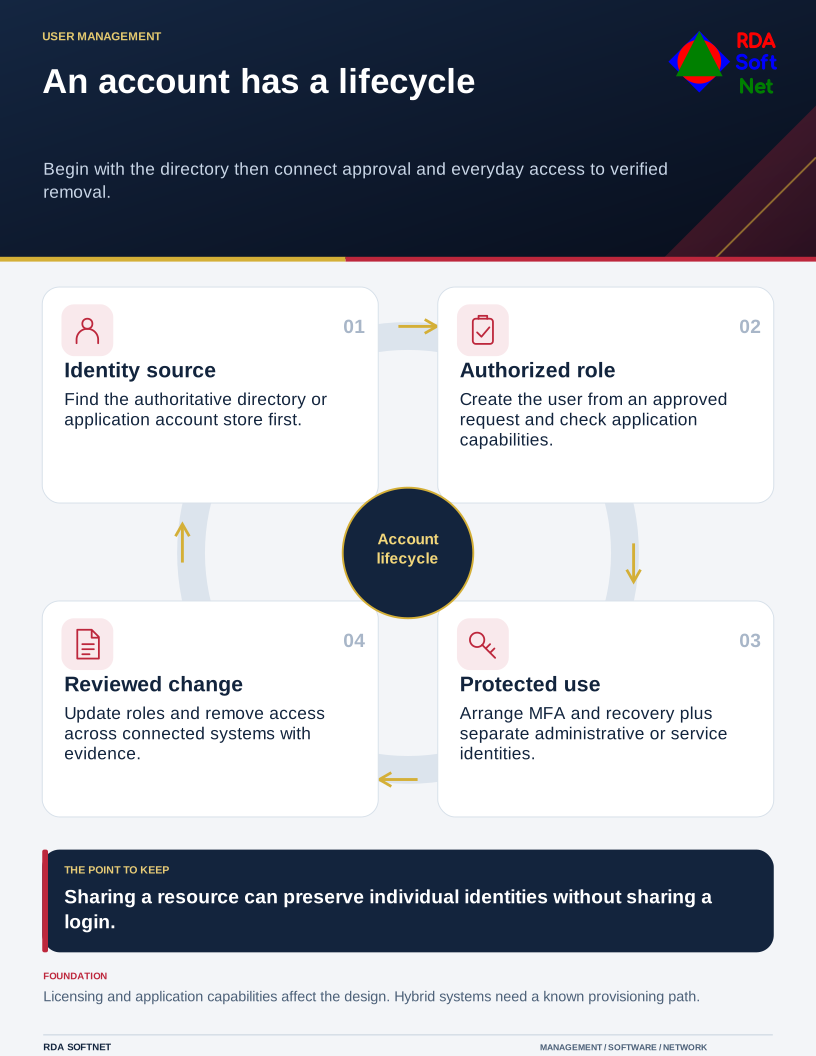
Account creation depends on that identity foundation and the infrastructure or cloud services supporting it. See the directory and server role connection.
Manage credentials through the full lifecycle
Each credential needs an owner, a purpose, and a clear way to change or remove it. Consider the account's use, including remote access, outside support, and recovery, when deciding how it will be managed.
Creating a user should follow an approved request and an agreed role. The person authorizing the work identifies the business need; IT implements the account and permissions in the appropriate systems. Application owners and vendors may need to provision access that the central directory does not control.
Shared credentials
A common work resource can often be accessed through individual accounts. Review mailbox delegation, application roles, and vendor support access before distributing a common password. A remaining shared account needs a documented reason, restricted access, and a review date. Read the shared logins post or the shared mailbox guide.
Credential security
MFA, authenticator enrollment, recovery methods, and managed password storage protect the identity after creation. Plan those protections during account setup. Read about Credential Security and MFA.
Administrative privileges and service accounts
Human administrators need individually assigned administrative access appropriate to their tasks. Service accounts are identities used by software or automated processes; they need owners and restricted permissions and should not become a staff login. Emergency credentials support recovery and require controlled use. These are connected responsibilities with different operating needs. See how privileged access is assigned and reviewed.
Onboarding, offboarding, and auditing
Onboarding checks that the person can work with the intended access. Offboarding removes access at the authorized time while coordinating data preservation and reassignment. Auditing checks the account list, permissions, and available activity records. See the offboarding guide.
Dependencies to acknowledge
- Directory or identity platform, including the supporting server roles where applicable.
- An authorized request, role definition, account owner, and application inventory.
- Required licensing and the vendor's account or delegation capabilities.
- MFA enrollment, recovery arrangements, and appropriate administrative access.
- Logging, retention obligations, and the procedure for staff or vendor changes.
RDA coordinates these dependencies with your staff and providers. The scope is agreed for the environment rather than assuming every account is managed in one console.