
Start with a person and an account
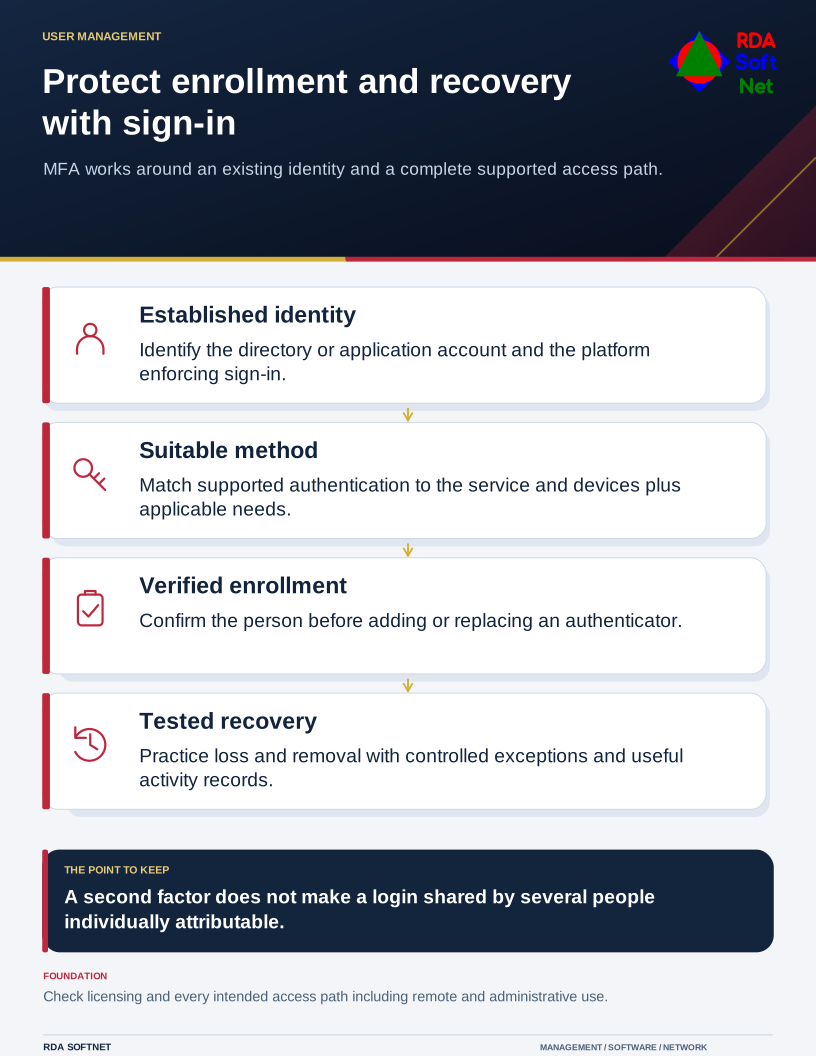
MFA protects an identity that already exists in a directory, cloud service, or application. Establish who owns that identity, what it can access, and which platform enforces its sign-in policy. A second factor does not turn an account shared by several people into individually attributable access.
Protect enrollment and recovery with sign-in
MFA works around an existing identity and a complete supported access path.
Choose supported authentication methods
Where the platform supports it, plan phishing-resistant authentication such as a FIDO2 security key or an appropriately configured passkey. The available method must fit the application, device, accessibility needs, and applicable security requirements. CISA MFA guidance
Include enrollment and recovery
Confirm the user's identity before enrolling an authenticator or resetting a method. Document how a lost device is handled, who may authorize recovery, and how an old method is removed. Recovery arrangements should keep the organization from depending on one person's phone or personal email account.
Test the complete sign-in path
Check ordinary access, remote access, and administrative access as appropriate. Review any legacy application or service that does not support the intended policy. Keep exceptions documented and evaluate them against the requirements for the data being accessed.
The dependencies are the identity platform, licensing and feature availability, supported devices or authenticators, an enrollment procedure, recovery arrangements, and suitable logs. RDA coordinates those protections with account creation, staff changes, and access reviews.