
A Microsoft 365 tenant can keep working while its configuration gradually stops matching the organization. A project ends but its access remains. A department changes how it shares documents. A new subscription adds controls that nobody has evaluated.
Review what information and authority can leave the tenant
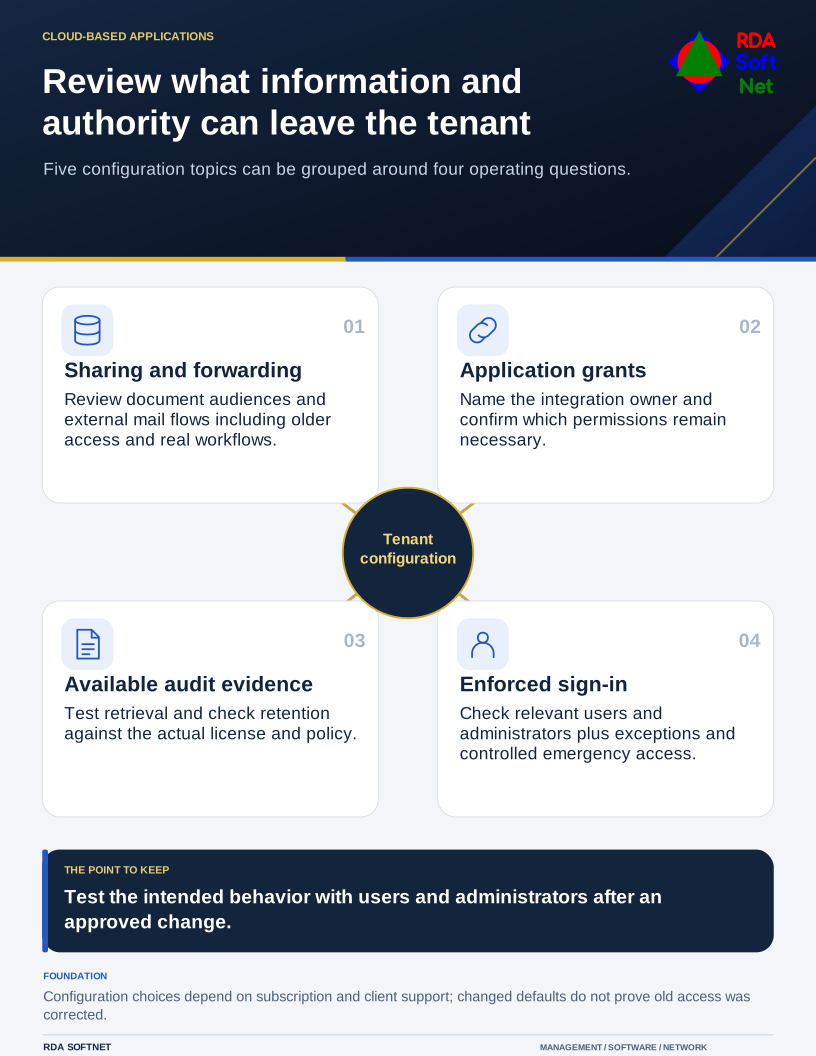
Five configuration topics can be grouped around four operating questions.
The sensible response is a review with the people responsible for the work, followed by approved changes. Copying a list of switches into the admin portal is a poor substitute for understanding what those switches will interrupt.
Sharing and forwarding
First, review the default sharing experience and existing access in SharePoint and OneDrive. Decide which material may leave the organization, which audiences should authenticate, and who may approve exceptions. Changing a default does not automatically mean that all older access has been reviewed. Our file collaboration guidance starts with the information owner and intended audience.
Second, inspect automatic forwarding of mail to external recipients. Identify any genuine workflow before removing it, and check the applicable policy rather than assuming every tenant behaves identically. Microsoft's forwarding documentation explains the controls and differences in the system-controlled setting. Where the intent is to block forwarding, make that intent explicit and test the outcome.
These are related information-handling decisions. Forwarding a mailbox to a personal address is not a sound substitute for authorized remote access. Similarly, an anonymous document link should not become the answer to every access problem merely because it avoids a support request.
Application access and evidence
Third, review enterprise applications and the permissions already granted to them. Assign an owner to each useful integration. Ask whether it still needs the approved data and whether anyone can explain an unfamiliar connection. Coordinate changes with the application integration process, because revoking access can also stop a legitimate workflow.
Fourth, check audit availability and retention against the records you need for investigation and oversight. Microsoft's audit retention guidance makes clear that retention depends on licensing, activity, and policy. Do not confuse keeping audit events with preserving the underlying business documents, or assume a general regulatory label sets one retention period for everything.
Have an authorized person retrieve a harmless recent event. That simple exercise can reveal missing permissions, unclear ownership, or an assumption that logs were being exported when they were not.
Authentication without an accidental lockout
Fifth, review how sign-in requirements apply to users and administrators. Document the intended coverage, permitted authentication methods, exclusions, and controlled emergency access. Registration for MFA is not the same question as enforcement on the access paths that matter.
Test changes with a representative group and have a recovery plan before wider deployment. Staff need clear enrollment instructions and a place to get help. Keep licensing and supported client behavior in view; a control available in one environment may require different preparation in another.
Bring the findings into the cloud service review with current state, agreed changes, business impact, verification, and follow-up. Once a change is approved, have a user and an administrator check the intended behavior. Record any remaining exception with its owner and next review date.