
Software · Commercial off-the-shelf software (COTS)
Reporting and data validation
Operational reporting and validation of configured data sources, transformations and published measures.
RDA uses this function in its ongoing work. The assigned responsibilities and coverage follow each organization’s needs and service arrangement.
Features and benefits
| Feature | Practical benefit |
|---|---|
| Source connections and data shaping | Related source information can be combined and prepared for a consistent operational view. |
| Defined measures and models | Shared calculation rules reduce inconsistent interpretations of the same business metric. |
| Interactive reports and drill-down | Filters and detail views help users move from a high-level trend to the records that explain it. |
| Refresh and freshness history | Configured refresh and its status show when the model was updated and expose collection or gateway failures. |
| Controlled sharing and data access | Licensed sharing and configured row-level access present appropriate information to the intended audience. |
Illustrative reporting preview
What visitors can expect from a public report
RDA’s systems are in operation. These example values show the public reporting presentation being prepared for the website; they are not current client results.
| Example measure | Example value | Definition and context |
|---|---|---|
| Desktop patch status | 38 of 40 · 95% | Example 30-day period; applicable approved updates due by the cutoff verified installed. |
| Network monitoring coverage | 39 of 40 devices | Example 7-day period; monitored devices compared with the expected sample inventory. |
| Security escalation records | 4 of 4 dispositions | Example 7-day period; each sample escalation has a recorded decision or result. |
Each published view needs a named measure, reporting period, source, calculation, coverage and explanation of exclusions. Source reconciliation and refresh checks come before publication. The public view groups information appropriately; authorized members receive the detail relevant to their organization.
These are illustrative presentation examples, not RDA operating statistics. Different measures and reporting periods are shown separately; they should not be combined into one performance score.
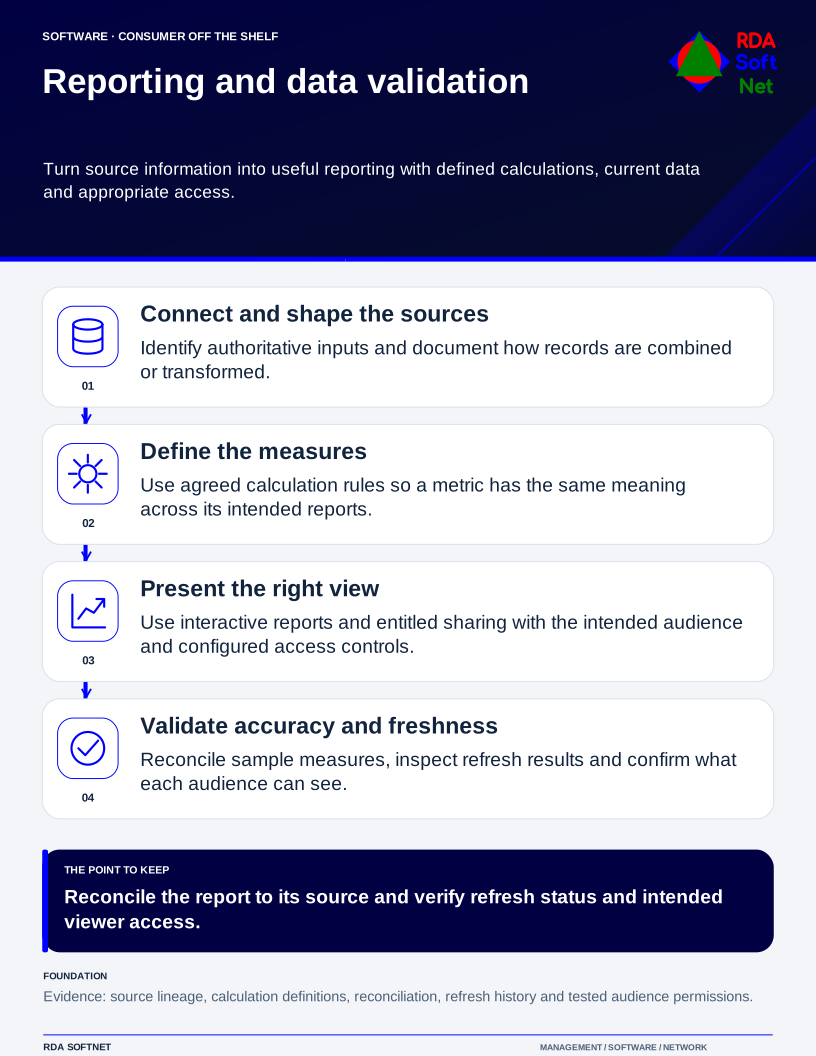
Reporting and data validation
Turn source information into useful reporting with defined calculations, current data and appropriate access.
Public examples · supporting the operating service
Public resource outlines
These short outlines show the resources that support this function. Public examples omit organization-specific instructions, configurations and access information. Detailed working materials belong in the approved member area.
Requirements and security baseline
A short statement of purpose, assigned coverage, responsible owners and applicable requirements. The controlled member record connects these to the service baseline and approved exceptions.
Deployment and control mapping
How a new or changed service is approved, tested and accepted. The member record retains the checked result, responsible people and links to the requirements it satisfies.
Client and user guide
What this function does for the people who rely on it, how to request help and which responsibilities users retain. Relevant instructions accompany the organization’s service arrangement.
Technician training outline
Role-based preparation for the assigned work, including a representative exercise and a check that the technician can explain the result and seek help when needed.
RDA technician workflow
A request or observed condition becomes assigned work, an authorized action, a checked result and a usable service record. Follow the work record.
Portal and access training
Who may use the service and how access is approved, reviewed and removed. Account details, privileged steps and recovery information stay in the controlled member materials.
Training module template
An illustrative module connects a learning objective, an authorized practical task, an observed result and follow-up. See training and exercise examples.
Basic installation and acceptance
The checks that confirm a service meets its agreed purpose when introduced or materially changed. Installation steps and acceptance records belong with the organization’s member materials.
Advanced deployment and changes
How a change is assessed and approved while the existing service continues. The working record identifies dependencies, checks, recovery arrangements and the person accepting the result.
Technical configuration and integrations
A high-level description of the service’s connections and responsibilities. Actual configuration, protected information and organization-specific operating steps are maintained in the approved member area.
Operational audit and checklist
A dated check of coverage, operating evidence and exceptions, with an owner and next action for anything unresolved. Connect findings to evidence and review.
Tabletop exercises
An illustrative discussion asks what happens if a dependency is unavailable or the expected result does not arrive. Participants identify decisions, responsibilities and follow-up without exposing live settings.
Response playbook
The response roles, decision points and escalation route for an interruption. Public examples describe coordination; live contacts and detailed response instructions stay with the organization’s controlled materials.
Operational runbooks
Short, task-specific instructions help authorized people repeat and verify the work. The full runbook and its current revision are retained with approved member materials.
Evaluation and lifecycle review
The business need, alternatives, lab checks, provider continuity and ongoing support remain connected to the choice. See how products and providers are reviewed.