Network · Network & Infrastructure
Network monitoring and device visibility
Network monitoring, SNMP-based visibility and the configured monitoring sources in the agreed environment.
RDA uses this function in its ongoing work. The assigned responsibilities and coverage follow each organization’s needs and service arrangement.
Features and benefits
| Feature | Practical benefit |
|---|---|
| Automatic discovery and topology | A current device inventory and connection map reduce manual diagram work and help locate affected systems. |
| Performance and availability monitoring | Supported polling tracks device health, interfaces and resource use so degradation can be investigated earlier. |
| Alerting and escalation | Thresholds, maintenance handling and approved ticket integration direct network conditions to the responsible responder. |
| Configuration backup and comparison | Supported device configuration collection preserves change history and a recovery reference when the feature and access are enabled. |
| Traffic-flow analysis | Enabled flow collection can identify bandwidth consumers and communication patterns when the appropriate device support and entitlement are present. |
| Network reports and history | Exports and historical records support troubleshooting, change reviews and capacity planning. |
Illustrative reporting preview
What a network monitoring report can show
RDA’s systems are in operation. These example values show the public reporting presentation being prepared for the website; they are not current client results.
| Measure | Example result | What the reader can understand |
|---|---|---|
| Inventory coverage | 39 of 40 expected devices | One inventory item needs reconciliation with monitoring coverage. |
| Fresh monitoring data | 38 of 39 monitored devices | One monitored item needs a freshness check. |
| Tracked follow-up | 11 of 12 sample items have verified closeout | The remaining item retains an owner and next action. |
Coverage, freshness and follow-through answer different questions. A useful report states the expected inventory, the freshness rule and the actions still open rather than treating a green dashboard as the whole operating result.
All values are illustrative. This preview shows reporting structure and does not describe an actual outage, provider incident or current service-performance rate.
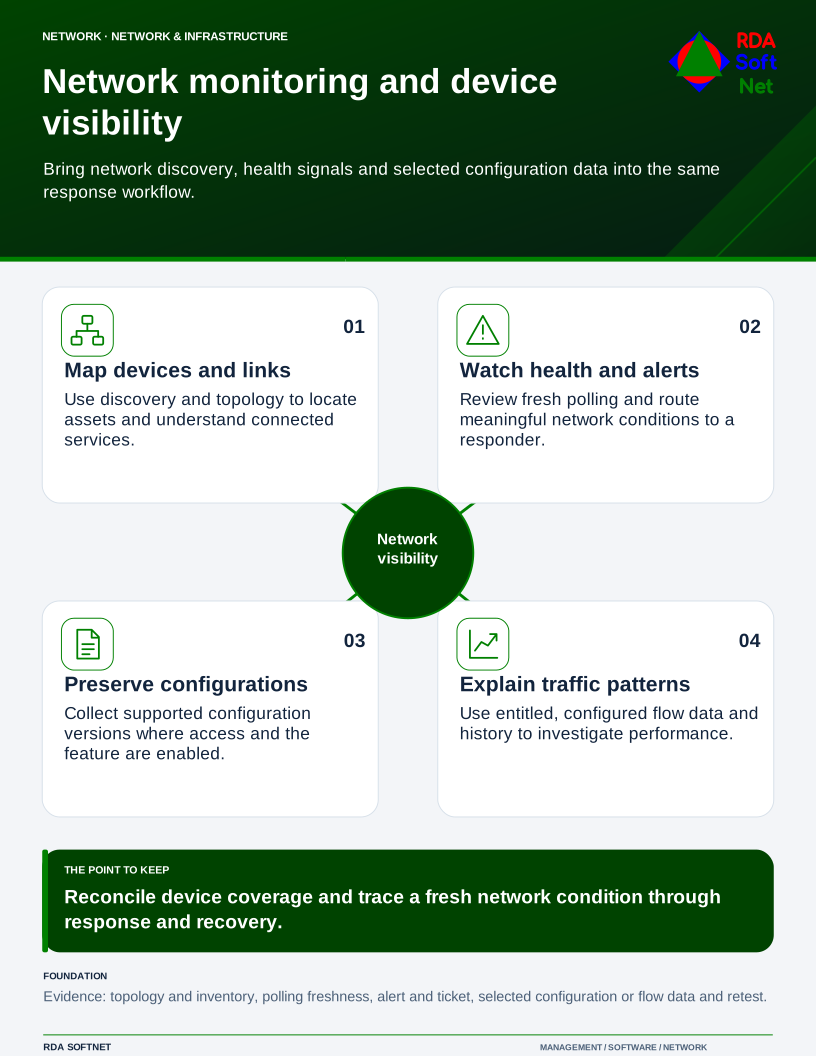
Network monitoring and device visibility
Bring network discovery, health signals and selected configuration data into the same response workflow.
Public examples · supporting the operating service
Public resource outlines
These short outlines show the resources that support this function. Public examples omit organization-specific instructions, configurations and access information. Detailed working materials belong in the approved member area.
Requirements and security baseline
A short statement of purpose, assigned coverage, responsible owners and applicable requirements. The controlled member record connects these to the service baseline and approved exceptions.
Baseline alignment. Network inventory and monitoring safeguards selected for the agreed CIS IG. CIS IGs
Deployment and control mapping
How a new or changed service is approved, tested and accepted. The member record retains the checked result, responsible people and links to the requirements it satisfies.
Client and user guide
What this function does for the people who rely on it, how to request help and which responsibilities users retain. Relevant instructions accompany the organization’s service arrangement.
Technician training outline
Role-based preparation for the assigned work, including a representative exercise and a check that the technician can explain the result and seek help when needed.
RDA technician workflow
A request or observed condition becomes assigned work, an authorized action, a checked result and a usable service record. Follow the work record.
Portal and access training
Who may use the service and how access is approved, reviewed and removed. Account details, privileged steps and recovery information stay in the controlled member materials.
Training module template
An illustrative module connects a learning objective, an authorized practical task, an observed result and follow-up. See training and exercise examples.
Basic installation and acceptance
The checks that confirm a service meets its agreed purpose when introduced or materially changed. Installation steps and acceptance records belong with the organization’s member materials.
Advanced deployment and changes
How a change is assessed and approved while the existing service continues. The working record identifies dependencies, checks, recovery arrangements and the person accepting the result.
Technical configuration and integrations
A high-level description of the service’s connections and responsibilities. Actual configuration, protected information and organization-specific operating steps are maintained in the approved member area.
Operational audit and checklist
A dated check of coverage, operating evidence and exceptions, with an owner and next action for anything unresolved. Connect findings to evidence and review.
Tabletop exercises
An illustrative discussion asks what happens if a dependency is unavailable or the expected result does not arrive. Participants identify decisions, responsibilities and follow-up without exposing live settings.
Response playbook
The response roles, decision points and escalation route for an interruption. Public examples describe coordination; live contacts and detailed response instructions stay with the organization’s controlled materials.
Operational runbooks
Short, task-specific instructions help authorized people repeat and verify the work. The full runbook and its current revision are retained with approved member materials.
Evaluation and lifecycle review
The business need, alternatives, lab checks, provider continuity and ongoing support remain connected to the choice. See how products and providers are reviewed.