
A better sign-in method should make ordinary work easier without making account recovery an improvised exception. Passkeys can reduce reliance on passwords, but the rollout still needs an identity owner, a supported device arrangement, and a clear answer when someone loses their authenticator.
Rehearse a lost-authenticator day
Recovery needs to work without the missing device or an improvised bypass.
Start with the accounts and applications involved. A personal shopping account and an organizational administrator account do not necessarily need the same credential storage or recovery design.
What changes when a person uses a passkey
A passkey uses a public and private key pair rather than asking the person to send a reusable password to the website. The credential is associated with the service where it was registered. Depending on the arrangement, the person unlocks it with a device PIN or biometric check.
Microsoft's Entra passkey guidance describes origin-bound credentials and distinguishes device-bound from synced passkeys. Synced credentials can be made available through a provider across devices; device-bound credentials remain with a particular authenticator. The organization needs to decide which supported options meet its requirements.
Phishing resistance is a property of the authentication method, not a promise that the whole account cannot be compromised. Device security, session protection, application permissions, and recovery procedures still matter. A weaker fallback can also undermine a stronger primary method.
Enroll deliberately
Choose a pilot that reflects real work: different devices, travel, remote access, shared workstations, and people who require assistive technology. Confirm the supported combinations before purchasing keys or changing enforcement. Our passkey rollout guide provides the wider planning questions.
Authenticate the person appropriately during enrollment and recovery. An attacker should not be able to persuade a help desk to register a new authenticator on the strength of an urgent email. Record who can authorize recovery and how identity is checked without exposing unnecessary personal information.
For business credentials, determine whether personal cloud accounts may hold synchronized passkeys. That is an ownership and policy decision, not merely a setting on a phone. Administrative and regulated use may require a more restricted design based on applicable requirements.
Practice a lost-device day
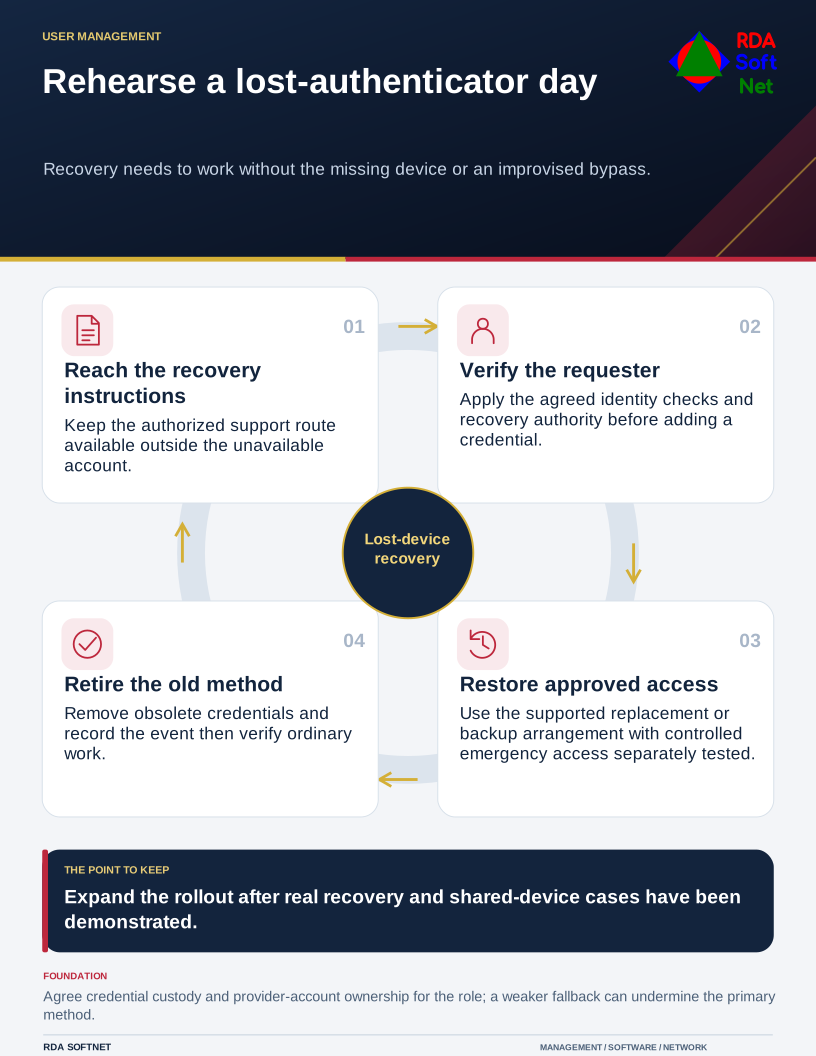
Before expanding the pilot, have someone exercise the approved recovery route. Can they regain access without relying on the missing device? Can support verify their identity? Can the old credential be removed and the event recorded? Keep controlled emergency administrative access available and test it separately.
An approved backup authenticator may be appropriate, but it needs secure storage and an assigned owner. A second key left in the same laptop bag does little for the loss of that bag. Recovery instructions should remain reachable when the normal account is unavailable.
Join these decisions to user credential management. When a person changes roles or leaves, review registered authenticators, active access, and any physical keys issued by the organization. Changing the sign-in method does not replace the account lifecycle.
RDA helps plan, test, document, and review that transition with the internal team. Expand based on what the pilot demonstrates. Keep staff instructions short, and retain an owner for the exceptions rather than allowing each difficult case to become a permanent bypass.