
People reasonably expect an account protected by multifactor authentication to be safer than one protected only by a password. It is. But a successful sign-in also creates an ongoing session, and that session needs protection of its own.
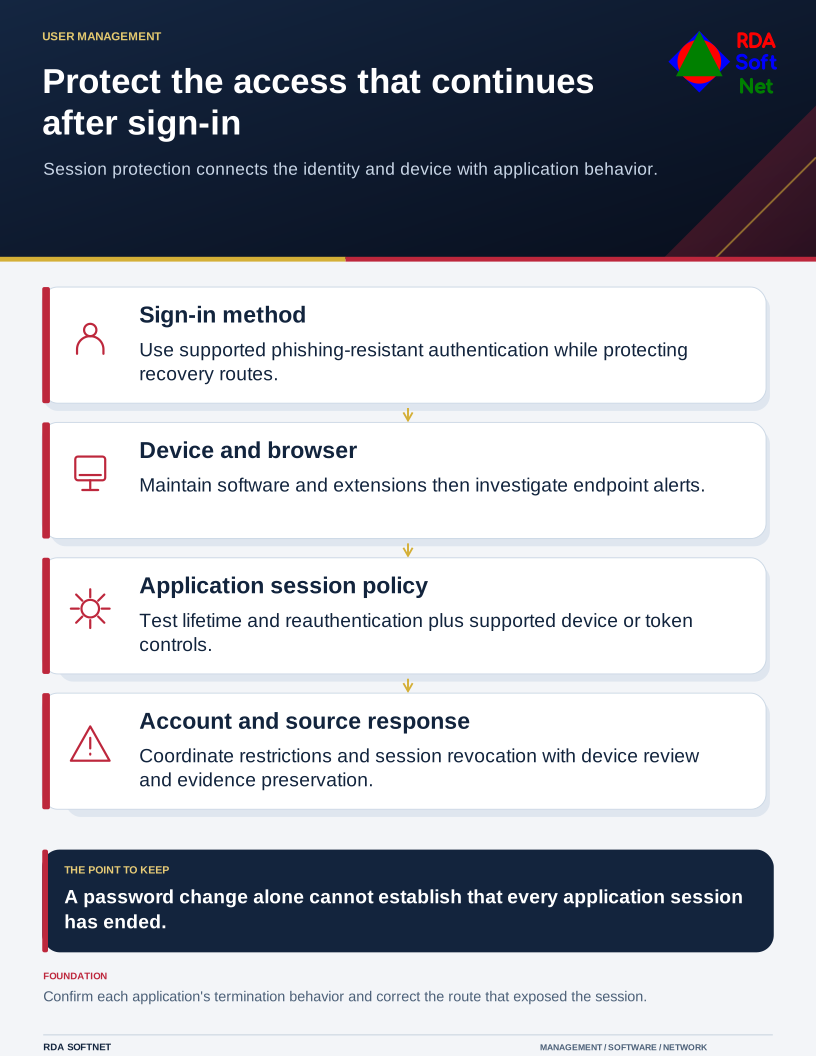
Protect the access that continues after sign-in
Session protection connects the identity and device with application behavior.
A website commonly uses a cookie or token to recognize an authenticated browser. If an attacker obtains a usable session credential, some services may accept it without another password or MFA prompt. The exact behavior depends on the application and its controls; it is not the same in every environment.
Understand the two problems
An attacker may intercept a sign-in through a deceptive site that relays the real service. Malware or a harmful browser extension may instead target information on the device. These routes require attention to both authentication and the endpoint.
Microsoft's investigation of cookie theft and financial fraud documents attackers taking authenticated sessions through adversary-in-the-middle phishing. It is a reason to strengthen the surrounding controls, not a reason to abandon multifactor authentication.
Use phishing-resistant sign-in methods where supported. Our passkey guide explains the planning and recovery questions. These methods resist a deceptive site relaying authentication to another domain, but they do not make an already compromised endpoint safe or remove the need to manage account recovery.
Protect the device and reduce session exposure
Keep operating systems and browsers supported and updated. Manage extensions, investigate endpoint alerts, and avoid conducting privileged work from an unmanaged browser. The endpoint security guide covers the controls and the evidence needed to know they are working.
Review application settings for session lifetime, reauthentication, device conditions, and supported token protections. Test the actual services before enforcing a change. Repeated prompts can disrupt work without addressing the source of a compromise, and similar setting names do not guarantee identical behavior across applications.
Pay attention to activity after sign-in: new mailbox rules, unfamiliar authentication methods, permission changes, or unusual downloads. Decide which alerts need prompt investigation and who has authority to restrict access.
Respond to the account and the source
If session theft is suspected, use the incident response process. The team may need to restrict the account, revoke sessions, examine the device, and review changes made while access was available. Changing a password alone does not establish that all access has ended.
Microsoft's access revocation guidance explains that applications can maintain their own session tokens. Confirm the application's termination behavior and any extra steps required. Preserve relevant evidence before removing suspicious settings or rebuilding equipment.
After containment, identify how the session was exposed and verify the correction. RDA coordinates identity, device, and application responsibilities so recovery does not stop at a reset notice while the original access route remains unresolved.