
A suspicious Gmail message can be a lure into something larger than one mailbox. A Google account may also connect to documents, calendars, applications, and recovery arrangements. The permissions and information actually involved depend on that account's configuration; not every compromise provides access to every Google service.
Look beyond the Google password
Review the routes and settings actually connected to the affected account.
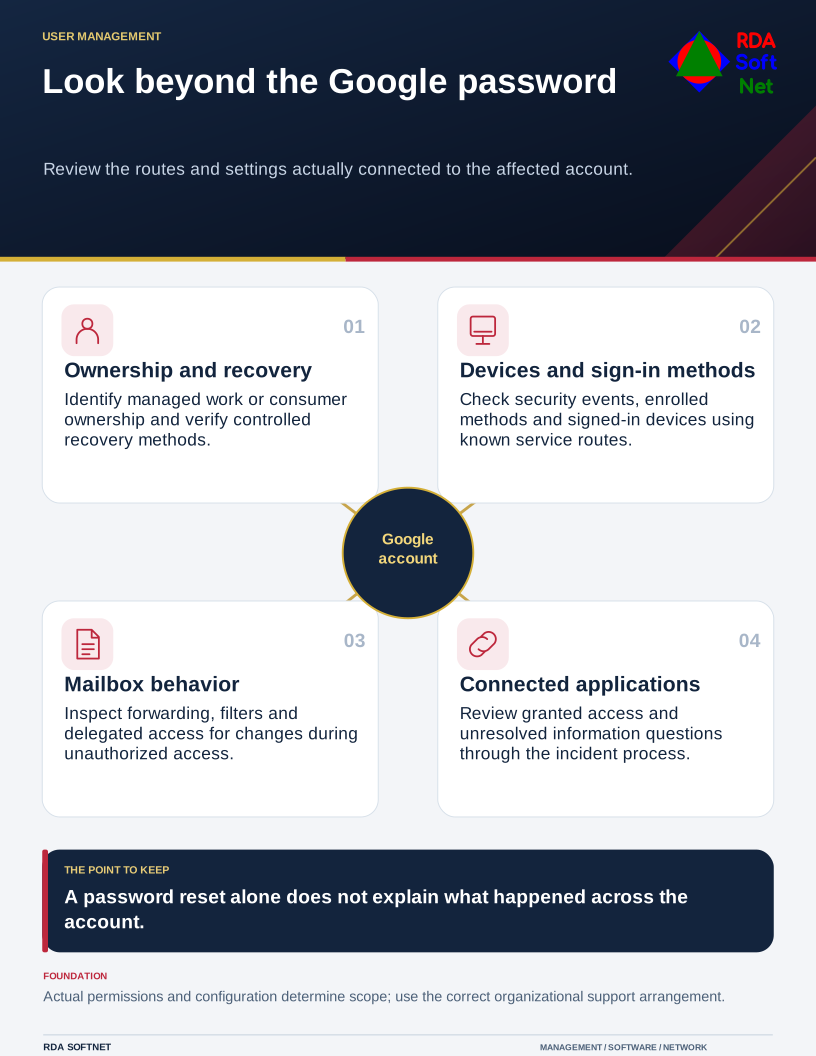
For organizational use, begin with ownership. A managed work account and a consumer account opened by an employee have different administrative arrangements. The organization should know which is being used, who controls recovery, and how business information will be handed over if the person leaves.
Use a known route when a message asks for access
Unexpected sign-in, payment, or recovery instructions deserve independent checking. Open the intended service through an established address or application rather than following the message's route. A polished email or a familiar-looking prompt does not prove the request is authorized.
The awareness guide connects that pause with a clear reporting path. Staff do not need to determine whether AI helped create a lure before reporting it. Claims about impressive new attack technologies should not distract from checking the actual request and destination.
Use suitable additional authentication and consider phishing-resistant methods where supported. Google's Advanced Protection documentation describes an option using security keys or passkeys, with additional restrictions and recovery considerations. Check suitability and organizational administration before enrollment rather than assuming every account should be configured the same way.
Review more than the password
Check recovery information, enrolled methods, signed-in devices, mail forwarding, filters, and delegated or connected access. Remove obsolete permissions through an authorized process and verify the current use of those that remain. The application integration guide explains why a connection can require separate attention from the main sign-in.
The credential management guide connects approvals, account changes, and departures. Do not tie an important departmental service solely to a private phone or an account only one employee can recover.
Use managed and updated devices for organizational work. Browser extensions and downloaded software can affect account security even when the sign-in method is strong. Review the devices and applications that form the normal access route.
Respond through the correct support arrangement
Google's compromised account guide covers reviewing security events, devices, and other account settings. Managed work accounts may also require administrator action through the organization's incident response process.
Preserve relevant evidence and assess what happened during the period of unauthorized access. A password reset alone does not establish that forwarding, added methods, connected permissions, or exposed information have been addressed. Review consequential messages and financial instructions with their owners.
Before closing the incident, record which account settings and connected access were reviewed, what was changed, and how the correction was checked. Assign unresolved application or information questions to an owner. The person returning to work needs clear instructions, while support needs an account history that explains more than the time of the password reset.