
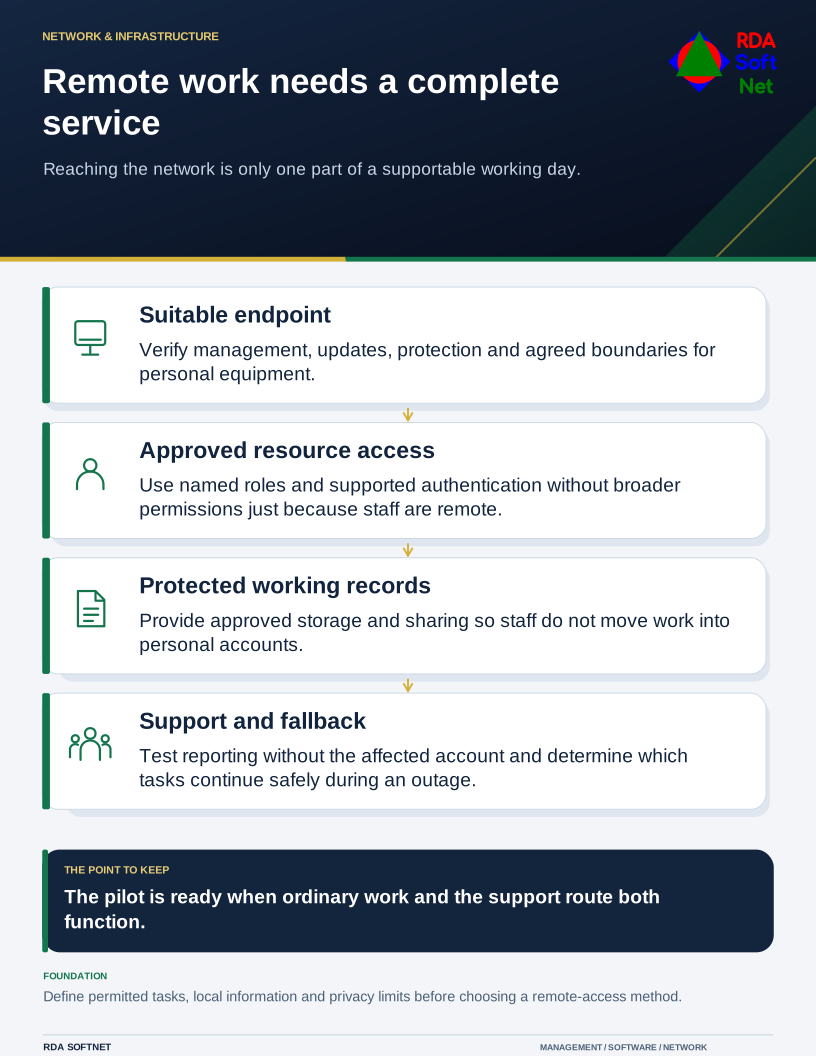
A person working away from the office still needs a complete service: a suitable device, approved access, business applications, protected records, and a way to reach support. Buying a remote-access product addresses only part of that arrangement.
Remote work needs a complete service
Reaching the network is only one part of a supportable working day.
Begin with a representative working day. Which tasks need internal systems? Which can use approved cloud applications? What information may be stored locally, and what happens if the connection fails? The department and technical team need the same answers.
Prepare the endpoint and the person
For organization-owned equipment, confirm support status, management, updates, endpoint protection, screen locking, and suitable encryption. Check that those controls keep working away from the office. Recovery information should be available to authorized support staff through a controlled route.
For approved personal devices, state the permitted work and privacy boundaries. A browser-only arrangement can still create cached information or downloads. Device and application controls vary, so verify the actual setup instead of promising complete removal of every copy.
NIST's telework and BYOD guidance considers remote access and its client devices together. Use the remote work guide to translate that into an agreement staff can follow, including lost equipment, repairs, shared household use, and reporting.
Grant access to the work that needs it
Use named identities and approved roles. Select authentication and access rules suited to the application and information, with recovery and emergency arrangements already planned. A connection from home should not require broader access than the person needs in the office.
NIST's zero trust architecture does not assume trust from location or device ownership alone. That principle helps focus the decision on the user, device, and resource. It does not mean every organization needs the same collection of products or that installing one platform completes the design.
A VPN can remain suitable for an approved need. Other access methods may provide a better fit for particular applications. Compare support, permissions, dependencies, and failure behavior; a newer label does not establish that a solution is safer or faster in your environment.
Operate the arrangement after handover
Decide which alerts need action and who receives them. A managed endpoint or identity platform can supply useful signals, but the organization still needs someone authorized to investigate and coordinate a response. The security operations guide covers that handoff.
Check file ownership and approved sharing. Staff should not need to send work to personal storage because the normal method fails outside the office. Provide an accessible support route and instructions for reporting a suspicious sign-in without relying on the affected account.
Test lost connectivity and an unavailable application with the continuity plan. Agree which work can continue safely and which should pause. A fallback that uses the same failed sign-in or connection may not be available.
At the end of the pilot, ask staff to perform their ordinary tasks and demonstrate the support route. Record the exceptions and their owners. Remote working is ready when that whole arrangement is supportable, not merely when a laptop can reach the network.