
Disabling a work email account is an important departure step. It does not prove that every business application, external share, or existing session has been closed. Some services use the organization's identity provider. Others have local accounts, personal invitations, or connections established outside the central process.
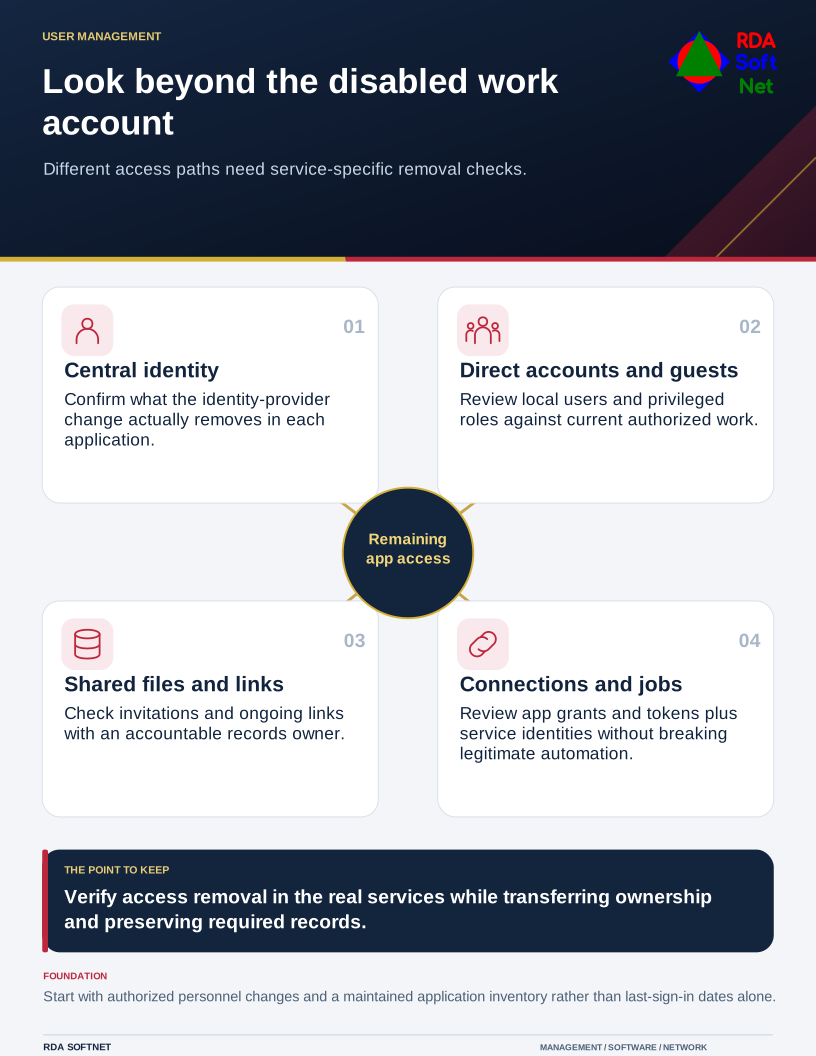
Look beyond the disabled work account
Different access paths need service-specific removal checks.
An access review compares the people authorized to work with the access that actually remains. It should include role changes as well as departures. Someone still employed may no longer need permissions from a former department or temporary project.
Use the application list, not memory
Start with authorized personnel changes and a maintained application inventory. Include identity-provider applications, purchased subscriptions, department-managed services, and significant integrations. Ask each application owner to confirm its administrators and access arrangements.
The offboarding guide connects this review to the departure workflow. For each service, check ordinary users, privileged roles, guests, and shared or exceptional accounts. Distinguish an inactive account belonging to a current employee from access that has no continuing authorization.
Do not rely only on the last sign-in date. A rarely used account may support an approved seasonal task. Another account may retain a useful session or application token without showing the activity expected in the central directory report.
Check connections and sharing separately
Review application permissions and integrations, including tokens, service identities, scheduled jobs, and tools originally authorized by the departing person. Removing their interactive login may not remove those connections. At the same time, deleting an identity without checking dependencies can interrupt legitimate automated work.
Inspect file-sharing arrangements, guest invitations, and links where appropriate. The file collaboration guide helps connect access cleanup with an accountable owner for department records. A link available to anyone holding it will not necessarily stop working because one employee's account was disabled.
Microsoft's access revocation documentation explains that applications can control their own sessions. Confirm deprovisioning behavior for the actual service rather than assuming single sign-on automatically terminates every route.
Remove authority and preserve required records
Obtain the appropriate approval, revoke access, and retain evidence of the changes. Transfer ownership where business work must continue. Check retention and legal-hold requirements before deleting records or removing a license that affects preservation.
Microsoft's former employee guidance separates blocking access from handling the information left behind. That distinction should appear in the organization's completion record as well.
Use the credential review checklist to record unresolved items with an owner and follow-up date. Verify removal in each application and document any accepted exception. Update the main departure process with what the review discovered.
RDA coordinates this with internal IT, managers, and application providers. The result should be a maintained route for granting and ending access, so the next departure does not require rediscovering the same disconnected accounts.