
When an employee uses a personal storage account to send a large work file, the immediate problem may have been a blocked deadline. The organization still needs to address the information exposure, but it should also ask why the approved method was difficult to use.
Make the safer route workable
A repeated shortcut can reveal a service that needs fixing.
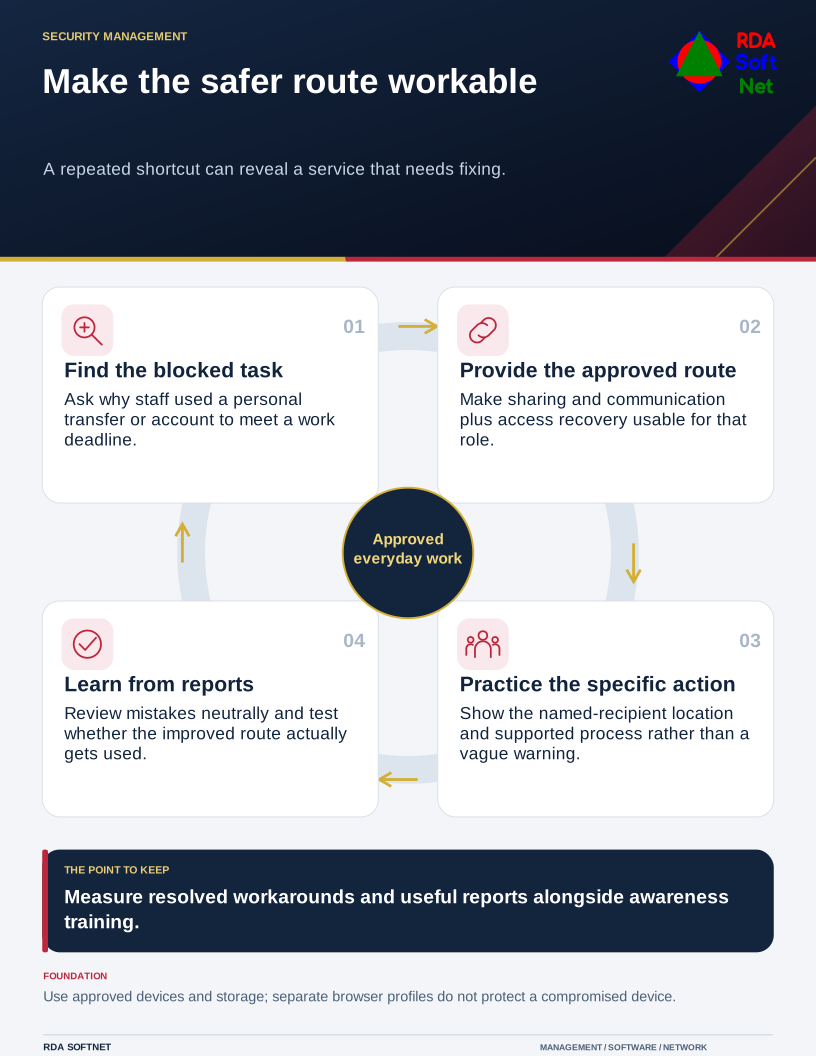
Security works better when the everyday route is clear and practical. Staff need boundaries, and the computer department needs to understand where those boundaries collide with real tasks. Neither a blame-focused training session nor an unread acceptable-use policy will resolve that on its own.
Ask where work and personal activity meet
Discuss personal email on work equipment, work accounts on home devices, saved credentials, messaging, and file transfers. Use role-specific examples. A field employee with limited connectivity faces different constraints from someone working at a permanent desk.
The remote work guide helps define permitted equipment, access, and support. NIST's telework guidance considers both organizational devices and personal devices used for work. The decision needs to reflect what information and functions the role can reach.
Separate browser profiles can reduce accidental account mixing, but they are not a reliable security boundary against a compromised device. Do not present a new profile as permission to place sensitive work on otherwise unapproved equipment. Use the organization's managed arrangements and explain their limits.
Fix the tasks that encourage workarounds
Provide a supported way to share large files, contact colleagues, recover access, and complete urgent requests. The file collaboration guide connects approved storage with permissions and ownership. Test those methods with the staff who use them, including external recipients where appropriate.
Use unique work credentials and suitable additional authentication. An organizational password manager can make that expectation more achievable. The credential management guide also addresses account recovery and the responsibilities around shared or exceptional access.
Make the instructions specific. “Protect confidential information” leaves too much interpretation when someone is rushing. “Use this approved sharing location and select named recipients” gives them an action they can follow. Resolve a failed process through support rather than expecting people to improvise safely indefinitely.
Measure help and improvement
NIST's cybersecurity and privacy learning guidance supports an ongoing program that can be evaluated and improved. Use the awareness guide to connect brief training with actual workplace decisions and an accessible reporting route.
Treat a prompt report of a mistake as useful information. Review what the person saw, what they were trying to do, and which control or process could have helped. Do not infer intent merely from the existence of a shortcut.
RDA works alongside the computer department and managers to turn that feedback into better defaults and clearer handoffs. Progress can be visible in fewer unresolved workarounds, quicker reporting, and tasks completed through approved methods. Those are more useful indicators than assuming everyone understood a presentation because they attended it.