
Someone needs a PDF utility before a meeting. The approved software list is hard to find, so they search, choose an apparently familiar result, and run the installer. The security question began before the click: did the organization provide a workable way to obtain the tool?
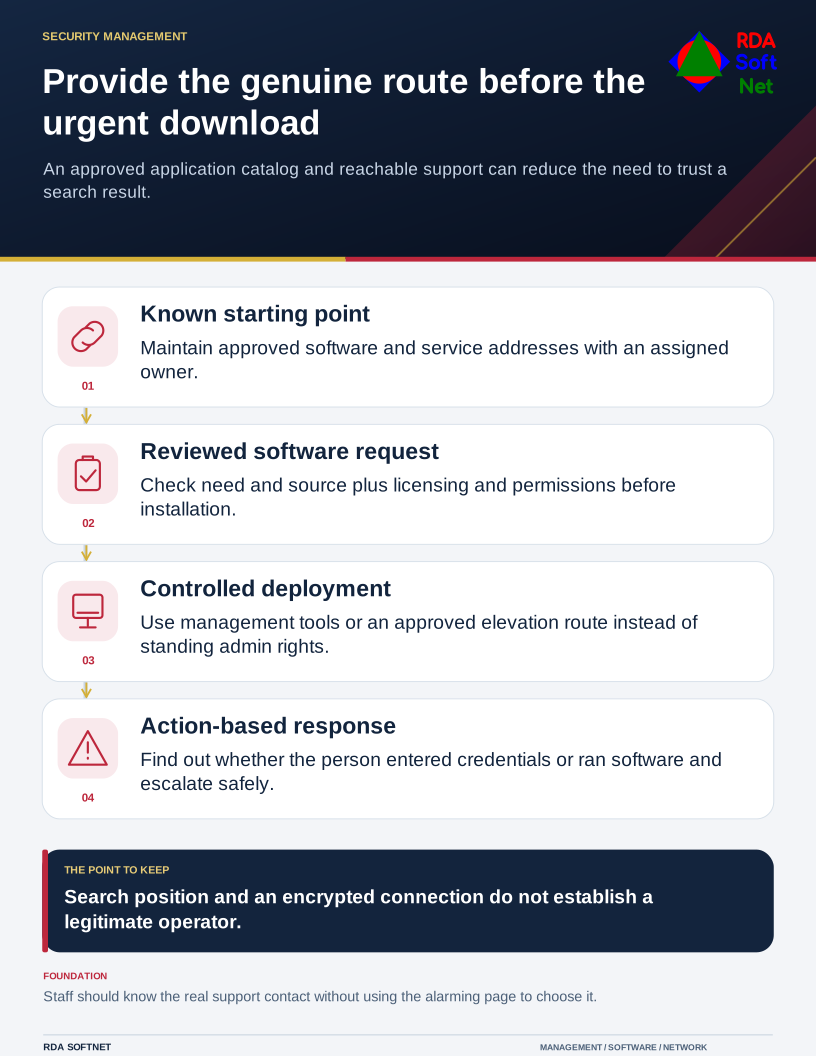
Provide the genuine route before the urgent download
An approved application catalog and reachable support can reduce the need to trust a search result.
Malicious advertising can direct people toward imitation sites, downloads, and support contacts. It can appear in search results and elsewhere. The response needs both technical protection and an approved route that fits an ordinary working day.
Reduce the reason to search for a critical address
The FBI's search advertisement warning describes criminals using paid placements to impersonate brands and distribute harmful downloads or collect credentials. Search position and a recognizable name are not evidence that the destination belongs to the organization intended.
Maintain a starting point for commonly used applications, financial services, and support. That might be a managed application catalog, approved bookmarks, or a clear internal page. Assign someone to keep it current when suppliers or service addresses change.
For software requests, explain who approves the business need and how staff receive an installer. A standard application can often be deployed through the organization's management tools. An unusual tool needs review of its source, licensing, permissions, and support requirements.
The endpoint security guide connects supported software with device management and update responsibilities. The privileged access guide covers a controlled route for installation rather than giving every employee standing administrative power.
Check the destination and what it asks you to do
Teach staff to use the known route for sign-in and account changes. Inspecting an address can help, but expecting everyone to recognize every imitation domain is an incomplete control. A polished page and an encrypted connection do not prove that the operator is legitimate.
Managed browsers, protective filtering, email controls, and endpoint protection can reduce exposure. Their coverage depends on configuration and the devices involved. Give each control an owner and verify its operation instead of promising that one filter will prevent every mistaken click.
Support contact details deserve particular attention. Staff should not need a public search to find the real help desk while an alarming page demands immediate action. A warning displayed by a website should not choose the remote support provider for the computer.
Respond to the action that occurred
If a person reaches a questionable page, establish whether they entered credentials, approved a request, downloaded a file, or ran software. Those facts guide the response. Ask them to report through the known channel and preserve the address or original message where safe.
Do not ask staff to revisit the page to investigate it. Use the incident response process for containment, account review, and evidence. Follow-up may need more than deleting a downloaded file.
Use a short awareness exercise to test the approved path. Ask a new employee to locate a software request and the genuine support number. If they struggle, improve the route and instructions. That is a concrete security improvement the organization can verify before the next urgent download.