
An older server can continue to perform an important job long after the organization has stopped understanding it. People know not to switch it off, but may be less certain which application, login, network service, or scheduled task relies on it. That uncertainty can turn a routine replacement into an uncomfortable project.
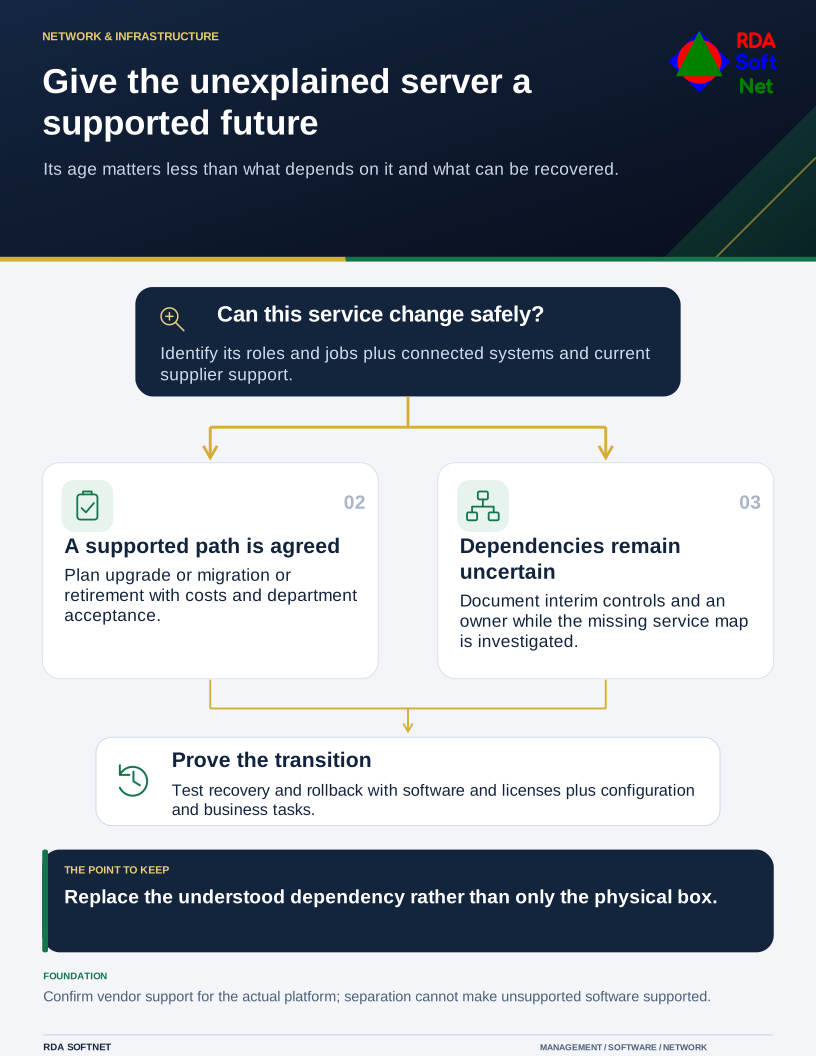
Give the unexplained server a supported future
Its age matters less than what depends on it and what can be recovered.
Age is a useful inventory fact. The more important questions are support status, exposure, recoverability, and the consequence of failure. A relatively new system with undocumented dependencies can be difficult to maintain too.
Find the service behind the hardware
Record the hardware, operating system, applications, support arrangements, and responsible contacts. Identify directory, name resolution, addressing, file, database, and backup roles where relevant. A machine described simply as “the application server” may be doing several of those jobs.
Talk to the department and application provider, then compare their description with observed configuration. Include scheduled jobs and connections from other systems. The asset lifecycle guide helps connect the inventory with support dates and replacement planning.
NIST's server security guidance addresses ongoing maintenance, configuration, monitoring, and recovery considerations. Use it as a set of questions to investigate, alongside current documentation for the particular products in use. An old general guide cannot establish a current vendor support date.
Separate urgent exposure from long-term replacement
Confirm current support and update availability with the relevant vendors. Prioritize externally reachable systems, consequential privileges, known weaknesses, and services with poor recovery prospects. Avoid ranking solely by purchase date.
Where immediate replacement is impractical, document the reason, authorized owner, interim controls, and review date. Restrict unnecessary pathways, reduce permissions, and improve monitoring where feasible. The network separation guide can support that work, but separation does not make an unsupported application fully supported or eliminate its weaknesses.
Verify the backup and recovery arrangement. A backup file is not enough if installation media, license information, configuration, or a compatible recovery platform is missing. Test with appropriate care so the recovery exercise does not disturb production.
Replace the dependency, not just the box
Use the technology planning guide to compare upgrade, replacement, migration, or retirement. Include compatibility, data conversion, staff preparation, cutover, rollback, and disposal. Give the department a clear acceptance test based on work it must complete.
If hosting is changing, identify who will maintain each part of the new service. Microsoft's shared responsibility guidance illustrates why moving a virtual machine to a cloud platform does not automatically remove operating system or application duties.
RDA works with internal IT and suppliers to make the transition understandable and supportable. Completion should include updated records and a handover another technician can follow. The best result is a service the organization can maintain and recover, with fewer responsibilities hidden inside an unexplained old machine.