
A password change can be necessary without being a complete account-security response. The account also has permissions, enrolled authentication methods, recovery routes, connected applications, and possibly existing sessions.
Protect the account throughout its life
Password strength sits inside a wider arrangement of authority and continuing access.
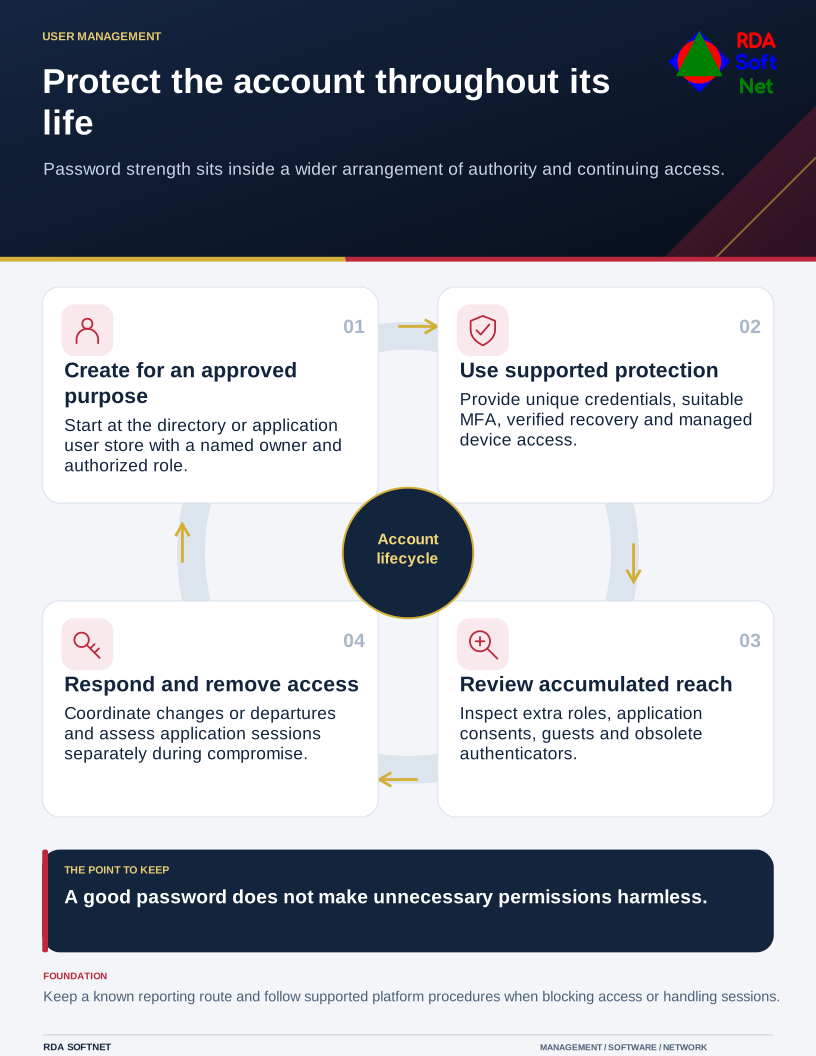
Protect that complete arrangement. Begin with a named owner and an approved purpose in the appropriate directory or application user store. A shared username makes it harder to connect access to a person, revoke one person's access, or investigate an event accurately.
Make ordinary sign-in practical and strong
Use unique passwords where passwords remain necessary, supported by the approved password vault. Let the system generate a suitable secret where appropriate rather than asking staff to invent predictable variations for every application. Protect vault access and its recovery arrangement too.
NIST's current digital identity guidance emphasizes length and screening against common or compromised choices. Within its requirements, it rejects extra character-mixture rules and arbitrary periodic changes, while requiring a change when compromise is evident. Apply the relevant standard and platform capabilities deliberately instead of assuming frequent changes alone provide protection.
Enroll approved MFA, preferring a suitable phishing-resistant method where supported. The passkey guide covers deployment and recovery considerations. A sign-in method needs to fit the work, devices, accessibility needs, and organizational control; there is no benefit in a rollout people cannot complete without an unsafe exception.
Explain how to report an unexpected prompt or an unfamiliar recovery change. A staff member should have a quick way to obtain help without approving something simply to clear the screen. Verify recovery requests through the agreed process rather than trusting the caller's urgency.
Limit what an account can reach
Assign permissions from an authorized role and review extra access. Keep elevated administration separate where appropriate, following the privileged-access guide. A good password does not make unnecessary authority harmless.
Include application consents, integrations, old authenticators, and guest access in reviews. An account can accumulate access outside the obvious group list. When duties change or someone leaves, coordinate the required removals with application owners and preserve business records through the approved handover.
Managed and supported devices are another dependency. Account controls should work alongside device updates and protection, with a clear process for a missing or suspect device. Changing a password from an untrusted environment may leave the underlying problem unresolved.
Prepare to act on suspected compromise
Tell staff where to report the event and what details to preserve. The authorized responder should assess account activity, authentication changes, connected access, and affected records under the incident-response process.
Follow the platform and application procedures for blocking access and handling sessions. Microsoft's Entra emergency access guidance distinguishes Entra sessions from sessions controlled by applications. A password reset or central revocation should not be assumed to end every application session immediately.
Record the actions, confirm necessary business access is restored safely, and correct the route that allowed the incident. Account security becomes more dependable when creation, daily use, recovery, review, and removal are managed as one service.