
A laptop suddenly runs slowly, a browser opens an unfamiliar page, or a security notification appears. Those are useful observations, but they do not all establish the same cause. A failed update, a heavy application, and malicious activity can produce overlapping symptoms.
Observation before diagnosis
Overlapping symptoms need evidence before support chooses a remedy.
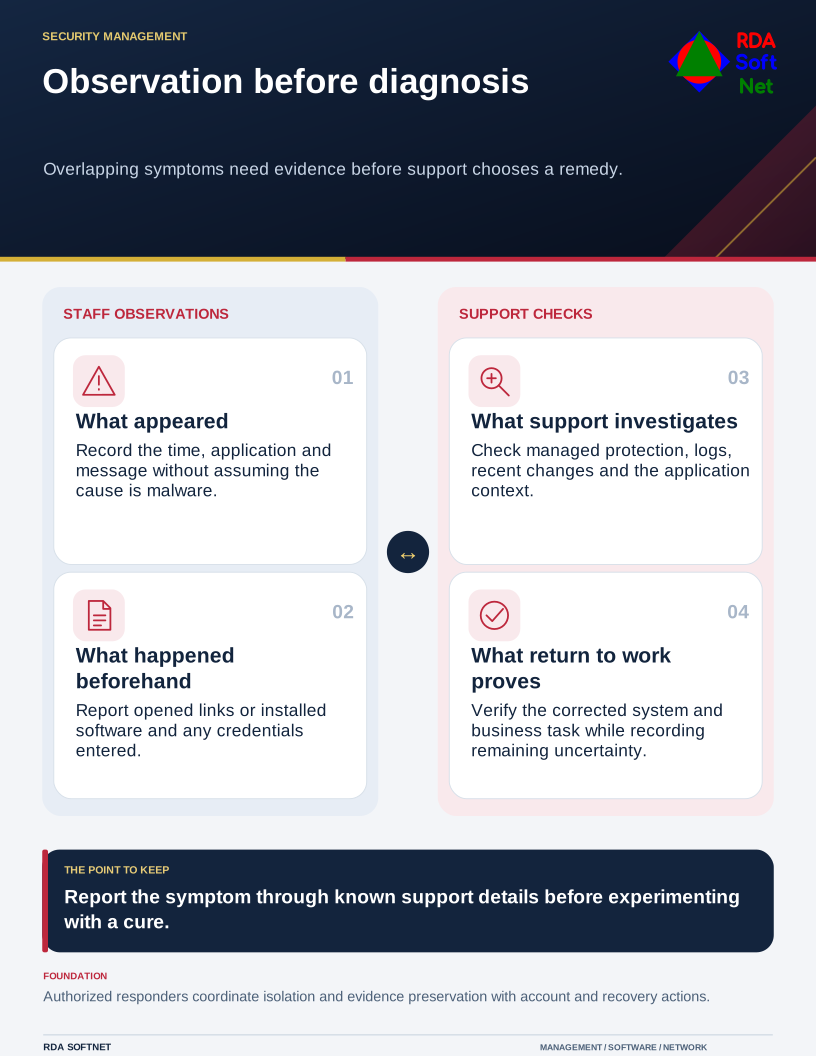
Staff should report what they saw and what they were doing. They should not have to identify malware before the computer department will investigate. A clear report often helps more than a series of unrecorded attempts to fix the problem.
Preserve the details that help support
Record the time, application, error message, and recent action. Note whether a link was opened, software installed, or credentials entered. Capture a screenshot only through the approved process, avoiding unnecessary disclosure of sensitive information on the screen.
Use the incident response route for a security alert or suspected compromise. Support can decide what needs prompt isolation and what can be investigated through ordinary troubleshooting. Do not independently attach a backup drive or copy suspect files into shared storage while seeking help.
Avoid calling numbers displayed in alarming pop-ups or installing a cleaner recommended by the message. Use the organization's established contact details. A warning inside a web page should not be treated as authority to grant remote access.
Investigate through the managed tools
NIST's malware incident handling guidance treats preparation, detection, and response as connected activities. Current product documentation and the organization's procedures should determine the specific steps for the affected system.
Check protection status, alerts, relevant logs, recent changes, and the device's management record. A full scan can be part of an investigation, but a clean result does not prove that no account or information was affected. Similarly, a process with an unfamiliar name is not enough evidence to delete it.
The endpoint security guide explains why supported software, verified updates, controlled installations, and functioning protection matter. Work with application providers when a symptom could involve the business software rather than assuming every performance problem is an infection.
Resolve the cause and check the consequences
If compromise is confirmed or reasonably suspected, examine the access and information involved. Credentials entered on an affected device may need action from a trusted device, and active sessions or application permissions may require separate review. The credential management guide connects those account responsibilities.
Coordinate removal, rebuilding, or restoration with the response team so necessary evidence is preserved. Use backup and recovery planning to select suitable recovery data rather than restoring the newest copy without checking its condition.
Before return to normal use, verify the corrected system, protection, and representative business tasks. Explain the outcome and any remaining limitations to the user. Keep a record another technician can follow: the reported symptom, evidence reviewed, cause established or still uncertain, and correction verified. A generic 'virus removed' message leaves too many of those questions unanswered.