
An employee can follow every reminder to update software and still work on a computer that repeatedly fails its updates. Another can report a suspicious message correctly, only for the report to sit unread. Everyday security needs a service behind the instruction.
Put a service behind each security habit
Every instruction to staff needs an operating arrangement that someone can verify.
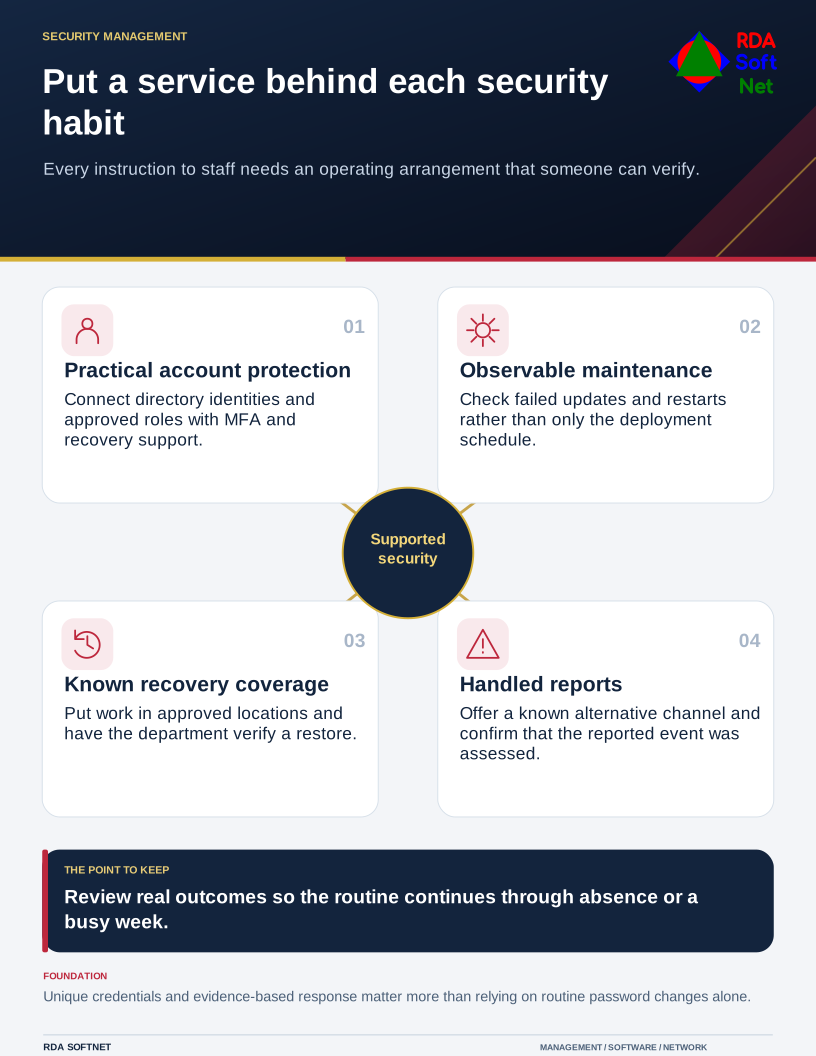
Start with a few routines the organization can explain and verify. Match each expectation of staff with a person or team responsible for making it work. This is more useful than issuing another long list of things everyone must remember.
Protect access without relying on memory
Provide named accounts, appropriate permissions, suitable multifactor authentication, and an approved way to manage unique passwords. A shared department login can defeat efforts to control departures and investigate changes. Use the user credentials process to connect access with its approving manager and identity source.
Teach staff what to do when an authentication prompt appears unexpectedly or a recovery request seems unusual. A prompt is a decision, not something to approve just because it keeps appearing. Support needs a verified process for lost authenticators and account recovery.
NIST's digital authentication guidance distinguishes appropriate password controls and authenticator lifecycle practices. Avoid making routine password changes a substitute for unique credentials and a response to suspected compromise. Follow the organization's applicable policy and address evidence of exposure promptly.
Make maintenance observable
Know which devices and applications are in service and who maintains them. Check update results, failed installations, restart requirements, and systems outside normal management. Automatic deployment is helpful, but a scheduled job is not evidence that every device completed it.
Staff should have an approved route to report slowdowns, repeated warnings, and an application that stops working after an update. The endpoint security guide explains how that information connects with maintenance and exceptions.
Include recovery. Confirm where important work belongs and what backup arrangement covers it. A file saved only on a laptop may fall outside the protection the employee assumes is in place. Have the department verify a representative restore through backup and recovery planning.
Remote and mobile work need an agreed device and connection arrangement. Avoid blanket claims that every public wireless connection exposes all encrypted traffic, or that a VPN makes a compromised device trustworthy. Give people specific instructions for the services they use.
Make reporting an ordinary part of the job
Provide a clear reporting route and an alternative when email or the work account is unavailable. Staff should know that reporting after a click is still useful. A neutral response helps the organization learn the relevant facts sooner.
Train around familiar decisions: changed supplier instructions, an unexpected sign-in page, a software download, or a request for confidential records. The awareness guide connects those examples with verification and response.
At the service review, inspect a few real outcomes. Was the failed update resolved? Was the reported message assessed? Could a second person carry out the recovery procedure? A dependable security routine is one the organization can continue through an absence, a change in staff, or a busy week.