
Software · Software Integration
Workflow automation
Approved low-code workflows that connect triggers and actions to a verified business result.
Features and benefits
| Feature | Practical benefit |
|---|---|
| Event, manual and scheduled triggers | Work begins from the intended business event or timetable rather than relying on someone to remember each step. |
| Application connectors and data movement | Authorized connections reduce repetitive re-entry between supported systems; premium connections depend on entitlement. |
| Conditions, approvals and notifications | Defined decisions and human approval steps keep automation aligned with the organization’s responsibilities. |
| Run history and failure handling | Execution records, configured retries and alerts make failed or incomplete work easier to identify and recover. |
| Reusable flows and controlled changes | Owned, documented workflow definitions make recurring processes easier to maintain and hand over. |
Workflow automation
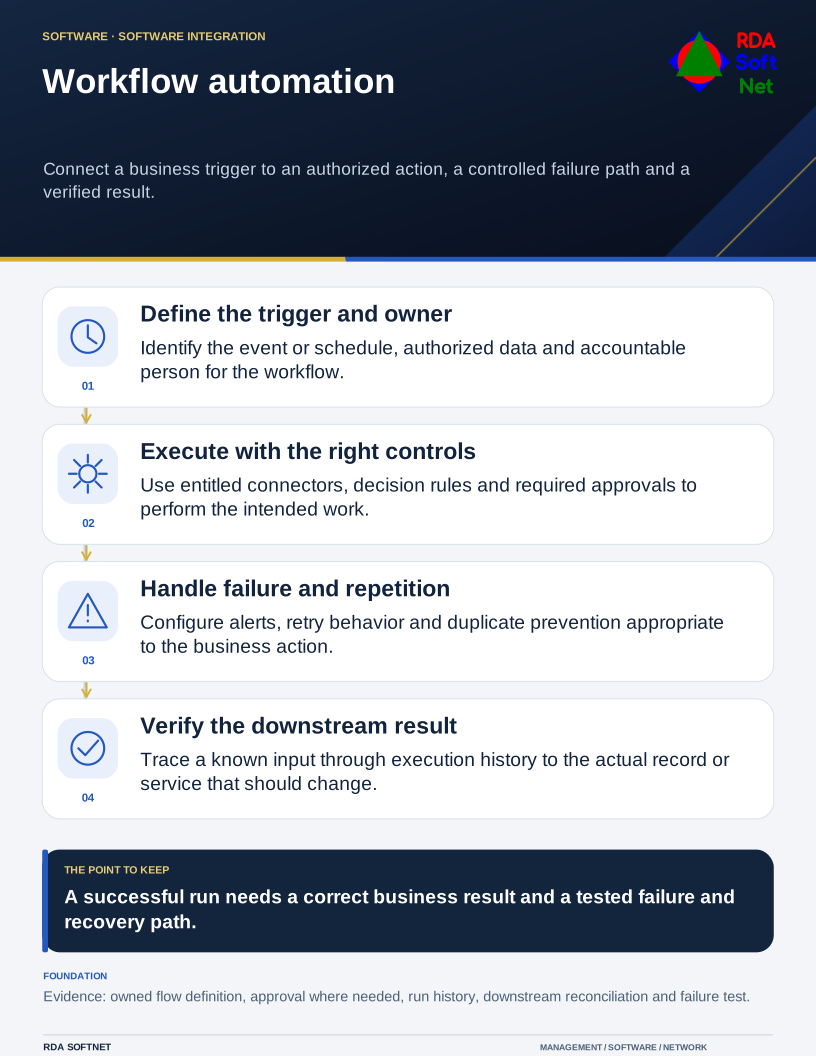
Connect a business trigger to an authorized action, a controlled failure path and a verified result.
Requirements → deployment → operation → validation
Document library
Requirements and security baseline
Workflow automation Requirements and security baseline
- Workflow purpose, owners and authorized data use
- Trigger, action, approval and failure-handling requirements
- Connector permissions, retention and continuity expectations
Deployment and control mapping
Workflow automation Deployment and control mapping
- Scope and ownership: Approved low-code workflows that connect triggers and actions to a verified business result.
- Approved rollout and acceptance: Pilot flow with documented trigger and downstream result; successful run, controlled failure and approval-path acceptance
- Applicable requirements mapped to configuration, validation evidence and approved exceptions
Client and user guide
Workflow automation Client and user guide
- Starting the workflow and completing required approvals
- Recognizing success, failure and duplicate submissions
- Reporting an incorrect result through the support route
Technician training outline
Workflow automation Technician training outline
- Flow logic, connectors and run-history interpretation
- Retries, idempotency and controlled negative testing
- Release, rollback, monitoring and owner handoff
RDA technician workflow
Workflow automation RDA technician workflow
- Identify and assess the requirement; plan the scope, accountable owner and required approvals
- Implement and verify: Trace a known trigger to the actual downstream result and test a controlled failure, including its alert and recovery path.
- Document the configuration and result; hand off operation, review exceptions and plan lifecycle changes
Portal and access training
Workflow automation Portal and access training
- Environment roles and least-privilege maker access
- Connection owners, service identities and connector permissions
- Access review, licensing and owner offboarding
Training module template
Workflow automation Training module template
- Learning objectives and prerequisites: flow logic, connectors and run-history interpretation
- Authorized practical exercise: Trace a known trigger to the actual downstream result and test a controlled failure, including its alert and recovery path.
- Knowledge check, observed result and instructor or responsible-owner sign-off
Basic installation and acceptance
Workflow automation Basic installation and acceptance
- Approved environment, connectors and input prerequisites
- Pilot flow with documented trigger and downstream result
- Successful run, controlled failure and approval-path acceptance
Advanced deployment and changes
Workflow automation Advanced deployment and changes
- Branching, exception handling and duplicate prevention
- Staged releases and dependent-flow changes
- Connection or owner changes with continuity validation
Technical configuration and integrations
Workflow automation Technical configuration and integrations
- Trigger-to-action map and system-of-record boundaries
- Connection credentials, retries and alert destinations
- Run-history export, configuration records and retention
Operational audit and checklist
Workflow automation Operational audit and checklist
- Coverage and operating checks: failed, delayed or unexpectedly duplicated flow runs
- Evidence sample: run history with status, timing and available action details; verified downstream result and captured failure or retry test
- Review date and owner; pass or fail, exceptions, corrective action and retest evidence
Tabletop exercises
Workflow automation Tabletop exercises
- A flow reports success but changes the wrong record
- A departing owner breaks a required connection
- A retry duplicates a business transaction
Response playbook
Workflow automation Response playbook
- Assess the affected data, runs and business process
- Authorize flow suspension, correction or rollback as needed
- Reconcile downstream records and validate safe restart
Operational runbooks
Workflow automation Operational runbooks
- Trace and diagnose a failed workflow run
- Deploy an approved flow change with rollback
- Export required history and validate downstream reconciliation
Evaluation and lifecycle review
Workflow automation Evaluation and lifecycle review
Selection and fit. Compare viable options against the business need, security requirements, existing systems and full operating cost. Record the reasons for the selection, the tradeoffs accepted and the conditions that would prompt a different choice.
Keeping the choice current. Follow supplier notices between scheduled reviews and reassess before renewal or a material change. Check ownership changes, renamed or retired products, subscription and licensing terms, pricing, capabilities and support commitments. Record the effect on security, data handling, integrations and service continuity. Assign an owner to approve adjustments or plan a transition, including data export and removal of access.
- Business-result accuracy and failure recovery
- Connector scope, ownership continuity and data access
- History retention, licensing and maintenance cost