
Network · Network & Infrastructure
Print services and queue management
Managed printer connections, queues and supported drivers with controlled access and practical user support.
Features and benefits
| Feature | Practical benefit |
|---|---|
| Shared print queues | Provides an approved route from user devices to the intended printers. |
| Driver and deployment control | Keeps supported printer software and connections aligned to managed devices. |
| Queue and failure handling | Makes stalled work and recurring printer problems easier to locate and resolve. |
Print services and queue management
Connect the service function to its practical benefit and a checked operating result.
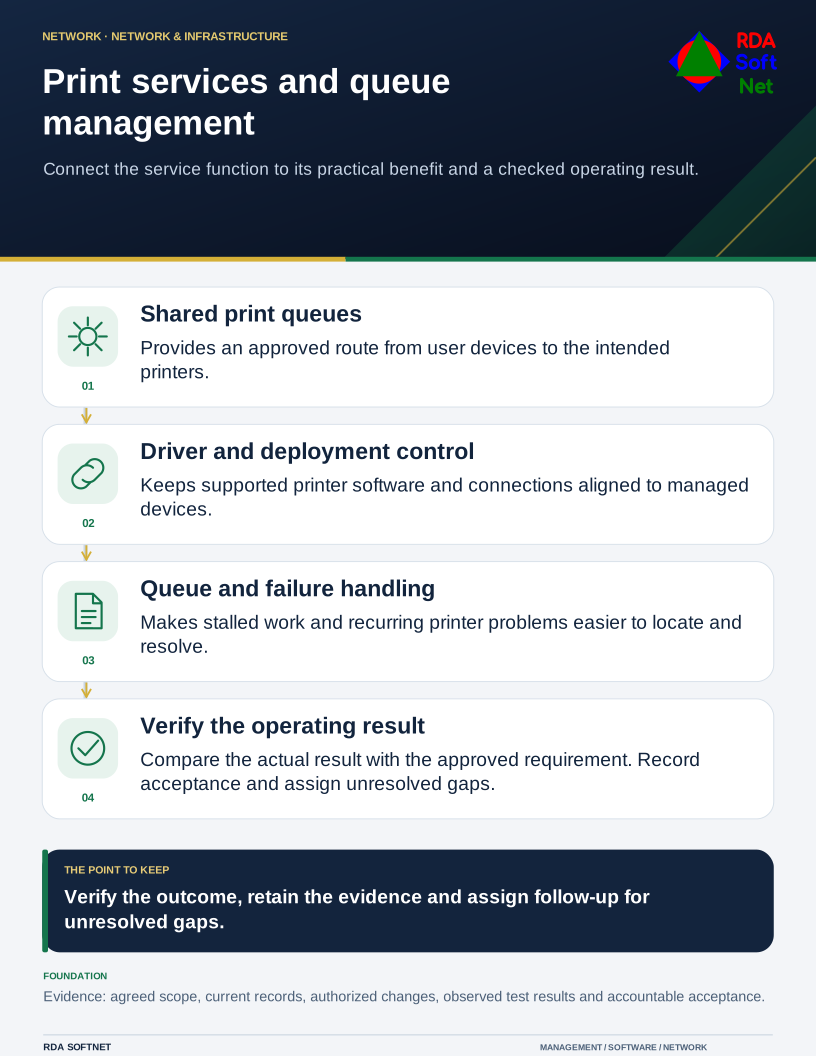
Requirements → deployment → operation → validation
Document library
Requirements and security baseline
Print services and queue management Requirements and security baseline
Baseline alignment. Secure service and driver configuration aligned with the agreed CIS IG. CIS IGs
- Shared print queues: scope, supported systems and accountable owners
- Driver and deployment control: approved settings, access and dependencies
- Queue and failure handling: acceptance criteria, retention and exceptions
Deployment and control mapping
Print services and queue management Deployment and control mapping
- Scope and ownership: Managed printer connections, queues and supported drivers with controlled access and practical user support.
- Approved rollout and acceptance: Controlled pilot covering shared print queues and driver and deployment control; acceptance test: print an approved test job from a representative client and verify printer selection, access restrictions and failed-job recovery.
- Applicable requirements mapped to configuration, validation evidence and approved exceptions
Client and user guide
Print services and queue management Client and user guide
- Using shared print queues within the approved service scope
- Recognizing failures and reporting a support request
- User responsibilities, access limits and service acceptance
Technician training outline
Print services and queue management Technician training outline
- Shared print queues: records, configuration and diagnostic checks
- Driver and deployment control: authorized administration and exception handling
- Queue and failure handling: validation, evidence and service handoff
RDA technician workflow
Print services and queue management RDA technician workflow
- Identify and assess the requirement; plan the scope, accountable owner and required approvals
- Implement and verify: Print an approved test job from a representative client and verify printer selection, access restrictions and failed-job recovery.
- Document the configuration and result; hand off operation, review exceptions and plan lifecycle changes
Portal and access training
Print services and queue management Portal and access training
- Named operators, role boundaries and multifactor access where supported
- Service identities, protected credentials and emergency access
- Access approval, periodic review and removal
Training module template
Print services and queue management Training module template
- Learning objectives and prerequisites: shared print queues: records, configuration and diagnostic checks
- Authorized practical exercise: Print an approved test job from a representative client and verify printer selection, access restrictions and failed-job recovery.
- Knowledge check, observed result and instructor or responsible-owner sign-off
Basic installation and acceptance
Print services and queue management Basic installation and acceptance
- Approved platform, owner, permissions and prerequisite checks
- Controlled pilot covering shared print queues and driver and deployment control
- Acceptance test: Print an approved test job from a representative client and verify printer selection, access restrictions and failed-job recovery.
Advanced deployment and changes
Print services and queue management Advanced deployment and changes
- Extend shared print queues to additional approved scope
- Change driver and deployment control with impact review and rollback
- Validate queue and failure handling after an approved change
Technical configuration and integrations
Print services and queue management Technical configuration and integrations
- Shared print queues: configuration and dependency records
- Driver and deployment control: supported interfaces and permission boundaries
- Queue and failure handling: diagnostic collection, retention and evidence export
Operational audit and checklist
Print services and queue management Operational audit and checklist
- Coverage and operating checks: shared print queues: coverage, health and unresolved exceptions
- Evidence sample: printer, queue, driver and permission inventory; representative print, access and failed-job recovery tests
- Review date and owner; pass or fail, exceptions, corrective action and retest evidence
Tabletop exercises
Print services and queue management Tabletop exercises
- A required dependency or responsible provider becomes unavailable
- An access or configuration change interrupts the service
- Reported success conflicts with the observed business result
Response playbook
Print services and queue management Response playbook
- Assess the affected scope, evidence and business impact
- Authorize corrective action, escalation or rollback
- Verify service recovery, retain evidence and update the baseline
Operational runbooks
Print services and queue management Operational runbooks
- Validate shared print queues against the approved design
- Investigate a failure affecting driver and deployment control
- Collect queue and failure handling evidence and confirm service acceptance
Evaluation and lifecycle review
Print services and queue management Evaluation and lifecycle review
Selection and fit. Compare viable options against the business need, security requirements, existing systems and full operating cost. Record the reasons for the selection, the tradeoffs accepted and the conditions that would prompt a different choice.
Keeping the choice current. Follow supplier notices between scheduled reviews and reassess before renewal or a material change. Check ownership changes, renamed or retired products, subscription and licensing terms, pricing, capabilities and support commitments. Record the effect on security, data handling, integrations and service continuity. Assign an owner to approve adjustments or plan a transition, including data export and removal of access.
- Measured service outcome and practical acceptance results
- Supported scope, access, evidence availability and dependencies
- Licensing or provider terms, maintenance effort and lifecycle cost