
A computer does not have one useful life for every employee. The same hardware may be adequate for light administrative work and unsuitable for a demanding design application. Age helps with budgeting, but support, reliability, and the work should determine the decision.
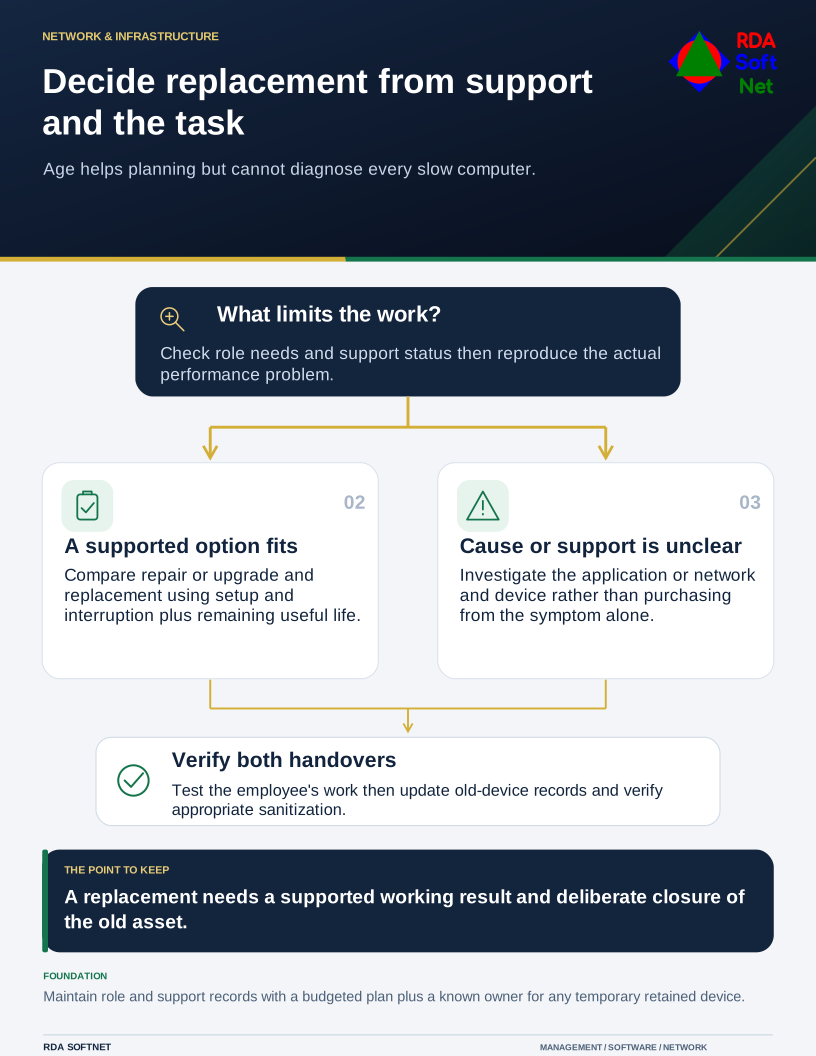
Decide replacement from support and the task
Age helps planning but cannot diagnose every slow computer.
Keep an asset record that supports that judgment: model, assigned role, operating system, warranty, repair history, and planned review. Without it, the loudest complaint or first failed machine can end up setting the whole replacement schedule.
Check support before judging speed
Confirm that the operating system, important applications, security tools, and device management remain supported in the proposed arrangement. A machine may still perform well while losing an essential update path. Equally, a temporary extended update program may have a defined scope and end that needs to be planned around.
For Windows 10, Microsoft's ESU documentation distinguishes eligible extended security updates from general support. Check the actual edition and enrollment rather than using the operating system's name as the entire decision.
The asset lifecycle guide brings support dates and replacement into the same record. Review the plan when an application vendor changes requirements, a role changes, or a service becomes more operationally important.
Find the reason the device is struggling
Ask the employee to demonstrate the task that interrupts their work. Slow performance may come from an application, network connection, storage issue, insufficient resources, or failing component. Replacing a laptop will not correct every remote server or application problem.
Compare a supported repair or upgrade with the remaining useful life and the cost of further interruption. Include time for diagnosis, parts, setup, testing, and a spare device where needed. A low parts bill is not the whole cost if the employee cannot complete essential work while waiting.
Use a small range of suitable business configurations where that helps support and spares. Standardization should make maintenance easier without ignoring the needs of staff who use specialist software, travel frequently, or require accessibility features.
Spread approved replacements through the technology roadmap. A planned replacement has a purpose and a budget; an emergency reserve should not be expected to fund every machine already known to be nearing the end of its service.
Complete both sides of the handover
Prepare and test the replacement before retiring the old device. Confirm business data, applications, authentication, peripherals, and access with the employee. Record acceptance and tell the person how to get support during the transition.
Then close the old asset deliberately. Remove or update its management, monitoring, license, and access records as appropriate. A temporary retained device needs an owner and an end date. An unattended machine still connected to the network is not retired merely because it is no longer on someone's desk.
Before sale, return, donation, or recycling, apply and verify an appropriate sanitization method. NIST SP 800-88 Revision 2 addresses a sanitization program based on information sensitivity and applicable techniques. Keep the asset and disposal evidence together.
RDA's lifecycle approach includes discovery, approved change, verification, and disposal. That makes replacement a predictable operating decision and preserves useful equipment where it still meets the need, instead of treating every slow computer as an automatic purchase.