
The next failed computer should not be the first time anyone asks what else needs replacement. A modest asset register and a regular review can identify approaching support deadlines, recurring faults, and devices that no longer fit the work.
Keep the refresh record moving
Plan from known condition and support instead of waiting for the next failure.
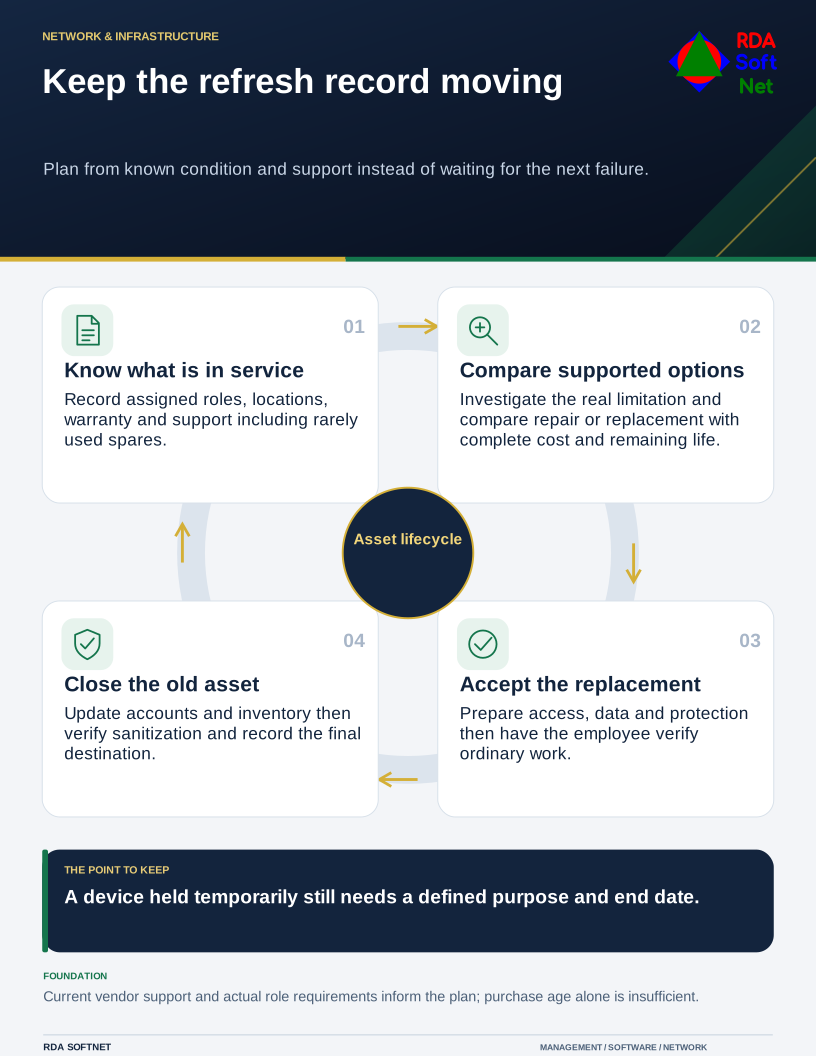
That does not require replacing every machine at the same age. A lightly used desktop and a laptop carried between sites may have different remaining value. The decision needs evidence about support, condition, and the role it serves.
Establish what is in service
Record the device, assigned user or purpose, location, operating system, warranty, and support arrangements. Include spares and equipment that is rarely used. A disconnected spare may be the machine someone reaches for during an outage, so it still needs a known condition.
The asset lifecycle guide connects that register with review and retirement. Check the support dates of operating systems, applications, and hardware with the relevant vendors. The purchase date alone cannot establish whether the system receives the updates the organization requires.
For ordinary Windows 10 systems, Microsoft's ESU documentation distinguishes the end of ordinary support from eligible extended security updates. Verify the actual edition and enrollment where relevant. A temporary update arrangement should have an owner and a transition plan.
Compare a repair with a supported future
Ask the employee to demonstrate the problem before approving a replacement. Slow work can result from the application, storage, network, or another service. A new computer will not correct every performance issue.
Where a repair or upgrade is possible, compare its complete cost and remaining useful life with a replacement. Include diagnosis, parts, setup, lost working time, and the effect of another failure. Consider access to a prepared spare and the importance of the role.
Review compatibility before a major application change. A new version may affect operating systems, peripherals, or integration software. Bring the application provider into the plan while there is time to test.
Schedule approved work through the technology roadmap. Grouping purchases can simplify support, but standard models should still meet distinct role and accessibility requirements. Financing or lease arrangements also need review of the term, ownership, return conditions, and total commitment by the appropriate purchasing and finance staff.
Close the old device as carefully as the new one
Prepare applications, protection, data, and access before handover. Have the employee verify ordinary work on the replacement and record any issue that remains. Explain the support route during the transition.
Then account for the old equipment. Remove or update management, security, and license records as appropriate. Equipment held temporarily needs a defined purpose and end date; a machine left connected under a desk remains part of the environment.
Apply and verify suitable storage sanitization before sale, donation, return, or recycling. NIST's media sanitization guidance supports choosing methods based on the information and media involved. Deleting visible files is not an adequate record of that work.
Keep the handover and disposition with the asset record. The next review can then consider known facts rather than reconstructing what happened when the previous device failed.