
A used computer can be a sensible purchase. The saving becomes less convincing if it needs a battery, a different operating system license, an unavailable dock, and substantial preparation before anyone can work on it.
Is this used device a supported buy?
Assess the exact working setup before the return window closes.
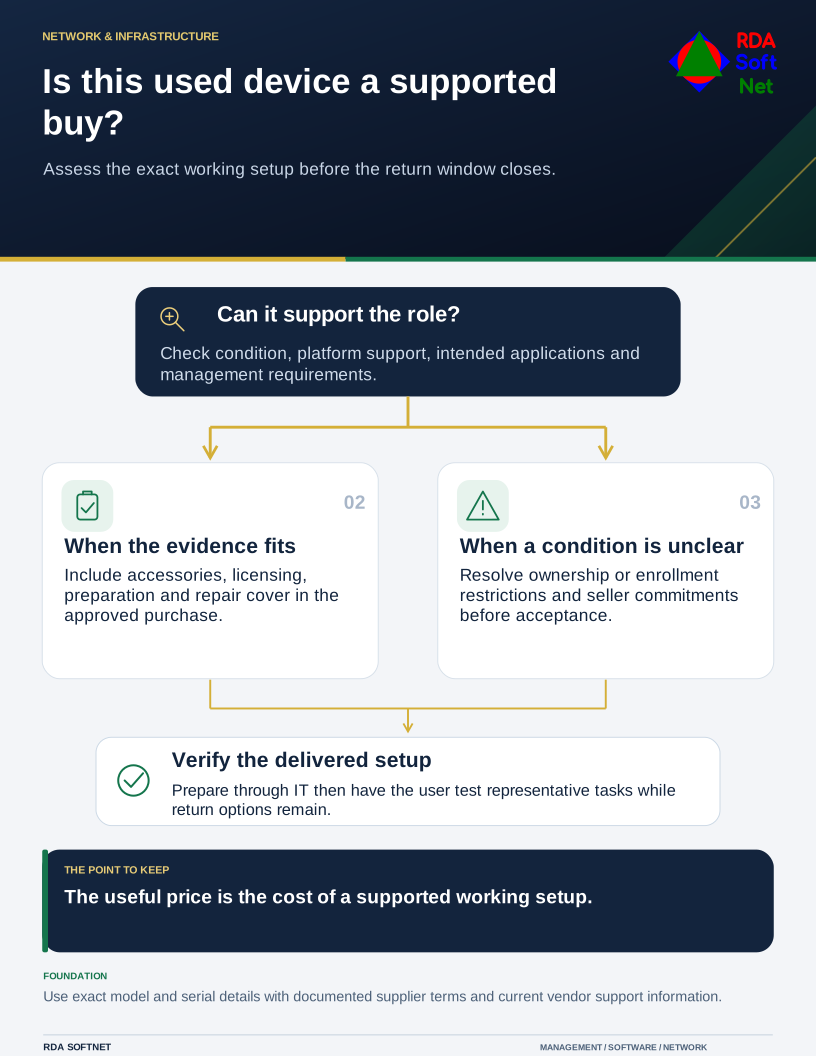
Evaluate the complete supported setup rather than the advertised price. The department needs equipment that performs its tasks; the computer department needs to manage, protect, and recover it. Those requirements apply whether the device is new, refurbished, or transferred from another organization.
Check the exact device and its history
Obtain the model, configuration, serial number, and seller's description of condition. Confirm lawful ownership, warranty and return arrangements, included accessories, and any remaining management or activation restrictions. A device still enrolled to another organization may not become usable simply because its disk was reset.
Check the manufacturer's current support information and the applications the organization needs. For a proposed Windows 11 installation, Microsoft's requirements identify platform prerequisites. Meeting a minimum operating system requirement does not establish that a computer will perform a demanding business workload well.
Use the asset lifecycle guide to compare the remaining useful support period with the intended deployment. A low price is less helpful when the replacement project will need to start again shortly after handover.
Inspect and price the working setup
Test storage, memory, display, keyboard, ports, networking, charger, and battery condition through appropriate supported methods. Ask the supplier about defects and repair history. Do not interpret a short video showing the desktop as a complete hardware assessment.
Include the right power supply, approved accessories, repair cover, preparation labor, and any required licenses in the cost comparison. Confirm licensing rights through the supplier or appropriate adviser; the presence of installed software is not proof that the organization may use it.
The planning and procurement guide helps document those requirements and the authorized choice. Standardizing a manageable set of configurations can make support easier, while an exception may be justified for a specific role or budgeted temporary need.
Prepare it as organizational equipment
Treat the seller's installed environment as unverified. Use the computer department's approved preparation process, including suitable sanitization or rebuilding, supported software, management enrollment, updates, protection, and encryption where required. NIST's media sanitization guidance provides a basis for selecting and verifying an appropriate process for the media involved.
Confirm endpoint security and recovery arrangements before introducing business information. Test the employee's normal tasks and accounts, including remote work if relevant. Record the device, owner, configuration, warranty, and acceptance outcome.
A used device succeeds when it has a clear purpose and a realistic operating life. Retain the acceptance results, seller's commitments, and any agreed defects with its asset record. Before the return window closes, confirm the user's representative tasks and the support route. That is the useful point to resolve a shortfall, while the purchasing options are still available.