
Work email on a personal phone can look like a small convenience. It also creates questions about stored attachments, lost-device response, personal backups, privacy, and what happens when the employee leaves.
Approve the arrangement before personal-device access
Permitted work and actual control capabilities need the same agreement.
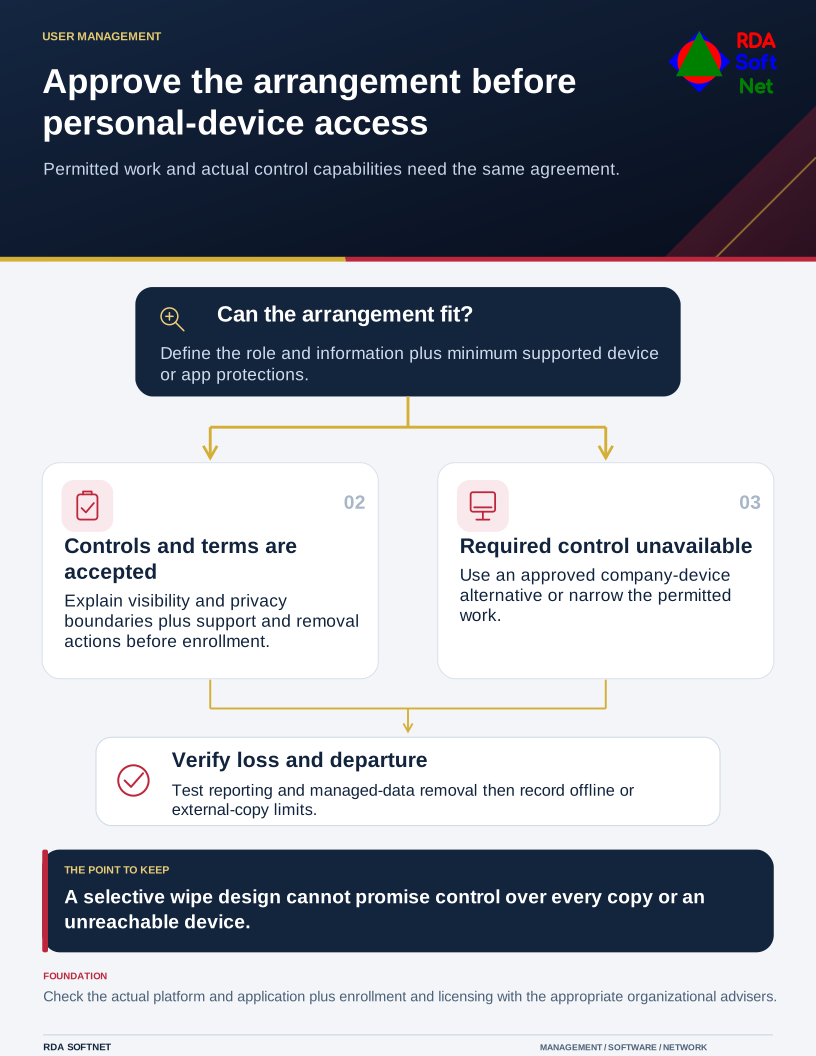
Those questions should be answered before access is granted. The arrangement must fit both the work and the controls the organization can actually operate, rather than relying on a general statement that personal devices are allowed.
Define the permitted work
Decide which roles, applications, and information may be accessed from personally owned equipment. Reading routine messages in an approved managed app is different from exporting a customer database to a family computer. Administrative work and sensitive processing may require an organization-owned managed device.
Identify the minimum supported operating system, update expectations, screen lock, encryption, and application protections. Confirm how compliance will be checked. An employee's assurance that a device is secure may not provide the evidence or ongoing control the work requires.
Use the remote work guide to connect personal-device access with the environment where the employee works. Shared household use, repairs, personal cloud backup, and device resale can all affect business information that has been downloaded.
The NIST small business quick-start guide includes acceptable-use policy for employee-owned devices among its governance questions. The organization still needs a specific agreement suited to its information, workforce, and obligations.
Explain what management can and cannot do
Device management and application protection are not identical. Their visibility and control vary by platform, enrollment, application, and licensing. Tell employees what administrators can see, what settings can be changed, and what removal actions are possible before they enroll.
Where selective removal is the design, test it with the actual supported applications. Microsoft's corporate-data wipe guidance describes removing organizational data from supported managed apps. That does not establish control over every copy outside those apps, and completion depends on the service and device interaction.
Do not promise that a remote command will retrieve or erase all information on a lost device. It may remain offline. Encryption, session controls, and limits on local storage therefore need to be in place beforehand.
Privacy, employment, and records requirements should be reviewed by the appropriate organizational advisers. Staff need a clear explanation, an opportunity to understand the arrangement, and a company-device alternative where the work or required controls make that appropriate.
Connect loss and departure to user management
Give employees a known reporting route for a lost, stolen, replaced, repaired, or compromised personal device. Support should be able to locate the approved device record and determine the account, session, and application actions needed.
When the person leaves, coordinate the authorized timing of access removal and managed-data actions. Verify what completed and record any limits. The offboarding process must consider downloaded information and external services, not just the primary directory account.
Before approving the arrangement, have the employee and support team demonstrate access, reporting, and the agreed removal process. Record the permitted work and the privacy boundaries. Compare the ongoing support and control effort with providing a managed business device, then make the decision on that full basis.