
Removing administrator rights is easier to announce than to operate well. If employees cannot get an approved printer, update, or specialist application installed, they will look for a workaround. The control needs a service behind it.
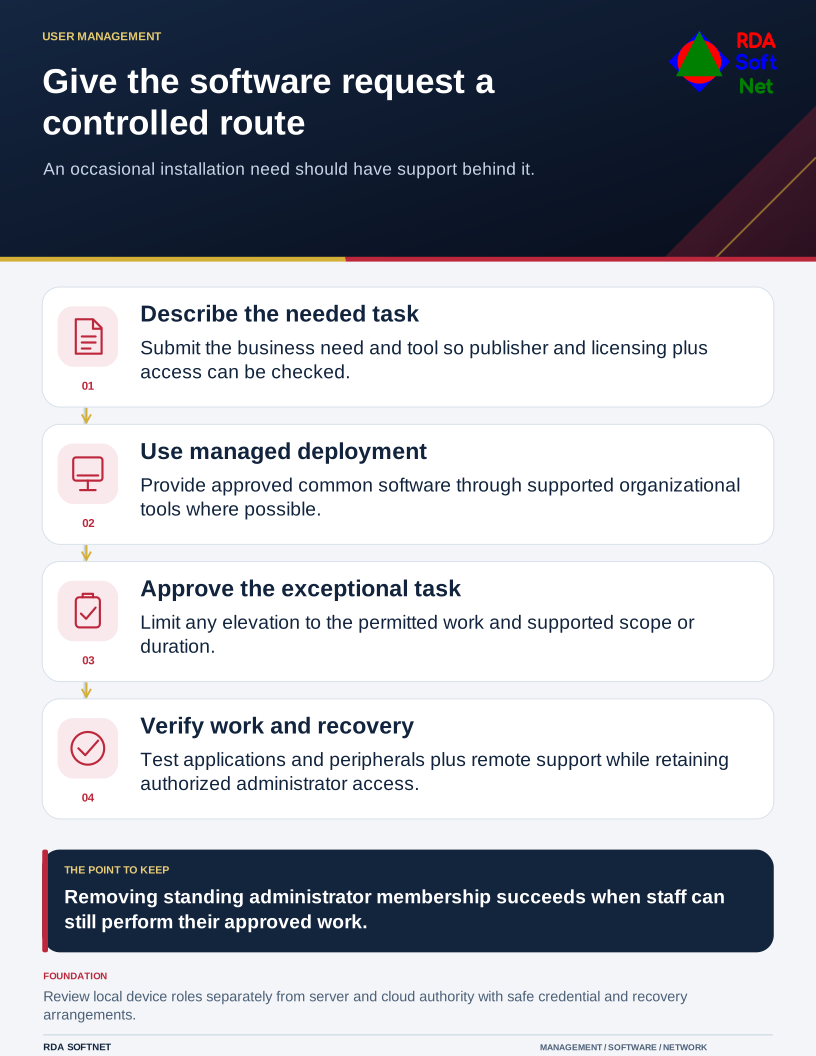
Give the software request a controlled route
An occasional installation need should have support behind it.
Start by understanding which tasks actually require additional privileges. A person who uses an engineering application is not necessarily responsible for administering the computer beneath it. Separate the work the employee performs from the installation or repair task that occasionally needs elevated access.
Make ordinary accounts the normal place to work
Microsoft's User Account Control guidance recommends a standard account for ordinary Windows use. When a standard user requests an administrative task, the normal elevation path requires appropriate administrator credentials. An administrator can approve elevation themselves, depending on configured policy.
That distinction can reduce opportunities for unreviewed system changes. It does not stop every malicious program or protect every file. Software running in a user's context can still affect information that user may access, so updates, endpoint protection, appropriate permissions, and recovery remain necessary.
Review local computer administration separately from cloud and server roles. They control different resources. A person may need a limited application role without being a device administrator, and technical staff may need an administrative identity separate from their everyday email account. Our privileged access guide covers that separation.
Provide an approved route for the exceptional task
Use managed deployment for common applications where the environment supports it. For less common requests, tell employees what to submit, who approves the business need, and how installation will be arranged. Check the publisher, supported version, licensing, and information access before approving a tool.
Some technical roles need a more flexible arrangement. Consider narrowly scoped or time-limited elevation where supported, with the task recorded and the access reviewed. A permanent exemption should not be the automatic answer to an occasional inconvenience.
Protect administrative credentials and avoid making the same local password usable across every computer. Confirm that authorized support staff can still manage a device when its ordinary sign-in or network connection fails. Removing all working recovery access creates an availability problem rather than a successful security change.
Test the work before removing the exception
Identify older applications that claim to require administrator rights. Test the actual failure with the vendor and support team. There may be a supported update or configuration change; an unexamined blanket permission can remain for years after the original need has disappeared.
Pilot the proposed account arrangement with representative staff. Test installation, updates, peripherals, remote support, and the daily application workflow. Include a way to reverse a failed change and a clear support contact.
Use user credential management to record approved identities and responsibilities, and endpoint management to verify the device configuration afterward. Revisit privileges when roles change or a person leaves.
RDA treats reduced privileges as part of delivering the work reliably. A successful change leaves employees able to do their jobs, support able to perform authorized administration, and management able to explain the remaining exceptions.