
Launching a website is a project. Keeping it trustworthy is ongoing work. The gap between those two responsibilities is where a forgotten plugin, expired account, or broken form can sit unnoticed.
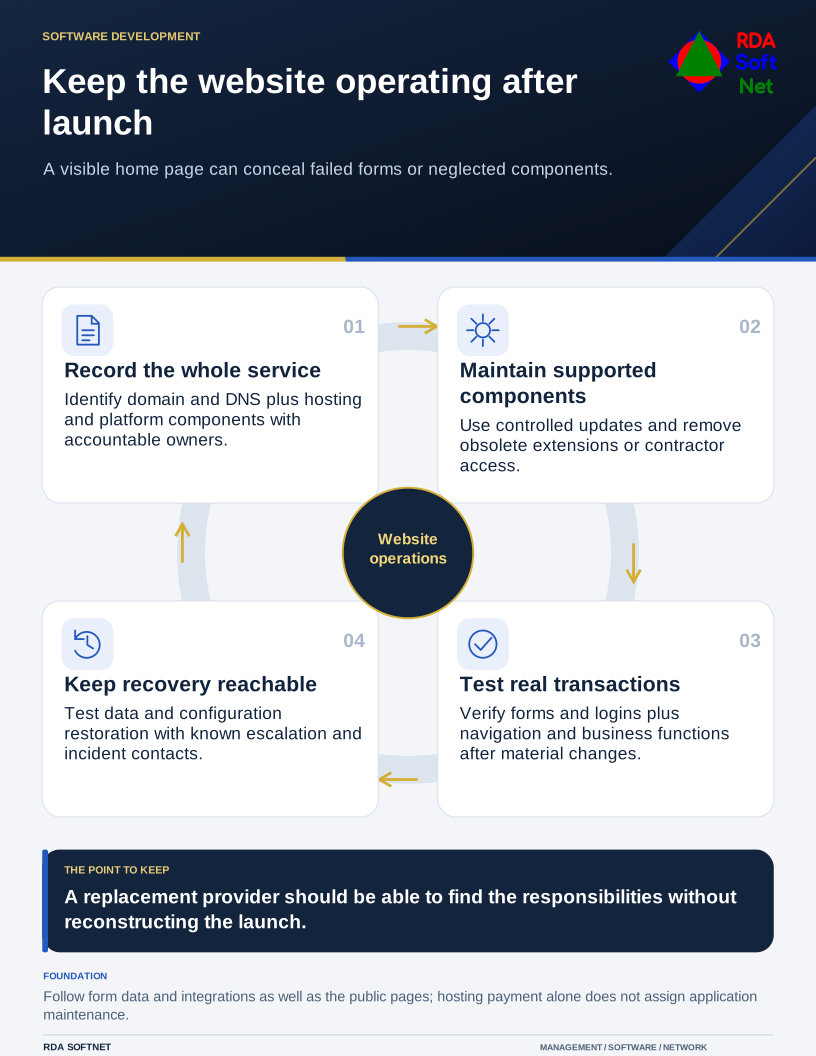
Keep the website operating after launch
A visible home page can conceal failed forms or neglected components.
Start by naming the person accountable for the service. The designer, host, internal IT team, and content editor may each perform different tasks. A hosting invoice does not establish who updates the application, tests a form, or responds when a visitor reports a suspicious redirect.
Write down what the service contains
Record the domain, DNS provider, hosting account, content platform, extensions, certificates, and external connections. Identify business-owned administrative access and the providers who support each part. Keep recovery details in the controlled documentation system rather than in a departing contractor's inbox.
Then follow the information. A contact form may send email, create a CRM record, and retain a copy in the website database. A booking or payment feature adds further dependencies. Decide which records are needed and avoid collecting sensitive information merely because a form makes it easy.
The website operations guide covers that inventory and division of responsibility. Our integration review applies where the site exchanges information with another application. Both matter even when the public pages appear simple.
For WordPress, the project's own security guidance emphasizes keeping the platform, installed plugins, and themes updated, and choosing maintained components. Other platforms have different maintenance arrangements. Confirm the provider's responsibilities and the account controls that remain yours.
Test changes and the recovery route
Updates can affect more than appearance. Test representative navigation, forms, logins, search, and any business transaction after a change. Use a separate test environment where appropriate, and plan how a failed change will be reversed. Do not leave a vulnerable component indefinitely simply because nobody has time to test its replacement.
Remove extensions and accounts that no longer serve a purpose. Check whether administrative access needs to be as broad as it is. Content editors often need publishing permissions without the ability to install code or manage every account.
Backups should cover the data and configuration needed for a working restoration. Test the site in a controlled location, including its connected functions. A folder of page files may not include a database, uploaded documents, or application settings. See the backup and recovery guidance for the wider dependency check.
Give someone responsibility for alerts, certificate and domain renewals, and reports from visitors. HTTPS protects a connection; it does not prove that a site is free of malicious content or that a form handles information appropriately.
If compromise is suspected, coordinate containment with the host and response team, preserve evidence, and assess the information involved. Restoring a copy without addressing the entry point can recreate the problem. Follow the incident process rather than having several providers independently change passwords and delete files.
A maintained website has a modest operating record: who owns it, what changed, what was tested, and what remains to be fixed. Keep that record accessible to the authorized people who would handle an outage. A replacement provider should be able to find the responsibilities without reconstructing the launch project.