
A computer that still starts normally can be past its ordinary support date. That makes support status an inventory question, not something an employee can judge by whether Word opens or the printer works.
Choose a verified route for each remaining Windows 10 device
Support status depends on the installed edition and actual update arrangement.
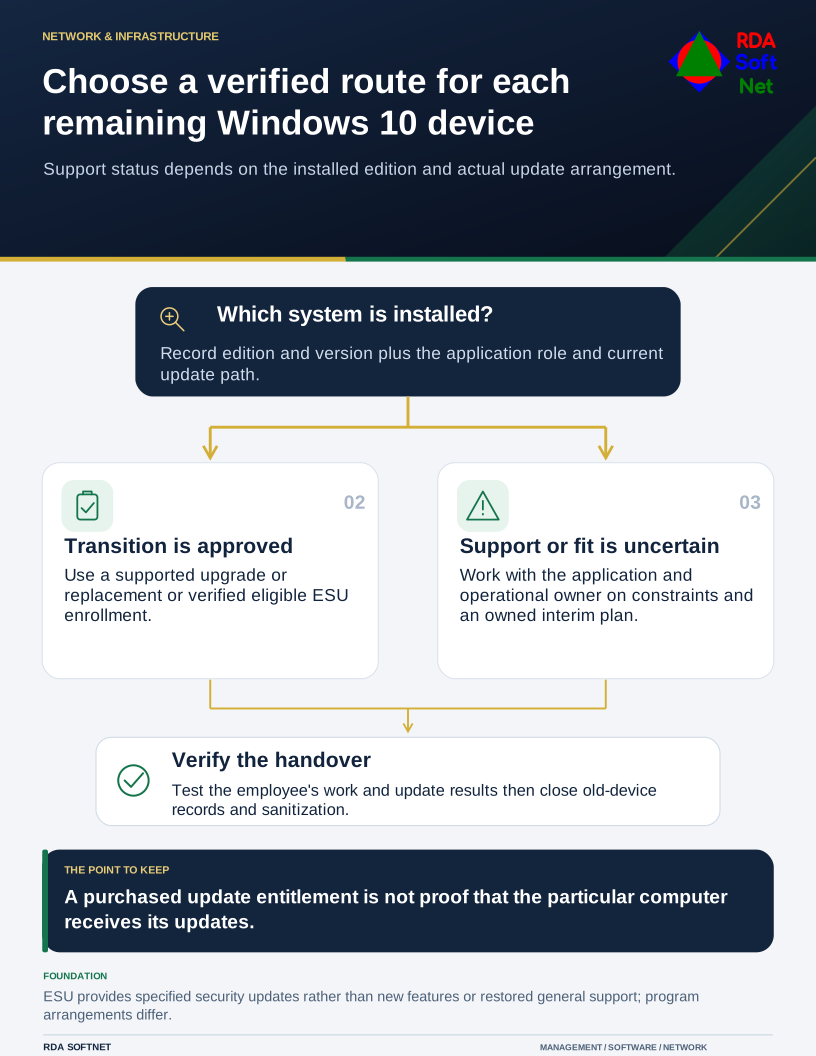
For remaining Windows 10 devices, identify the edition, version, application role, and current update arrangement. Do not assume every product carrying the Windows 10 name follows the same lifecycle, and do not mistake a purchased entitlement for a machine successfully receiving its updates.
Separate ordinary support from a transition arrangement
Microsoft's Windows 10 ESU guidance records the October 14, 2025 end of ordinary Windows 10 support and describes Extended Security Updates for eligible enrolled systems. ESU supplies specified security updates; it does not add new features or restore general product support. Commercial and consumer arrangements differ.
If the organization uses ESU, verify eligibility, activation, and recent update results on the actual device. Keep the evidence with its asset record. A console count or invoice should be reconciled with the systems still in service.
An extended update arrangement should have a business reason and a planned end. It can provide time for an application change or a controlled hardware replacement. It should not become an indefinite assumption that an old system no longer needs review.
Choose the route for each device
For hardware suitable for a supported operating system, test the applications, peripherals, security controls, and management tools that the person needs. Compatibility means completing representative work, not simply reaching the desktop after an upgrade.
For hardware that cannot make the move, compare replacement with the full cost and remaining usefulness of a temporary arrangement. Include setup, data transfer, licensing, staff time, and disposal. The asset lifecycle plan keeps those decisions connected to the budget.
A specialist system may require its application vendor and operations owner to participate. Document the constraint, reduce unnecessary access, and decide how the service will be replaced or upgraded. Isolation can reduce exposure, but it does not make unsupported software equivalent to a supported system.
Finish the change with the employee
Before retiring the old device, confirm that needed business information is protected and that the replacement can perform the work. Test sign-in, MFA, printing, specialist applications, and access to shared records. Explain what has changed and how the employee gets help.
Update management, monitoring, and security records after cutover. An old computer retained briefly for a controlled transition should remain accounted for. Equipment left connected in a cupboard can continue to create maintenance and access obligations long after the new laptop arrives.
Follow the approved sanitization process before equipment leaves organizational control. Removing a user profile is not the same as verifying that storage was sanitized. Keep a record of the asset, method, and disposition.
List the remaining exceptions on the technology roadmap, with an owner, the current protection, and the next approved step for each. Use the endpoint security process to verify update results during the transition. Review the unresolved devices together before another subscription or support period ends.