
A successful passkey demonstration takes a few moments. A successful organizational rollout also handles a lost phone, a replacement laptop, a shared workstation, and a person who cannot use the proposed method. Those cases belong in the plan before passwords or other sign-in methods are restricted.
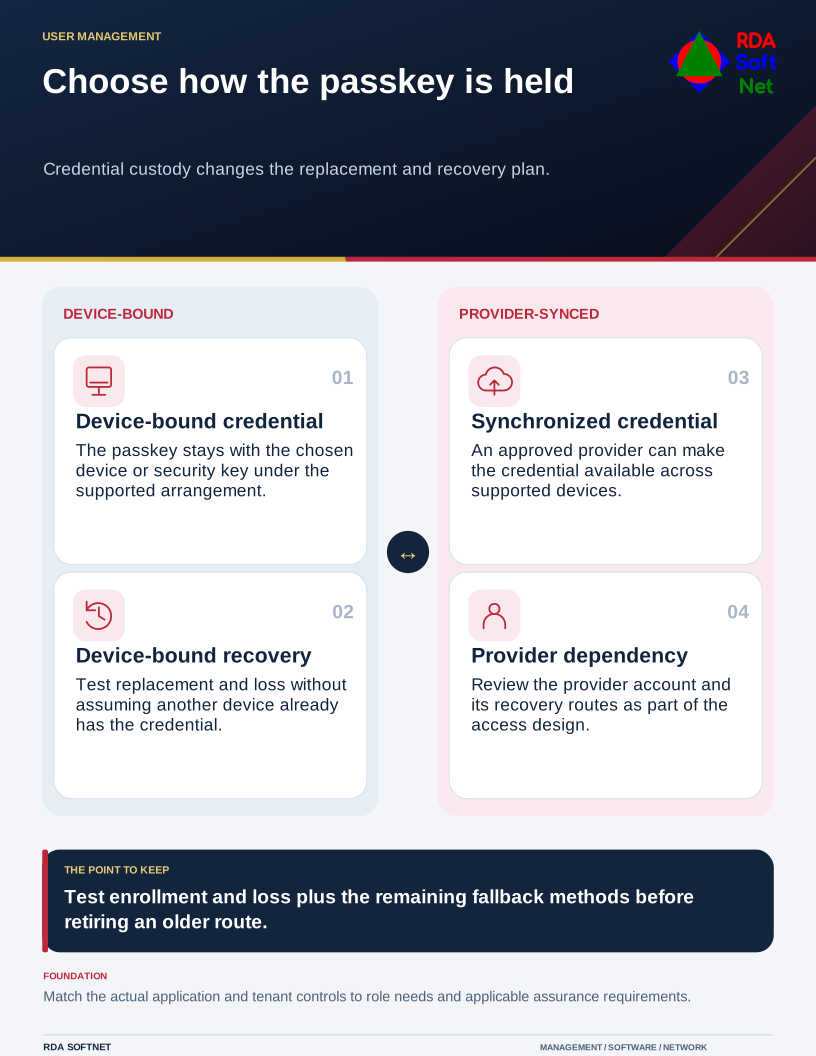
Choose how the passkey is held
Credential custody changes the replacement and recovery plan.
Passkeys use public-key authentication rather than a shared password for the service. Their relationship with the legitimate service provides resistance to common phishing techniques. That is a strong reason to consider them, but it does not remove the need to manage devices, permissions, and account recovery.
Choose a suitable credential arrangement
Passkeys are not all stored in the same way. Some are bound to a particular device or security key. Others are synchronized through a passkey provider. Microsoft's Entra passkey guidance distinguishes those arrangements and their policy controls.
Choose based on the role, sensitivity, supported devices, and applicable requirements. Do not assume every passkey stays on one device or that every credential synchronizes automatically. For regulated access, confirm the specific assurance and authenticator requirements rather than relying on the product label alone.
Our passkey guide sets out the supporting decisions. NIST's authentication and authenticator management guidance is relevant where its assurance requirements apply or have been adopted. Using a passkey does not, by itself, establish compliance with every requirement of an identity system.
Test the whole account lifecycle
Map the applications users need and confirm their supported sign-in routes. An organization may use an identity provider for some services while other applications maintain separate accounts. A personal consumer-account announcement does not establish the configuration of a business tenant.
Pilot with representative users and devices. Test registration, ordinary sign-in, remote work, authorized shared-device scenarios, and access to older applications. Include an unavailable authenticator and a lost-device recovery exercise using controlled test accounts.
The onboarding guide connects enrollment with account creation, role approval, and handover. The credential management guide covers later changes and departures. Confirm who can add or remove an authenticator and how support verifies the requester's identity.
Retire weak routes deliberately
During transition, document which alternative sign-in methods remain and why. Leaving a weak recovery or fallback route permanently available can undermine the stronger method. Removing alternatives too soon can prevent legitimate work. Make the decision explicit and review the exceptions.
Communicate what users will see and provide a verified support route. Link the change to the wider MFA plan, including administrators and emergency access. Keep an adequate record of enrollment and unresolved compatibility issues.
RDA treats this as an account lifecycle project rather than a new login screen. Completion means the team can operate, replace, and recover the chosen credentials safely, with clear limits for applications that still need another method.