
A recruiter message can arrive during an ordinary workday and feel entirely separate from business security. The connection appears when the next step asks someone to open an assessment, install a tool, sign into a new portal, or discuss work they have done for their employer.
Check the assessment before acting on it
An outside opportunity cannot authorize access to work devices or information.
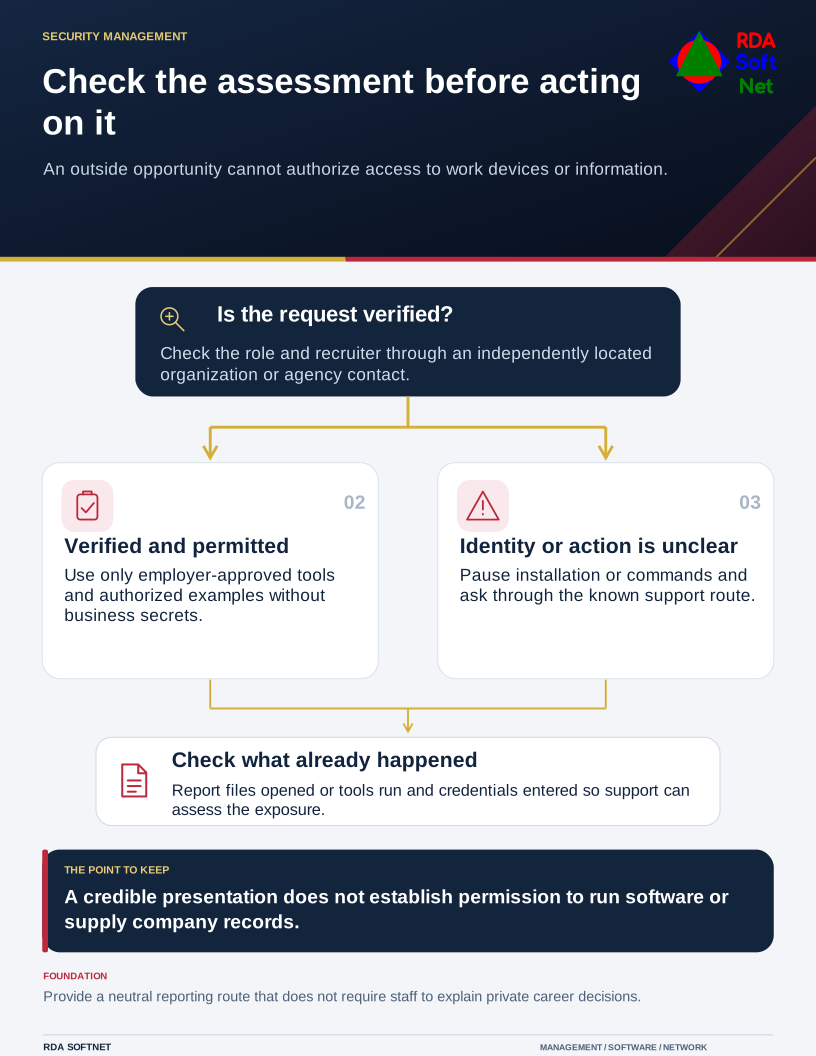
Professional presentation is useful context, but it does not establish who is making the request. A recognizable company name, polished profile, or plausible conversation can be copied or compromised.
Verify through a route you choose
Check the role and recruiter using the organization's independently located website or established contact details. Do not rely only on a link, phone number, or reference supplied in the message being checked. If a recruiter represents an agency, confirm that relationship as well as the advertised employer.
The FTC's job scam guidance describes attempts to obtain money and personal information through apparently legitimate opportunities. Its warning about recruiter texts is another reminder that a credible appearance is not sufficient verification.
An urgent deadline should not remove the check. Honest recruiting can involve time-sensitive requests, but a person should still be able to establish who they are dealing with before supplying sensitive information or taking a consequential action.
Keep the assessment out of business systems
Do not install unfamiliar software, browser extensions, or remote access tools on a work device to complete an unverified assessment. A request to run commands or disable protection deserves an immediate pause and review by the computer department.
The endpoint security guide explains why approved software and managed settings matter. A standard user account reduces some opportunities for change but cannot prevent every harmful download, browser action, or disclosure of information.
Never use real customer records, internal documents, source code, or account details as assessment material without authorization. A request for an impressive work example can cross confidentiality boundaries even when no malware is involved. Use permitted, sanitized examples through the employer's normal rules.
Keep work and personal credentials separate. Do not supply sign-in codes to someone claiming to verify an interview or account. The user credential guide covers unique identities, additional authentication, and safe recovery arrangements.
Make reporting comfortable
Staff need to know they can report a suspicious interaction without first proving it is a scam or explaining private career decisions. The awareness guide puts the emphasis on the action that needs checking, rather than blame or embarrassment.
If someone opened a file, ran a tool, or entered work credentials, tell support what happened promptly. Follow the incident response process, preserve the relevant message, and avoid further interaction while the team assesses the situation.
A useful workplace rule is simple: outside requests cannot authorize access to company devices or information. It protects people who are networking or exploring opportunities while keeping the organization's systems out of an unverified process.