
The button may say Connect, but the decision behind it can be substantial. An application might be asking to read a calendar, send mail, update records, or access files across the organization. A familiar sign-in screen does not make all of those permissions appropriate.
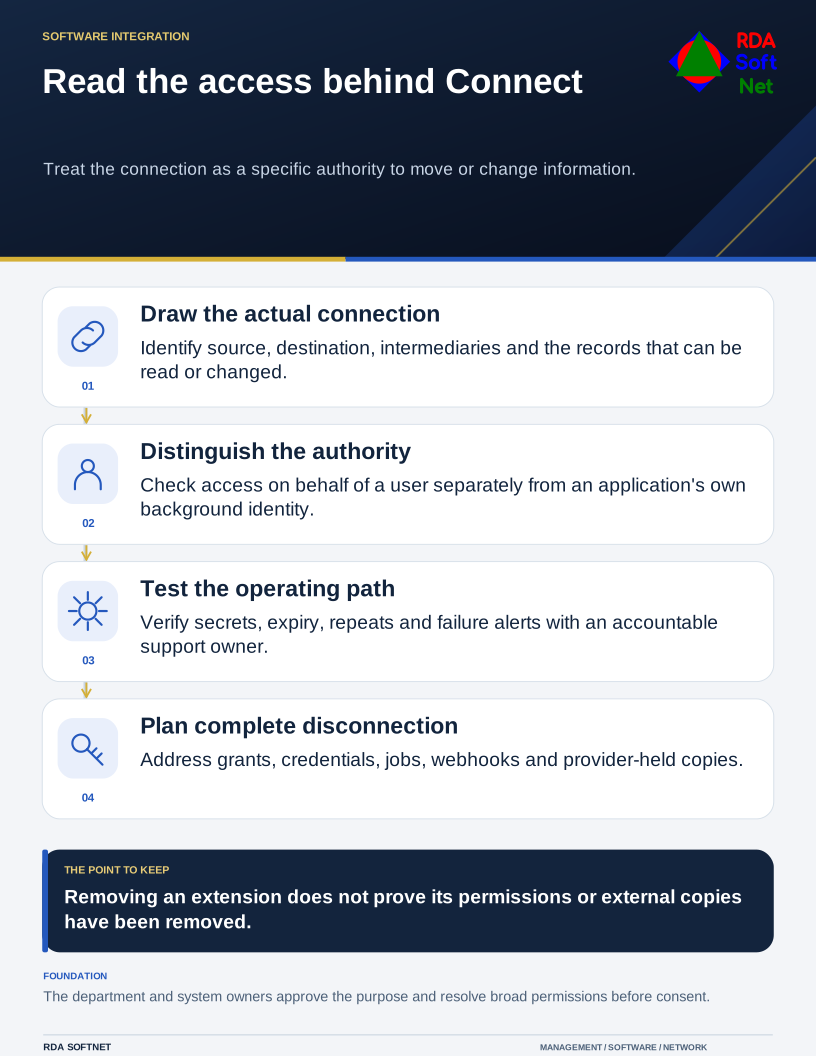
Read the access behind Connect
Treat the connection as a specific authority to move or change information.
Begin with the task the connection is supposed to perform. If the purpose cannot be described clearly, it will be difficult to decide whether the requested access is necessary. Involve the department that owns the work and the person responsible for each system.
Draw the connection in plain language
Record which system sends information, which system receives it, and what happens next. Identify the specific records involved and whether the connection can change or delete them. Include any intermediary service rather than documenting only the applications staff recognize.
Microsoft's permissions and consent overview distinguishes access performed on behalf of a signed-in user from access performed by an application's own identity. Those are different review questions. A background integration may continue operating when the employee who originally configured it is absent.
Our application integrations guide explains ownership, consent, support, and removal. Ask the supplier to explain broad permissions and whether a narrower supported configuration is available. Record unresolved limitations for an authorized decision rather than guessing what a technical permission label means.
Check operation as well as access
Find out how the integration authenticates, where secrets or certificates are held, who maintains them, and how expiry is reported. Prefer an appropriate supported service identity over borrowing an employee's ordinary account for a permanent background process.
Ask what happens if a request fails or is repeated. An integration that creates an invoice twice can cause an operational problem even when no attacker is involved. Test representative records and failure conditions in a suitable nonproduction arrangement before permitting live changes.
Agree on logs and alert ownership. Logs should help someone determine whether work completed, without unnecessarily copying passwords, tokens, or sensitive record contents. The automation guide covers controlled execution, testing, and rollback where the connection performs actions.
Know how to disconnect it
Removing a browser extension is not a complete exit plan. Identify the permissions, credentials, scheduled tasks, webhooks, and provider-held copies that must be addressed. Determine which records belong in the source system and what must be exported before ending service.
Use vendor review to assess the supplier's responsibilities and incident arrangements. Security reports can inform the decision, but read their scope and any relevant exceptions. A report about one service does not automatically describe every integration the company sells.
After introduction, schedule a review with the application owner. Confirm that the purpose remains valid, permissions still match the need, and the person supporting the connection can explain how to stop it. That is a manageable control for a useful integration, and much easier than reconstructing an undocumented connection during an outage.