
“The file was deleted” can describe several situations. It might be in a recycle location, removed from a synchronized library, retained by a records policy, or absent from the visible filesystem while other copies remain. Those are different starting points for recovery and disposal.
Which outcome does deletion mean?
Different requests need different actions and evidence.
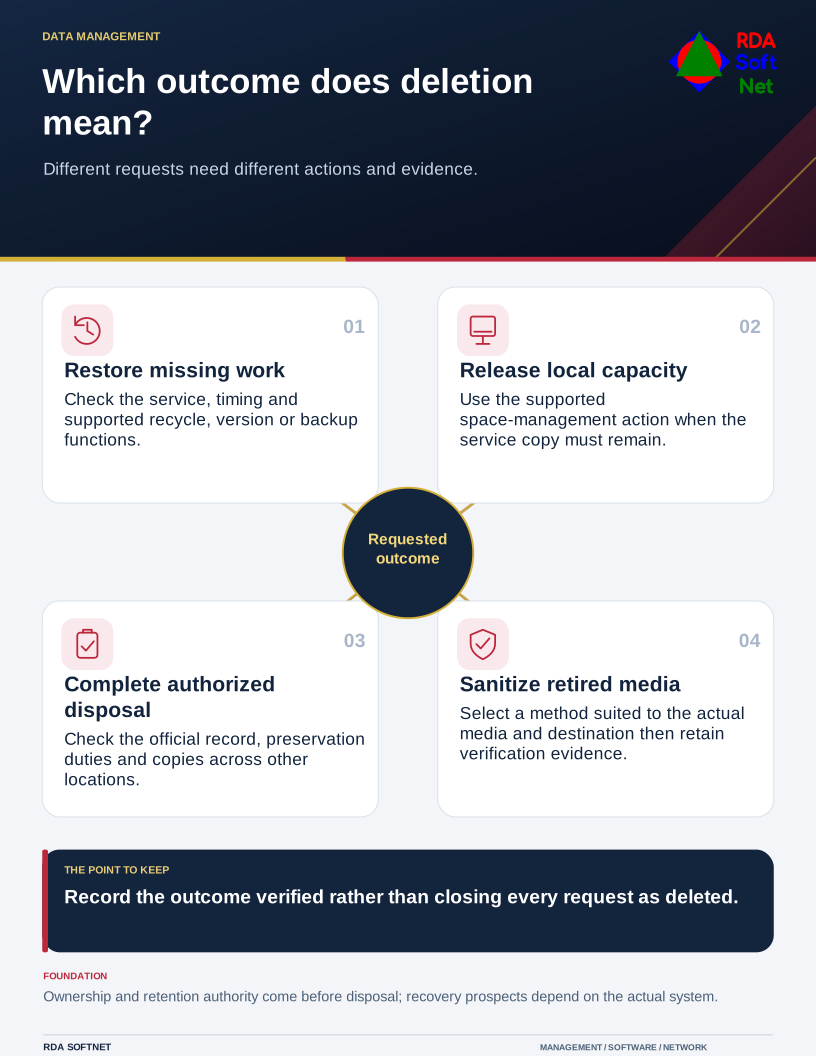
Ask where the file lived, how it was removed, whether the folder was synchronized, and what other copies exist. Avoid promising that every deleted file can be recovered or that emptying a bin proves every copy is gone.
For recovery, start with the service and timing
Use the approved support route promptly and record the location, name, approximate time, and business purpose. Check supported recycle, version, and backup functions before installing a recovery utility. An unmanaged recovery tool can introduce new risk or change the device being examined.
Microsoft's OneDrive deletion guidance distinguishes deleting a file from keeping it in the service while releasing local space. In a synchronized location, an ordinary deletion can affect other synchronized views as well. Confirm the particular product's behavior rather than treating every folder as local storage.
The backup and recovery guide helps establish available restore points and verification. Recovery prospects depend on the system, configuration, elapsed activity, and protection already in place. Storage technologies and background processing can also affect what a forensic recovery attempt can retrieve.
For retention, establish who may decide
An employee's wish to clear space does not authorize disposal of organizational records. Check required retention, legal holds, ownership, and the status of the official copy. The records retention guide connects those decisions with a defined approval and disposal process.
Look for exports, attachments, local working copies, and copies held by other services. Removing the item from the main application does not necessarily remove those. Conversely, a retained copy may exist for an authorized records purpose even when ordinary users no longer see it.
Document what the chosen action is meant to achieve. Freeing local capacity, removing access, ending retention, and preparing equipment for reuse are separate outcomes. The team needs to know which one it has been asked to verify.
For retirement, use a verified sanitization method
Do not generalize that deleted data always remains intact until another file overwrites it. Media, encryption, device features, and storage management differ. Repeatedly overwriting a visible file is not a universal sanitization procedure for all equipment.
NIST's media sanitization guidance addresses selecting appropriate techniques and controls for the information and media involved. The asset lifecycle guide connects that process with custody, reuse, and final disposition.
Include encryption and key arrangements when assessing supported sanitization options, with qualified technical review and completion evidence. Close the request by recording the outcome actually verified: a file restored, a local copy released, an authorized disposal completed, or media sanitized. Avoid using 'deleted' as shorthand for four different results.