
The computer is no longer useful to the department. The information on its storage may still be valuable to someone else. A disposal process needs to handle both facts, whether the equipment is being recycled, donated, returned to a lessor, or reused internally.
Close the information trail with the asset
Equipment retirement needs preservation and verified disposition.
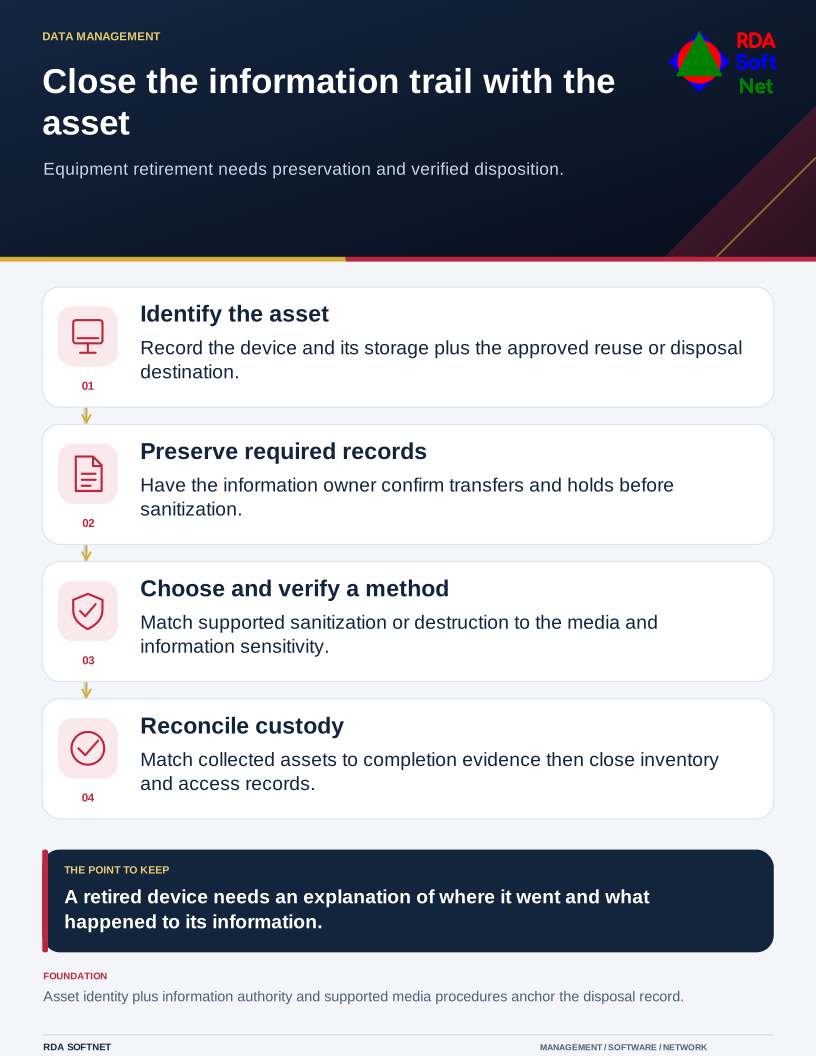
Do not begin by choosing a wiping utility. Begin with the asset, the information it may hold, and the approved destination. A printer, network appliance, phone, or removable drive can require the same attention as a workstation.
Decide what must be preserved
Ask the information owner whether records need to be transferred, retained, or held before sanitization. Confirm that necessary data has reached an approved location and can be used there. A successful copy operation alone may not establish that an application database or archive is recoverable.
Connect equipment collection with staff offboarding where relevant. Record issued devices, returned items, missing assets, and the person taking custody. Reassignment also needs a controlled preparation process; a working device should not simply be handed to the next user with the previous user's profile intact.
The asset lifecycle guide treats retirement as part of the same inventory used for purchasing and support. It should be possible to follow the device from deployment through its final disposition.
Match the method to the media and information
Deleting files or performing an ordinary reset is not, by itself, evidence that the chosen sanitization outcome has been achieved. The method must suit the media, device capabilities, information sensitivity, and intended next use.
NIST's current media sanitization guidance addresses a sanitization program and appropriate techniques. Use it with supported device guidance and applicable requirements. An overwrite procedure that suits one storage technology should not be assumed to work identically on every drive.
Choose whether the asset can be reused after a verified supported process or requires destruction through an appropriate provider. Failed devices need a route too; the inability to boot a computer does not establish that its storage contains no readable information.
Keep custody and completion connected
Store retired equipment securely while it awaits processing. Record the asset identifier, serial number where available, custodian, dates, approved action, and destination. When a provider collects equipment, reconcile what leaves with what the provider later reports.
Use vendor review to examine the provider's process, facilities or subcontracting arrangements, reporting, and responsibility for exceptions. A certification can inform the review, but it does not eliminate the organization's need to check scope, contract terms, and completion evidence.
Inspect the final report for missing identifiers and unsuccessful items. Keep the record in an approved location under the organization's retention process. Update the inventory and remove obsolete management entries, access credentials, and support obligations as appropriate.
This work does not have to be elaborate, but it should be traceable. The department should be able to explain where an asset went, what happened to its information, and who verified the result. That explanation is easier to produce when retirement is planned before equipment accumulates in a storage closet.