
A computer that pauses during an important task deserves attention. It does not automatically deserve replacement. The delay may come from storage pressure, a software problem, an overloaded network, or a remote service. Buying a new device before identifying the constraint can leave the same complaint on a newer screen.
Does the evidence justify replacement?
Connect the proposed purchase to the limitation it is meant to resolve.
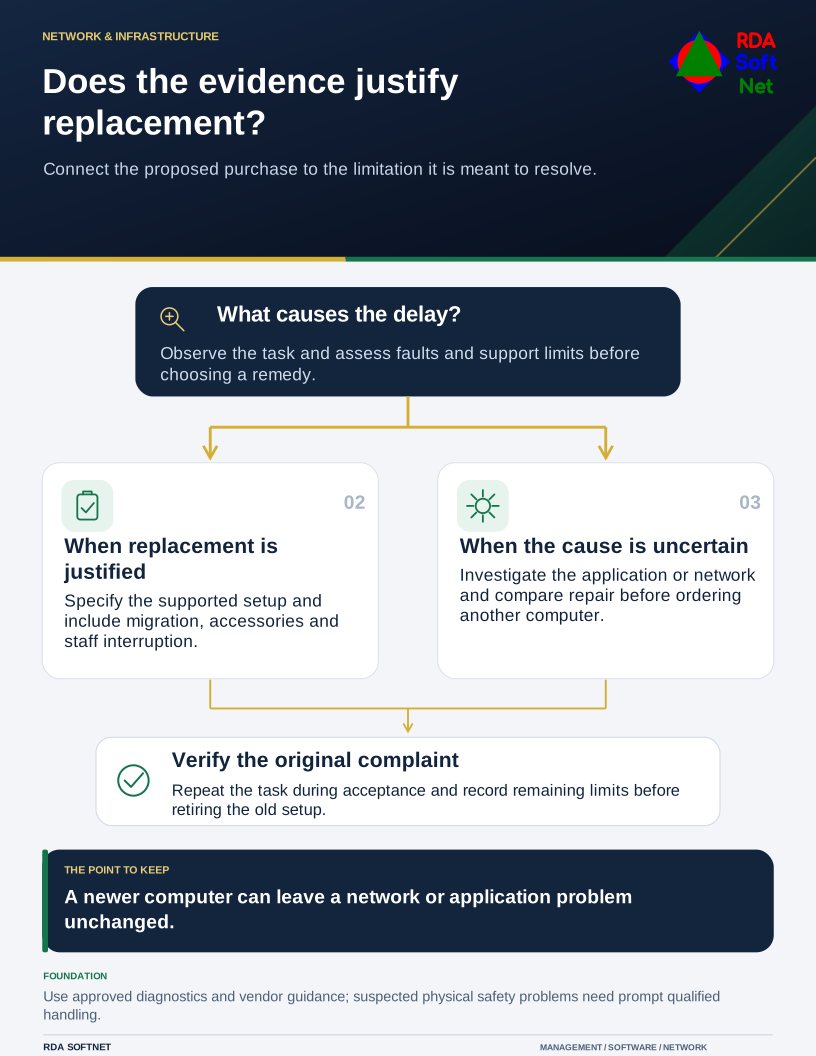
Ask the user to demonstrate the problem and record when it occurs. Compare the result with similar work elsewhere and review the device's condition and support status. A useful replacement decision explains which limitation the new setup will address.
Separate a repairable problem from an operating limit
Check available storage, application requirements, errors, update status, and relevant hardware diagnostics through the approved support process. Review battery and physical condition through manufacturer guidance and appropriate service personnel. Damage or a suspected battery safety issue requires prompt handling, not an experiment with performance settings.
The endpoint security guide connects maintenance and supported software with an operating baseline. Recurring faults may justify repair or replacement; a missing update or application configuration may require a different correction.
Consider whether the device can support the intended platform and management requirements. Microsoft's Windows 11 specifications identify relevant prerequisites for that operating system. They do not guarantee acceptable performance for every role or application.
Compare the remaining working life
Record vendor support, warranty, repair options, application compatibility, and the organization's expected use. An arbitrary age limit can help budgeting, but it should not hide the actual condition or support requirement. A well-maintained device may still fit its role while another needs replacement sooner.
Use asset lifecycle planning to forecast renewals and replacements before failures force urgent purchases. Include spares or temporary cover for roles that cannot tolerate a repair delay. The cost of arranging that continuity belongs in the comparison.
Estimate preparation, migration, accessories, licenses, staff interruption, support, and disposal alongside the purchase price. Repairs can make sense when they restore a supported, suitable service. They are less attractive when the repaired equipment will soon require another project to meet a known requirement.
Plan the handover before ordering
Define what the replacement must run and how the employee will confirm it works. Include approved remote work arrangements where relevant. A faster laptop still needs the correct accounts, applications, storage, and security settings.
The planning and procurement guide connects the decision with authorization and an acceptance check. Verify that required records and settings are transferred through approved methods, then retain recovery arrangements for the transition.
Prepare the retired device according to its new destination. NIST's media sanitization guidance helps inform that process; deleting a user's visible folders is not sufficient evidence of sanitization.
Return to the original complaint during acceptance. Have the employee repeat the task that prompted the replacement and compare the result with the agreed requirement. Record any remaining limitation before retiring the old setup. This closes the loop between the problem management authorized spending to solve and the working service actually delivered.