
An email outage does not affect every organization in the same way. One department can continue preparing documents; another may lose access to the instructions needed to serve the public. A useful continuity plan begins with the work that must continue, not with an assumption that every cloud interruption requires the same response.
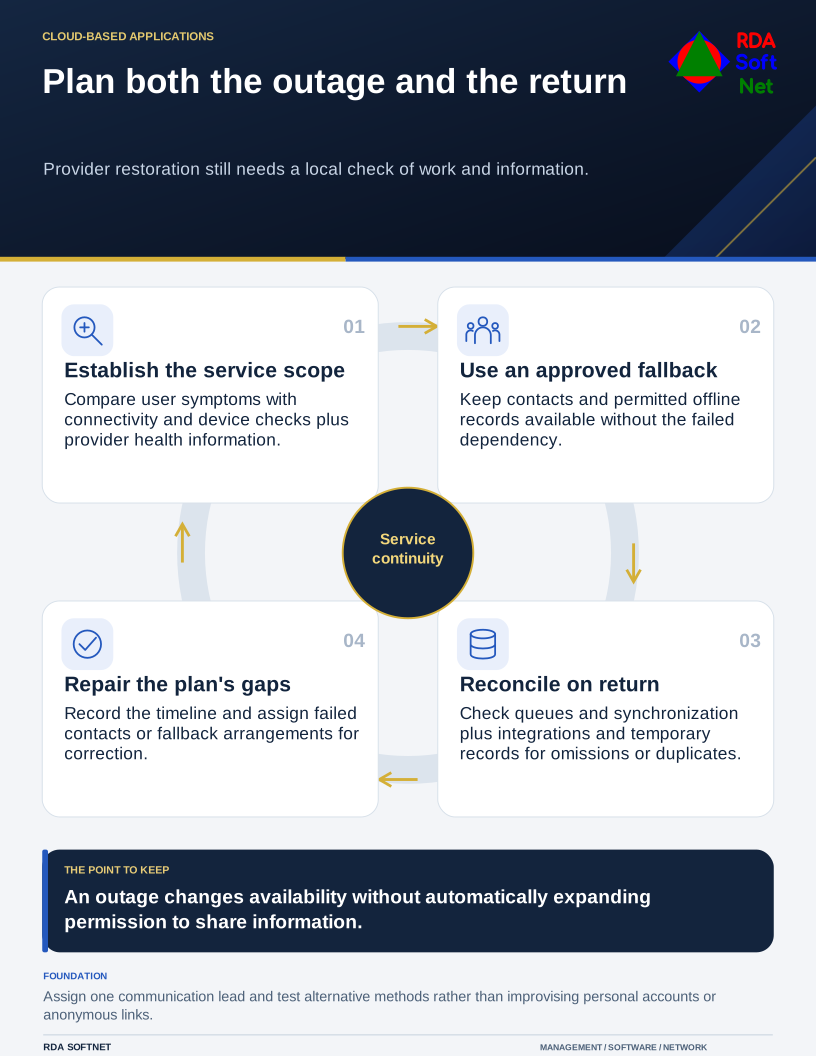
Plan both the outage and the return
Provider restoration still needs a local check of work and information.
Ask each department what becomes difficult when email, Teams, identity, or shared files are unavailable. Those are related services, but they can fail differently and have different fallback options.
Establish what has failed
Have the support team check the reported symptoms and service scope. Is the problem local connectivity, a device, the organization's configuration, or the provider? Microsoft's service health guidance explains where administrators can check incidents and advisories, including an alternative status page if the admin center cannot be reached.
A status page may lag the first reports. Record what users are seeing and escalate through the provider's supported route when needed. Avoid having staff repeatedly reset passwords, reinstall applications, or change network settings while the cause remains uncertain.
One person should coordinate updates to employees. State the affected service, what staff should do, and when the next update will be provided. It is better to give a reliable communication time than to invent a recovery estimate the organization cannot control.
Make the fallback fit the information
The continuity guide helps identify approved alternative communication and work methods. A phone tree or separate messaging arrangement must itself remain reachable without the failed service. Check whether cloud calling, contact lists, and authentication rely on the same unavailable components.
For essential documents, decide in advance whether controlled offline copies are appropriate. Files displayed in a synchronization client are not necessarily downloaded and available offline. Test availability with representative devices, suitable encryption, and the permissions needed for the work.
Do not improvise by forwarding confidential records to personal email or making an anonymous share. An outage changes availability; it does not automatically change who may receive the information. The file collaboration guidance should cover permitted offline handling and how copies return to normal management.
Some work should pause rather than use an unsafe workaround. Define who may make that decision and how affected customers or partners are informed. Essential operational services may need a more detailed fallback, coordinated with their owners and other providers.
Check the return to normal
Restoration at the provider is the beginning of the local check. Confirm mail queues, file synchronization, scheduled integrations, and any transactions handled through a temporary process. Reconcile paper or offline records so they are not entered twice or left out.
Keep the incident timeline and record which fallback arrangements worked. If the organization was unable to reach a needed contact list, assign that correction before the next outage. Bring recurring problems into the cloud governance review.
RDA coordinates technical diagnosis with those business decisions. The plan does not need to predict every failure. It needs to give staff approved choices, an accountable lead, and a tested route back to ordinary work.