
A home working area may share space with family life, visitors, or another person's job. That is manageable, but it needs some practical boundaries. A confidential conversation can be overheard even when the laptop is well protected. A printout can be misplaced even when the source document is stored securely.
Close the workday with information under control
A locked laptop is one part of the physical and digital routine.
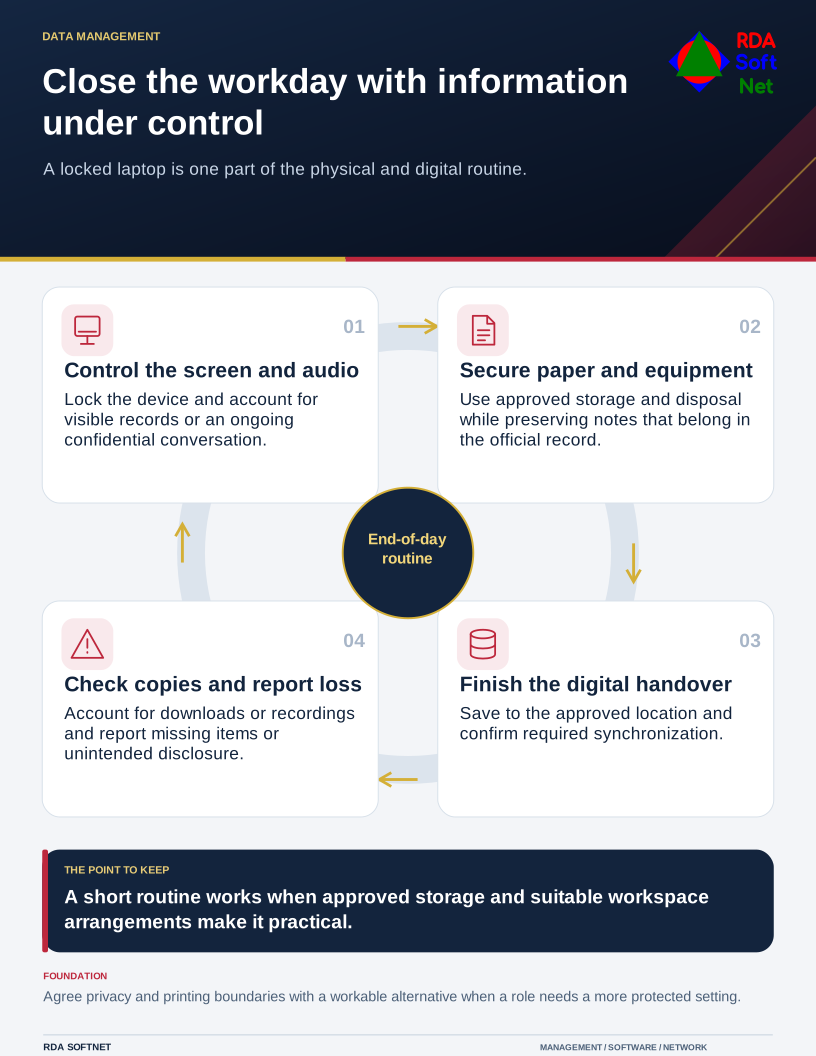
The aim of a clear-desk routine is to leave organizational information under control when work pauses. It should cover the physical workspace and the active digital work, without expecting every employee to build a separate office.
Look beyond the laptop
Ask what information the role brings into the home. Consider screens visible from shared spaces, paper documents, handwritten notes, meeting audio, removable storage, and files saved for offline use. Decide which arrangements are appropriate for the sensitivity of that work.
The remote work guide helps the organization set expectations before equipment is issued. NIST's telework security guidance addresses remote access, client devices, and associated policy as connected concerns. The physical working environment belongs in the conversation too.
For particularly sensitive work, the organization may need restrictions on printing, shared rooms, personal equipment, or local copies. Give staff a workable approved alternative. A requirement they cannot meet should be raised and resolved rather than left as a paper policy.
Agree what happens when someone steps away
Use automatic locking and teach manual screen locking. Position displays to reduce casual viewing and avoid leaving documents open for others to use. A locked screen reduces immediate access, but it does not remove paper records, silence a meeting, or stop an authorized background process.
Store equipment and documents securely when finished. Keep work devices for authorized work rather than household use. If printing is permitted, explain where material may be stored and how it must be returned or disposed of. Ordinary household recycling is not an appropriate default for confidential records.
Review the information handling guide for retention and disposal decisions. A desire to tidy the workspace does not override a requirement to preserve a record. Staff should know which notes are temporary and which must become part of the official record.
Finish the digital handover as well
Save work to the approved location and confirm that any required synchronization completed. Check whether a recording, download, or exported report has created another copy that needs protection. The file collaboration guide explains how ownership and approved storage support both access and recovery.
Report a lost document, missing device, or unintended disclosure promptly through the organization's support route. Early reporting gives the appropriate team a chance to assess the exposure rather than relying on guesswork.
Include older spare laptops and home networking equipment in relevant asset lifecycle decisions. They should not become an unreviewed fallback when the main device fails. A short, practiced end-of-day routine is most effective when the equipment, storage, and support arrangements make it easy to follow.