
A morning cloud review can reveal a failed backup, unexpected access, or a change in spending. It helps only if someone knows what to do with the finding. Repeatedly looking at a red status without assigning the work is not an operating process.
Turn cloud exceptions into completed work
A repeated red status needs an owner and a next action.
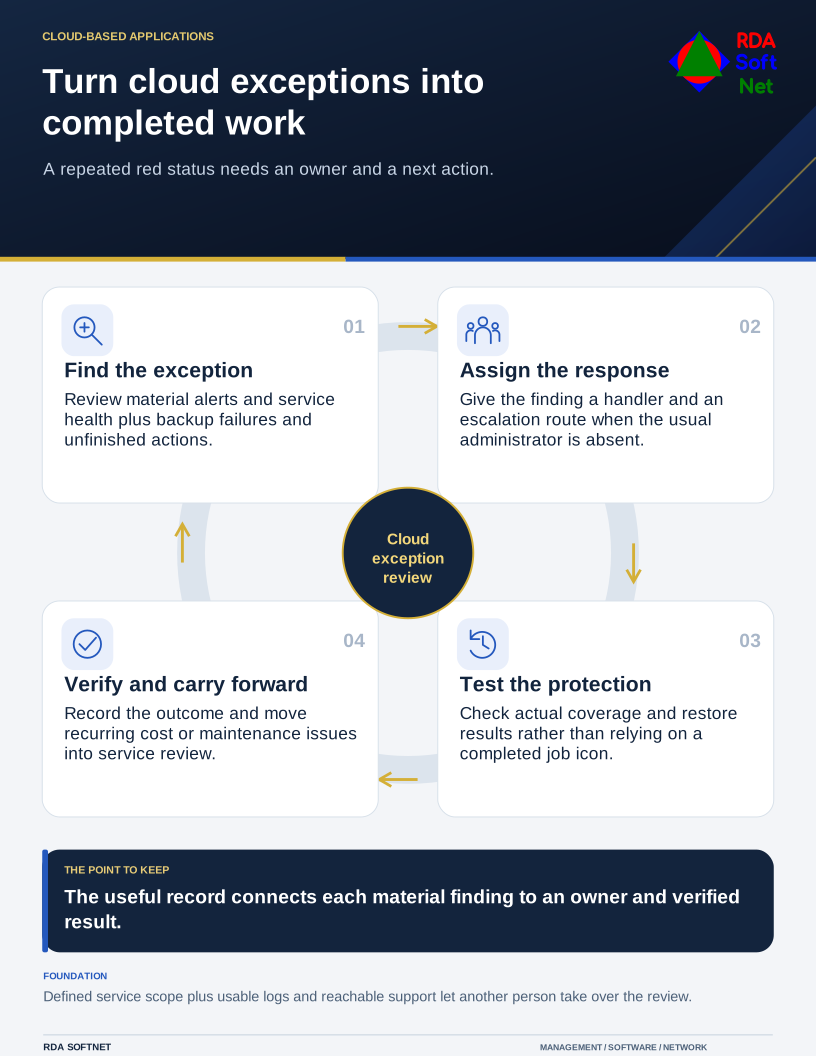
Define the services in scope and the people responsible for them. A short review can support a small environment, but there is no universal number of minutes that makes an organization secure. Critical alerts need an escalation route when the usual administrator is absent or the daily review has already ended.
Start with exceptions and unfinished work
Check significant security alerts, service health issues, backup failures, and important changes since the last review. Look at open actions as well as new events. An issue that was acknowledged yesterday still needs an owner, next step, and expected resolution.
Sign-in information needs context. Microsoft describes the information available in its Entra sign-in logs. An unfamiliar location or failed attempt warrants interpretation alongside the identity, application, device, and activity; it is not a complete diagnosis on its own.
The security operations guide connects alerts with triage and follow-up. Use the agreed incident response process when a finding may involve compromise, rather than making an unrecorded change that removes useful evidence.
Check service protection, not just green icons
Confirm that the expected systems and information are covered by backup arrangements. Investigate a failure according to the recovery requirement and failure cause; repeatedly rerunning the same job may not fix the underlying issue.
A completed job is different from a successful restore. Schedule representative recovery tests and track any missing dependencies, including accounts, encryption keys, software, and connectivity. Our backup and recovery guide explains how those checks support an actual recovery decision.
Review changes to sharing, administration, and connected applications through appropriate reports or alerts. Focus attention on sensitive services and deviations from the approved configuration. Trying to inspect every file permission manually each morning is unlikely to be a dependable control.
Give cost and maintenance findings a home
An unexpected spending change can reflect planned work, a configuration problem, or misuse. Microsoft's Cost Management alert guidance describes alerts for defined spending conditions. Set recipients who can investigate and understand the reporting scope.
Track patching, expiring credentials, support dates, and capacity in the maintenance process. An urgent vulnerability may need an expedited change; routine changes still need suitable testing and authorization. The cloud model determines which tasks belong to the provider and which remain with the organization.
Keep the daily record concise: material exception, owner, action, and status. Use periodic service reviews for trends, recurring failures, and improvements that cannot be resolved in a morning check. RDA's goal is a routine that another support person can take over, with a clear handoff from finding a problem to verifying that it was addressed.