
A visitor usually needs a dependable internet connection, not a route to the organization's servers, printers, building controls, or network administration screens. That simple distinction should guide the guest wireless design.
Draw the guest network boundary
The permitted service and blocked destinations should be visible in the design.
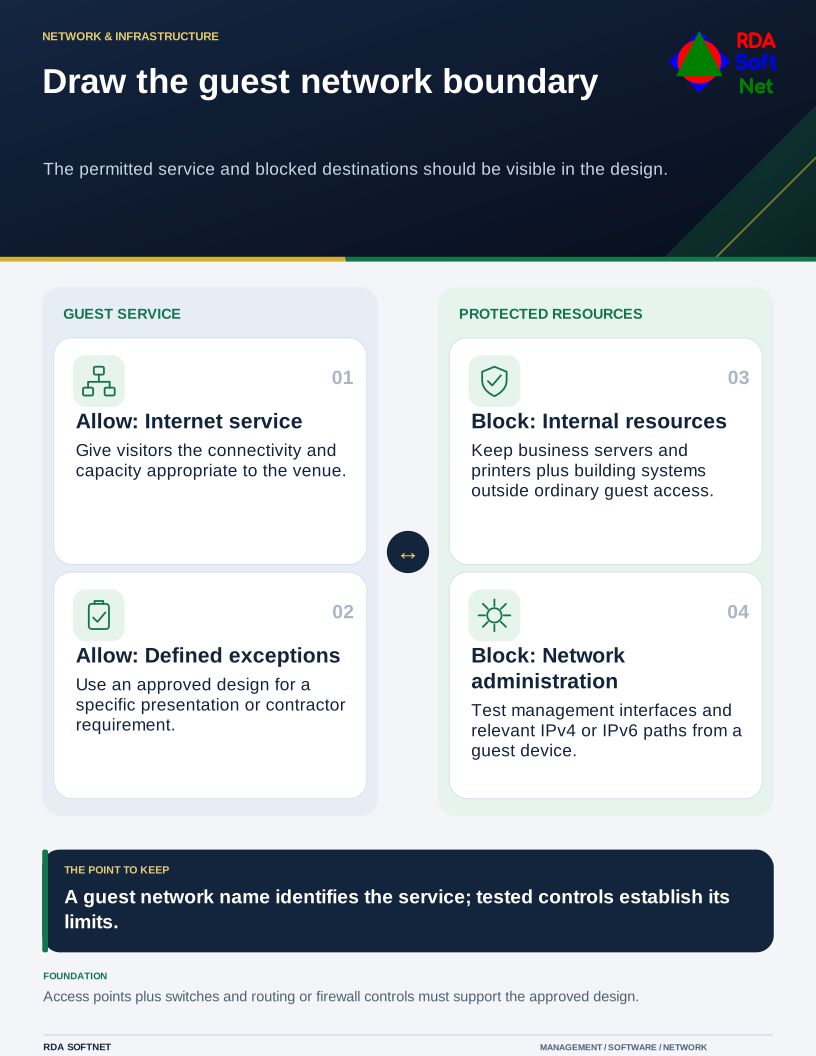
A separate network name is a useful label, but it does not prove separation. The access point, switches, firewall, and routing rules must support the intended boundary. Someone needs to verify that boundary from the guest side after it is configured.
Define the permitted service
Decide who the network serves, where it must work, and whether any business function depends on it. Ordinary visitors, public computer users, event exhibitors, and equipment installers may have different needs. Do not place an operational device on a guest network merely because it is easy to connect.
Document any exceptions. If a meeting room needs wireless presentation, identify a supported way to provide that function without opening broad access to business systems. A contractor who needs an internal application should use an approved access arrangement rather than an expanded guest password.
The network segmentation guide explains how those requirements become controlled paths between networks. Keep guest access simple enough that reception staff can explain it and the computer department can support it.
Treat the welcome screen as one part of the design
A captive portal can communicate terms and manage sessions. It does not, by itself, prove a visitor's identity or protect internal services. Collect only the information needed for the chosen purpose, and have the information owner approve its use and retention.
Choose an access method that suits the setting. A staffed office and a public venue may need different arrangements. Consider accessibility, support outside reception hours, and what happens when the portal or its external provider is unavailable.
NIST's zero trust architecture guidance explains that network location alone should not grant trust. The broader zero trust guide applies that idea to access decisions. A guest portal or VLAN is a useful control in a network design, not a complete zero trust architecture.
Verify the boundary and keep it working
From a representative guest device, check internet use and confirm that access to protected internal destinations and management interfaces is blocked. Check relevant address families and any deliberate exceptions. Consider whether guests should be isolated from one another, especially in a shared public environment.
Document the test results and retain an understandable diagram. Apply changes through the normal approval process and repeat the relevant checks after firewall replacements, access point changes, or new building connections. A working boundary can be altered by an unrelated change if nobody knows why the rule exists.
Provide reasonable capacity controls so guest traffic does not consume resources needed for operations. Assign patching, monitoring, and support responsibility for the equipment. Staff should have a clear route to report connection problems without attempting their own firewall workarounds. The service succeeds when visitors can do what they need and the organization can demonstrate the limits it intended.