
A website can pass a quick automated scan while a visitor still cannot complete its main task. The problem may be an unlabeled form field, a menu that traps keyboard focus, a scanned document, or an error message that never explains how to proceed.
Test the complete accessible journey
A home page or automated scan alone cannot establish that visitors can finish the task.
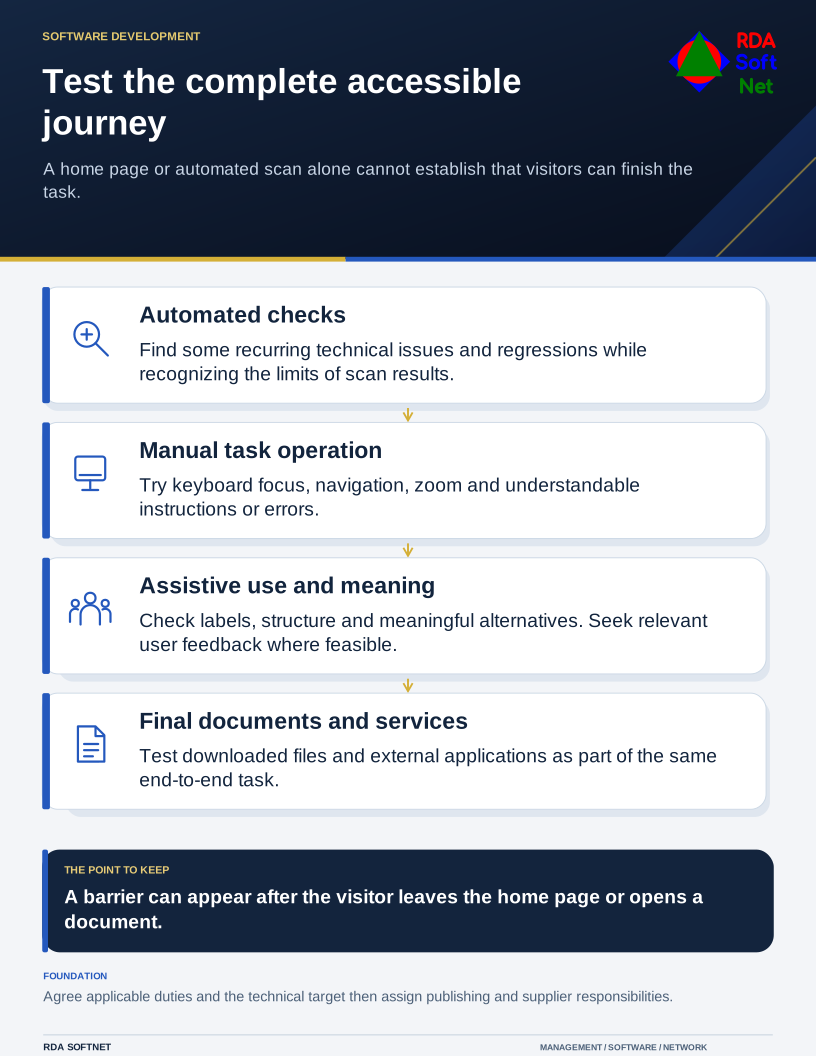
Begin with what people come to do. Apply for a service, read a notice, pay a bill, find a meeting, or contact someone. Follow that entire route, including any external application and downloaded document. Accessibility belongs to the service, not only to the home page.
Set a clear standard and responsibility
Agree on the applicable requirements with the organization's responsible adviser, then record the technical target for the work. W3C's WCAG overview explains the standards and their testable success criteria. A chosen target should guide design, content, development, and acceptance testing.
Legal obligations differ by organization and service. The Department of Justice provides web accessibility guidance and links to separate requirements for state and local governments. Check the current rules relevant to the organization rather than treating a general business article as a deadline or legal determination.
Name the people who maintain templates, publish documents, buy online services, and approve changes. Our accessibility guide connects those responsibilities with a practical review process.
Try the work in different ways
Use the keyboard to move through the main task. Confirm that focus is visible, navigation is logical, and every interactive control can be operated. Check headings and labels with assistive technology, and test zoom and smaller screens. Review contrast, captions, instructions, and errors alongside the visual design.
Automated checks are useful for finding some problems and catching regressions. They cannot determine whether an image description communicates its purpose or whether a complicated form makes sense. Include manual review and seek feedback from people who use assistive technology where feasible.
Look carefully at documents. Structure the source file with real headings, meaningful links, and readable tables before producing the PDF. Check the reading order and text alternatives in the final file. When appropriate, provide the information as an accessible web page rather than requiring a download for a short notice.
Keep the improvements in the publishing process
Prioritize barriers that prevent essential tasks, then address shared templates and recurring content problems. Fixing a template can improve many pages; teaching authors how to produce a usable document can prevent the same problem from returning next month.
Add accessibility requirements to planning and procurement, including services purchased from outside suppliers. Ask for evidence and test the proposed workflow instead of accepting a product description alone.
Provide a visible route for reporting a problem and an accessible way to receive assistance. Track the report through resolution, with an owner and a follow-up check. The goal is for people to complete the work independently where possible and obtain practical help when a barrier is found.