
A public form has not achieved its purpose if someone can find it but cannot complete it. Accessibility belongs in the original requirements and in acceptance checks, including when a third party provides the website or document template.
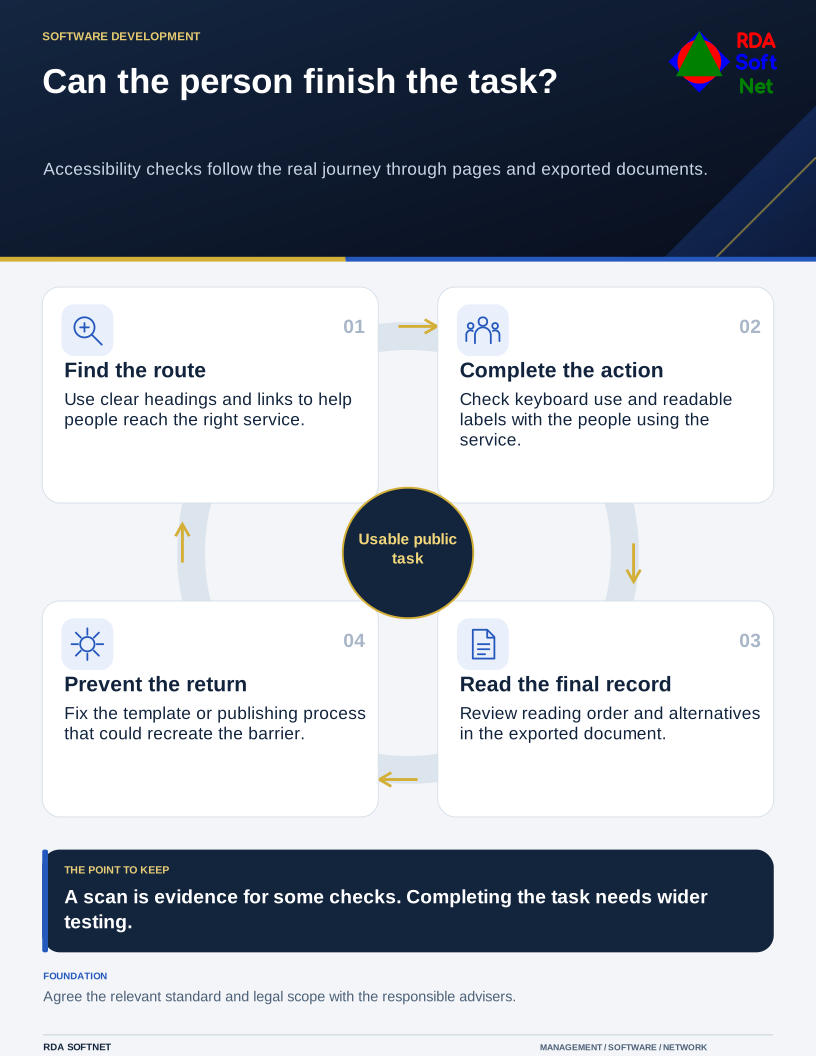
Can the person finish the task?
Accessibility checks follow the real journey through pages and exported documents.
Start with real tasks
Identify the important journeys: finding meeting information, submitting an application, reading a notice, paying a bill, or contacting the organization. Check those tasks with a keyboard, at increased zoom, on a small screen, and with appropriate assistive technology. Visible labels, meaningful headings, clear focus, descriptive links, and understandable error messages help people complete the work.
Documents need attention too. A scanned page may need text recognition and further remediation before it is useful to a screen-reader user. Reading order, table structure, alternative text, and form fields should be checked in the final exported document, not only in the source file.
W3C’s WCAG overview explains the technical guidelines and testable success criteria. WCAG is a technical reference; the version, conformance level, and legal obligations applicable to an organization must be established separately. An automated scan can identify some problems but cannot establish that every important task is accessible.
Make fixes part of normal publishing
Assign an owner for the reported problem and an accessible way to request assistance. Include the website developer, content authors, document owners, and purchasing staff when the same defect can return through a template or vendor update.
The organization’s responsible advisers establish its obligations; the technical lead coordinates the changes and verification evidence. Add accessibility requirements to project scope and procurement, then include verification in ongoing website maintenance. Check new uploads and template changes so they do not reintroduce a repaired barrier.