
A virtual card can limit how a payment credential is used. A password manager can help keep shopping accounts separate and avoid password reuse. Neither tool can make a dishonest seller deliver the right equipment or turn an unauthorized purchase into an approved one.
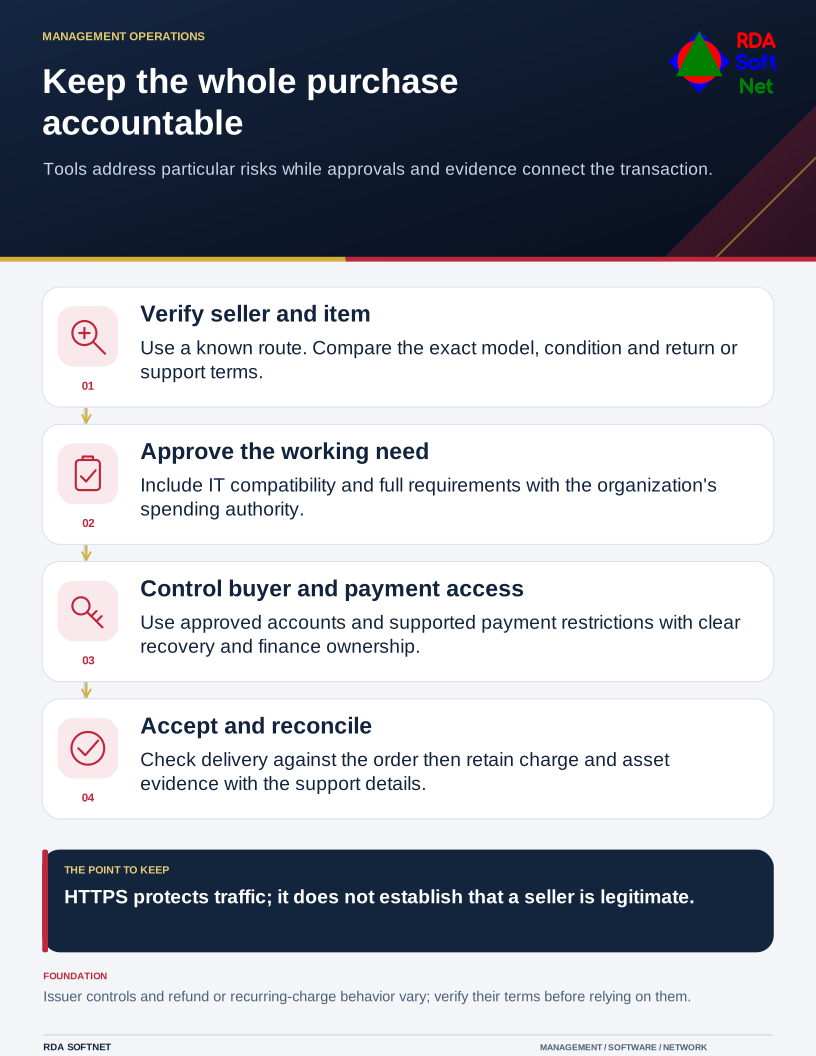
Keep the whole purchase accountable
Tools address particular risks while approvals and evidence connect the transaction.
For organizational buying, start with a purchasing process that staff can follow without borrowing someone's personal account. Identify who can place orders, who approves the expense, and where the order, receipt, warranty, and support details will be kept.
Verify the seller and the actual item
Use a known supplier address or an independently verified route to the seller. Be cautious when an advertisement, urgent email, or unusually attractive offer changes the route you normally use. Compare the exact model and condition, shipping terms, return policy, and support arrangements.
An encrypted connection protects traffic in transit; it does not establish that the business is legitimate. The FTC makes that distinction in its online shopping guidance. Do not treat a padlock or HTTPS address as a seller reference.
For technology, include the computer department before ordering. A deal may exclude the required operating system edition, support coverage, or accessories. Our planning and procurement guide connects the purchase with compatibility, authorization, and the work the equipment must support.
Protect the account and payment method
Use an approved organizational account, a unique password stored in the agreed manager, and appropriate multifactor authentication where supported. Record who owns the account and how another authorized person can recover it. Avoid tying an important supplier relationship solely to an employee's personal email address.
Where the issuer supports virtual cards, ask the finance owner which controls suit the purchase. Limits, merchant restrictions, expiration, refund handling, and recurring charges vary. Understand those terms before relying on the card for a subscription, backordered item, or warranty replacement.
Keep payment details in approved systems and restrict access to people who need them. Do not send full card information through an ordinary support ticket or shared document. The safe payments guide covers the verification and approval process around financial changes.
Make exceptions visible
Urgency should trigger a clear exception process. If a department needs an item quickly, record the reason, approval, and any compatibility or support concerns. This gives the organization a chance to make a deliberate decision and avoids leaving staff to improvise.
Confirm changes to bank details or unusual payment instructions through a separately verified contact, especially when they arrive during an existing order. A real supplier account can be compromised, so a familiar email thread is not sufficient authorization.
After delivery, verify what arrived and make the asset and support information available to the right people. Reconcile the charge and retain the required records. The asset lifecycle guide continues that process through deployment and retirement. Good tools reduce particular risks; a clear purchasing workflow keeps the whole transaction accountable.