
Creating a form is easy. Deciding who should receive the answers, how long they should be kept, and what happens after someone submits them takes more thought. Those decisions should come before a link is sent to staff or posted on a website.
Is the form ready to share?
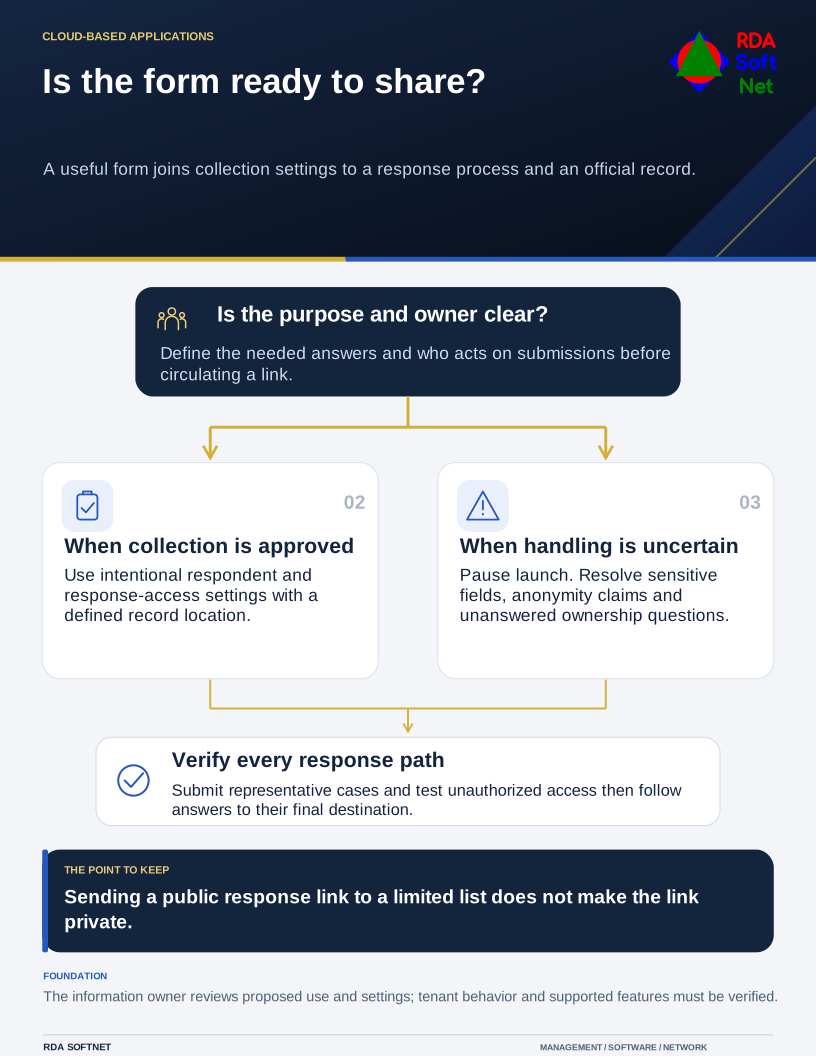
A useful form joins collection settings to a response process and an official record.
Microsoft Forms can be useful for a short survey, an event response, or a simple internal request. It does not automatically become the right place for every kind of information because the organization already subscribes to Microsoft 365.
Work backward from the action
Name the person responsible for reviewing submissions. Describe what they will do with the answers and how quickly the process needs to respond. An equipment request, for example, may need a manager's approval and a service ticket. A form that merely emails an unattended inbox has not completed that workflow.
Ask only for information needed for the stated purpose. Avoid inviting respondents to enter confidential details in an unrestricted comment box. If the process involves regulated or particularly sensitive records, have the information owner review the proposed service and settings first. See data governance for the decisions behind collection and retention.
Use clear questions and explain any required fields. Branching can reduce irrelevant questions, but test every route. Include an understandable confirmation and another way to seek help if the form does not work.
Test who can answer and who can see the answers
Microsoft provides different respondent settings, including options for people inside an organization and a link that allows anyone to respond. Its response settings guidance explains these controls and the option to record names in supported organizational scenarios.
Choose the setting intentionally. Sending a public link to a limited mailing list does not make the link private. Test with an account that represents the intended respondent, including an external account when appropriate. Also test what an unauthorized person can reach.
Be careful with the word anonymous. Turning off name recording does not prevent a respondent from identifying themselves in an answer, and a small team may be recognizable from context. Describe the collection accurately instead of promising more anonymity than the design provides.
Give the results a home
Review who can edit the form, inspect responses, and open any exported workbook. Decide where the official record belongs and who will manage it if the original creator changes roles. The file collaboration guide explains organizational ownership and permissions beyond an individual's working files.
If a flow moves answers into another system, document that connection and the account it uses. Use controlled automation for testing, failure alerts, and support ownership. Check that a failed step does not silently lose a request or send personal information to an unintended recipient.
Before launch, submit a few representative responses and follow them to their final destination. Have a second person run the process from the documentation. That small handover makes the form a dependable part of the department's work rather than another tool whose purpose only its creator remembers.