
An AI tool can enter the organization through a formal project, a browser extension, or a meeting invitation. Its route into the office does not determine whether it is appropriate for the information or work involved.
Define the AI boundary
A useful AI arrangement names what it may see and who remains responsible.
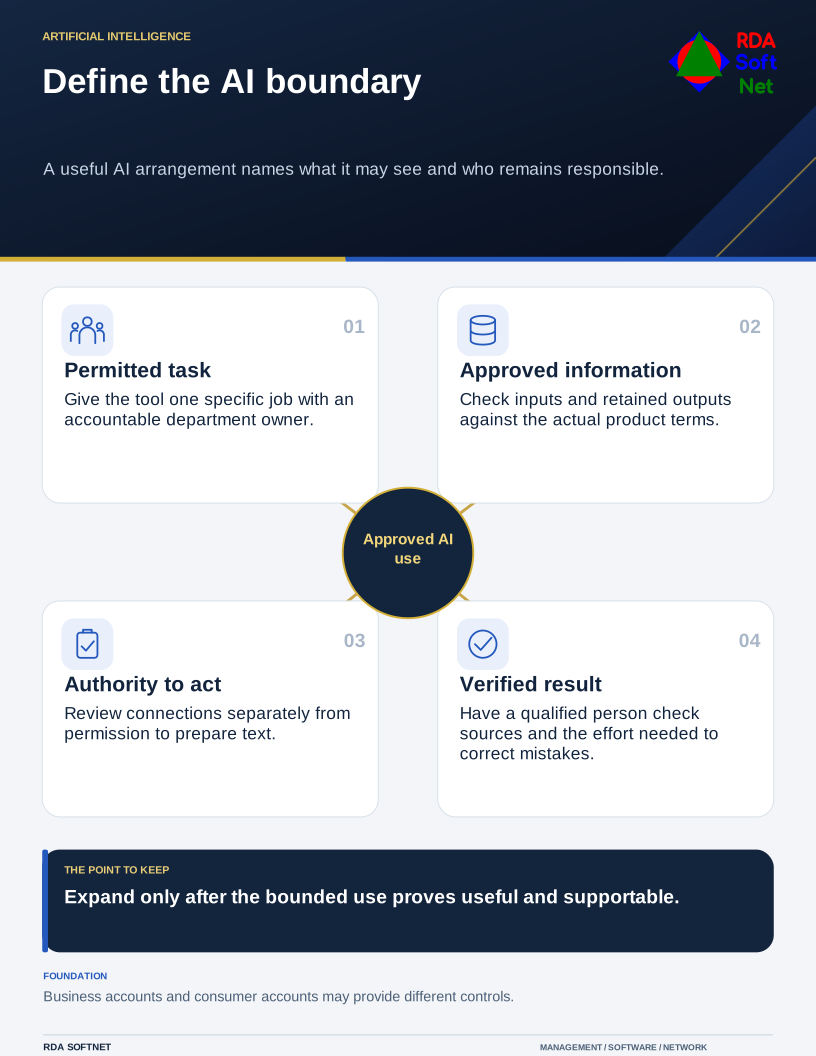
Start with a specific use: preparing an initial version, searching approved documents, or summarizing a routine meeting. Name the owner and describe the intended benefit. Identify the information supplied to the tool, its storage location, who can retrieve the output, and whether the service can use submitted information for other purposes. Review the actual product and account terms; a consumer service and a business subscription may offer different controls.
Keep authority visible
Writing assistance and permission to act are different decisions. A tool connected to email, files, purchasing, or administrative functions needs a separate review of each action it can take. Use the smallest practical permissions and retain a human approval step for consequential work. The integration review covers the identity and connection behind those actions.
The person relying on an answer should verify it against an appropriate source. Generated text can be plausible and wrong. NIST’s Generative AI Profile identifies risks including confabulation, privacy, and information integrity; it is a risk-management reference rather than approval of a particular product.
Test a bounded use before expanding
Try representative work with information approved for that purpose. Check usefulness, errors, access, retention, and the effort required to review output. Give staff an approved way to request a tool and report a mistake without hiding the experiment.
Bring the department owner, IT, and the organization’s responsible privacy or legal staff into the review. Record approved uses, prohibited information, verification responsibilities, and a review date. Connect the decision to data handling, so staff can check a proposed task against specific rules.