
A meeting assistant can turn a conversation into a recording, a transcript, a summary, and a list of actions. Those are several new records, often with different audiences and retention settings. Approving the convenience without checking those records leaves an important part of the decision unfinished.
Follow the meeting as it becomes several records
An assistant can create new audiences and retention duties at each stage.
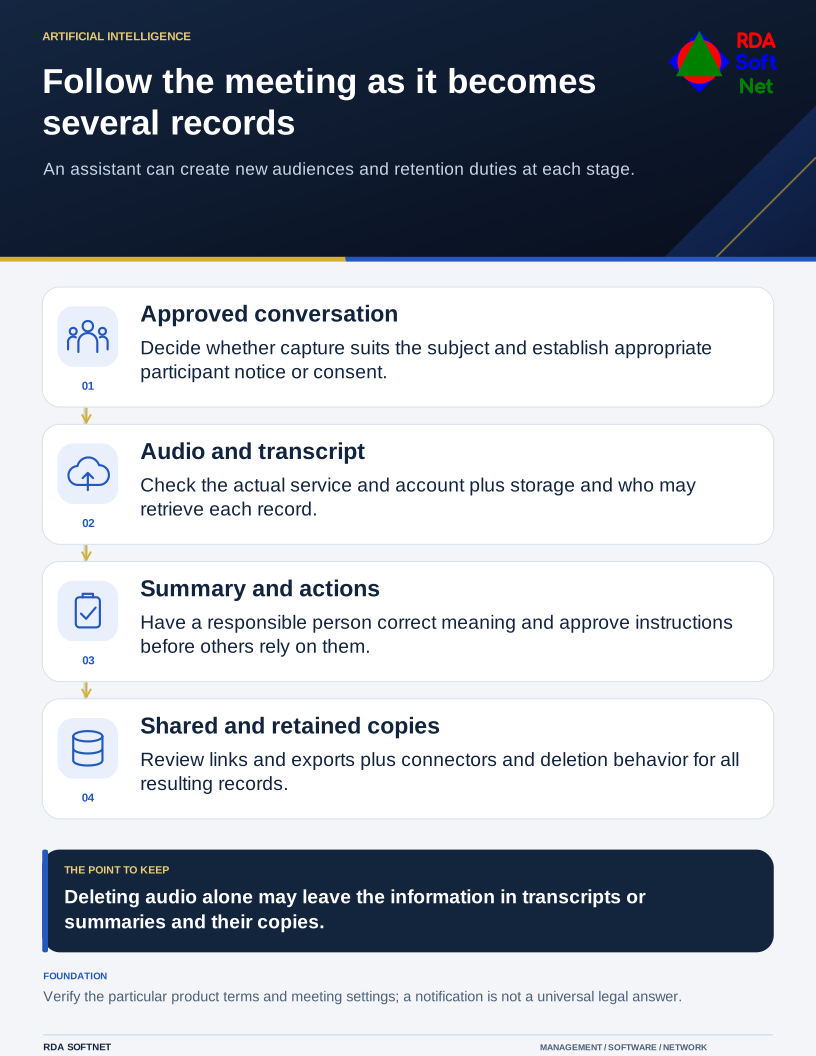
Start with the meeting's purpose. Routine project coordination may suit an approved transcription tool. A personnel discussion, privileged legal conversation, or sensitive operational briefing may need a different arrangement or no automated recording at all.
Identify the tool and the account behind it
Find out which service receives the content and which organization controls the account. A bot invited by an employee may operate under a separate subscription, even when the meeting itself takes place in the organization's standard conferencing platform. Calendar access and automatic joining also need review.
Ask the provider about processing, storage, model training, subprocessors, deletion, and access by its personnel. Assess the actual product and contract, not an assumption that every tool with AI in its name has the same terms. Bring the findings into the vendor review.
Microsoft states that organizational data accessed through Microsoft Graph, along with prompts and responses, is not used to train foundation models in Microsoft 365 Copilot. That statement should not be generalized to an unrelated meeting bot or a different consumer service.
Decide who gets the resulting records
Review the recording and transcript audience, summary distribution, sharing links, and any connector that copies actions into another application. Someone being invited to a meeting does not automatically mean that every later record should be distributed to them.
Choose an organizational owner and a storage location that fits the information. Consider how corrections will be handled when a summary attributes a statement incorrectly or turns a tentative suggestion into an apparent decision. Have a person responsible for the work approve the record before it becomes an instruction to others.
Our data governance guidance connects access and retention with the type of information being held. Deleting the original audio while leaving a widely shared transcript may not accomplish the intended privacy outcome.
Make participation an informed decision
Tell participants what will be captured and why before starting. Establish the required approval or consent process for the jurisdictions and circumstances involved, with legal input for sensitive use. An on-screen notification is a product behavior; it is not a universal legal conclusion.
Teams provides configurable participant agreement controls for recording and transcription. IT should test the chosen settings, including guests and the devices people actually use, rather than assuming that one policy covers every meeting experience.
Give organizers a practical alternative when recording is inappropriate: an agreed human note-taker, an approved written decision record, or a meeting held without the assistant. Include that choice in the AI use policy.
Before wider use, have an organizer run an ordinary test meeting. Check the invitation, admission of the assistant, participant notices, resulting records, sharing, and deletion. Ask the records owner to accept the result and provide organizers with instructions short enough to use while preparing a real meeting.