
When an insurance form asks about immutable backups, the useful answer starts with the actual storage configuration. An invoice proves that a service was purchased. A successful backup job proves that a job completed. Neither, on its own, shows whether an attacker with administrative access could remove the recovery copy.
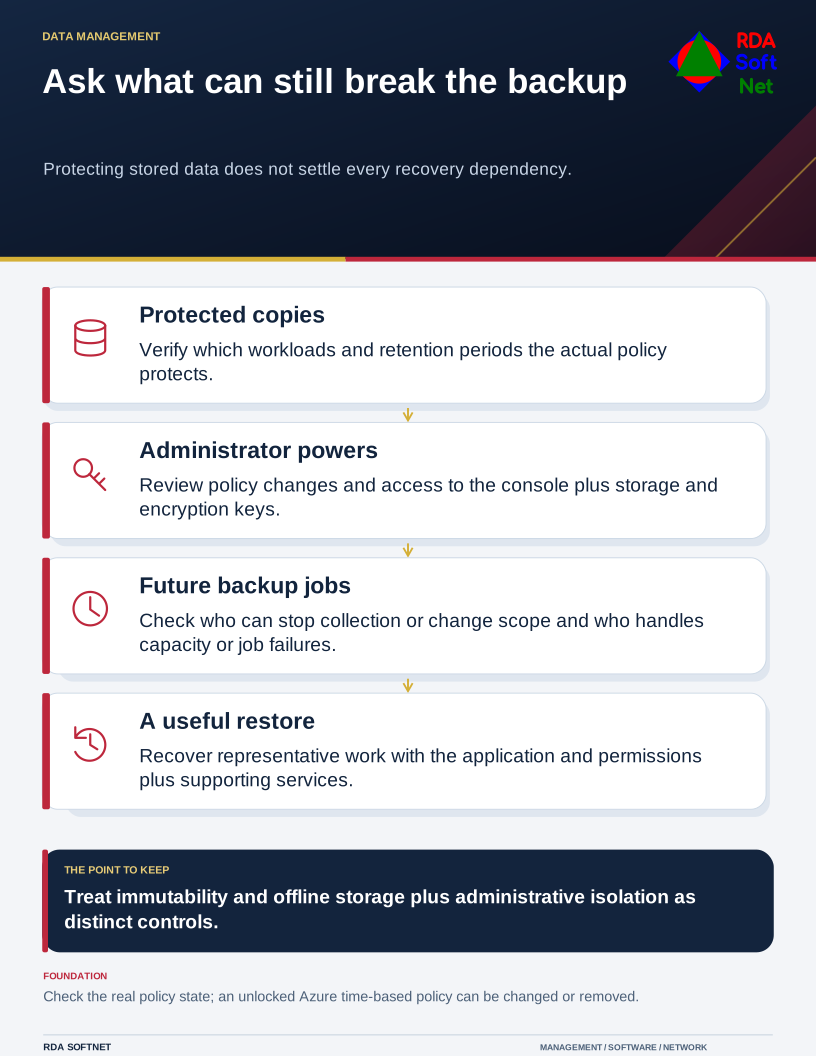
Ask what can still break the backup
Protecting stored data does not settle every recovery dependency.
The same question matters even when no questionnaire is due. Recovery depends on copies that remain available when production systems and their usual administrators cannot be trusted.
Define the protection precisely
Immutable storage can prevent protected data from being changed or deleted during a specified period. The details matter. Microsoft's Azure immutable-storage documentation distinguishes locked and unlocked time-based policies; an unlocked policy can be changed or removed. A feature labeled immutable therefore needs a configuration review, not a broad promise.
Ask the backup administrator which copies are protected, the effective retention interval, and who can change the policy. Check whether older copies, new workloads, and cloud application data are included. A protected repository does not help a system that was never added to the backup plan.
Separate the ideas of immutability, offline storage, and administrative isolation. They address related risks but are not interchangeable descriptions. CISA's ransomware guidance recommends protected backup arrangements and restore testing. Your design should explain how those protections work in your environment.
Follow the credentials as well as the data
Review access to the backup console, underlying storage, encryption keys, and recovery documentation. If the everyday administrator can reach all of them, a single account compromise may affect several recovery dependencies. Use appropriately separated privileged access and protect it with suitable authentication.
Also ask who can stop future jobs, change the protected scope, or run storage out of space. Preventing deletion of yesterday's copy is valuable; it does not ensure that tomorrow's copy will be created. Monitoring and an assigned response to failures remain necessary.
The backup and recovery guide describes the operational questions to settle before selecting a retention period. The amount of history needed depends on the work, possible delay in discovering an incident, storage capacity, and applicable retention obligations. There is no single number that answers every insurer or every organization.
Prove a useful recovery
Choose a representative restore and record what happened. Include the information, application, permissions, and supporting services needed to use it. Recovering a database file is different from returning a working line-of-business application to its users.
Keep evidence of the configuration and the test in a controlled location that remains reachable during an outage. Date it and identify who checked it. A screenshot without context is difficult to interpret months later.
If a form uses wording that does not fit your setup, describe the control and ask the insurer or broker for clarification. RDA can supply technical evidence; coverage decisions belong with the insurer. Use the service review to track gaps and their owners, so the backup arrangement continues to match the answer after the form is submitted.