
Ask a department which AI tools it uses and the first answer may be a familiar chatbot. Ask how staff prepare meeting notes, summarize documents, translate text, and handle customer questions, and the list can change. AI may already be part of an application the organization approved for an entirely different purpose.
Find the AI use inside the working task
The inventory needs more than the chatbot's product name.
A useful review starts with the work. People are more likely to explain an unofficial shortcut when they understand that the aim is to support the task safely and fix the gaps that made the shortcut attractive.
Describe the use, not just the product
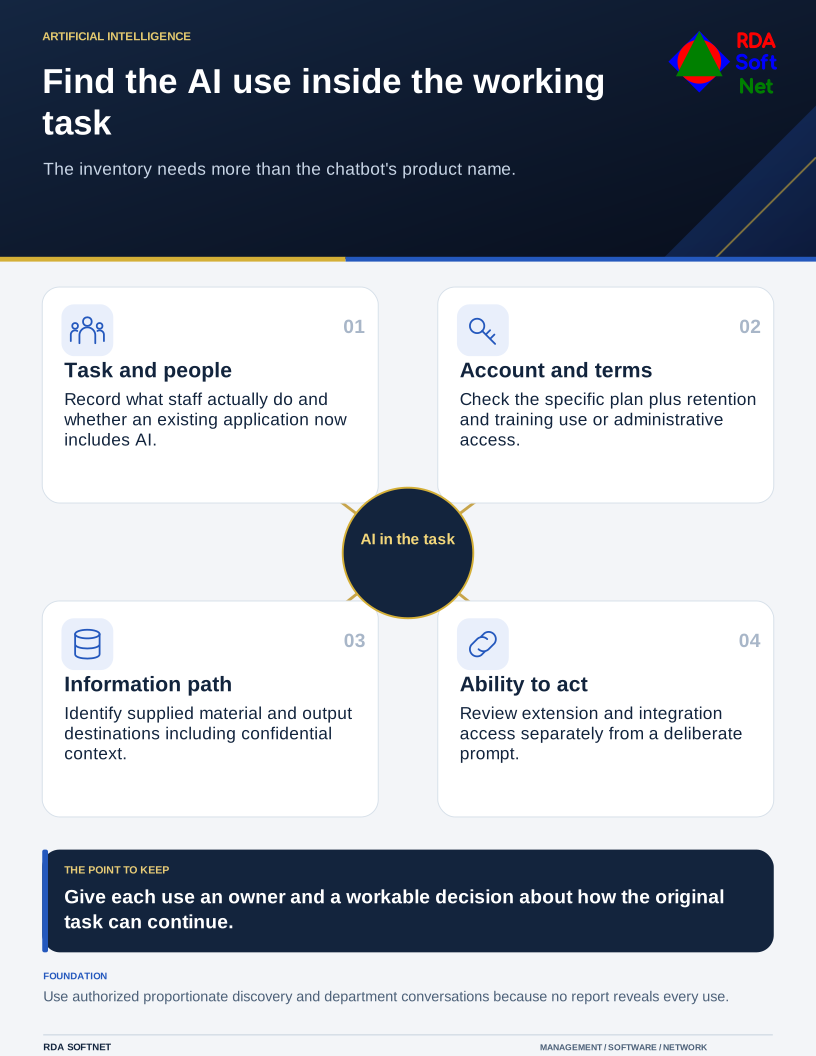
For each AI use, record the task, user group, account type, information supplied, and destination of the output. Include browser extensions, connected mailboxes, document libraries, transcription services, and features enabled within existing applications.
Ask whether the output merely helps someone think or triggers a decision or action. Summarizing a public document has different consequences from preparing personnel advice or sending an automated response to a client. The AI governance guide helps make those distinctions explicit.
NIST's AI risk management resources provide a basis for considering how a system is used and the risks surrounding it. The inventory should support decisions about actual use, rather than become a product directory nobody maintains.
Check the information boundary
Look at the provider's applicable terms and configuration for the specific account or service. Review retention, training or improvement uses, administrative access, sharing, and deletion arrangements. Do not assume a business label or paid subscription answers all those questions.
Apply the organization's information handling rules. Staff need concrete examples of information they may use, information requiring authorization, and material that must stay out of the tool. Removing a person's name may still leave identifying or confidential details in the remaining text.
Review connected access separately. An extension or integration that can read a library may reach more information than a user deliberately pastes into a prompt. The application integration guide explains why consent and ongoing permissions need an accountable owner.
Make the decision workable
Some uses may be approved with defined conditions. Others need narrower inputs, a managed account, another tool, or a pause while the risks are resolved. For each decision, name the owner and explain how staff can complete the original task.
Microsoft's cloud discovery guidance combines discovery with evaluation and management. Technical signals can support the conversation, but they will not reveal every use on every device or account. Collect monitoring information through authorized, proportionate arrangements.
Record unresolved vendor questions, show people the approved path, and schedule a review when the feature or use changes. A practical AI inventory gives the computer department something it can maintain and gives staff a clear answer about where useful experimentation can continue.