
A backup plan becomes useful when someone can explain what staff will get back. A directory of recovered files is not necessarily a working accounting system, a usable records application, or a restored website. Each may need software, configuration, identity, and a provider's help as well as the data.
Start with the work that must return
A restored folder is only one part of recovering a service.
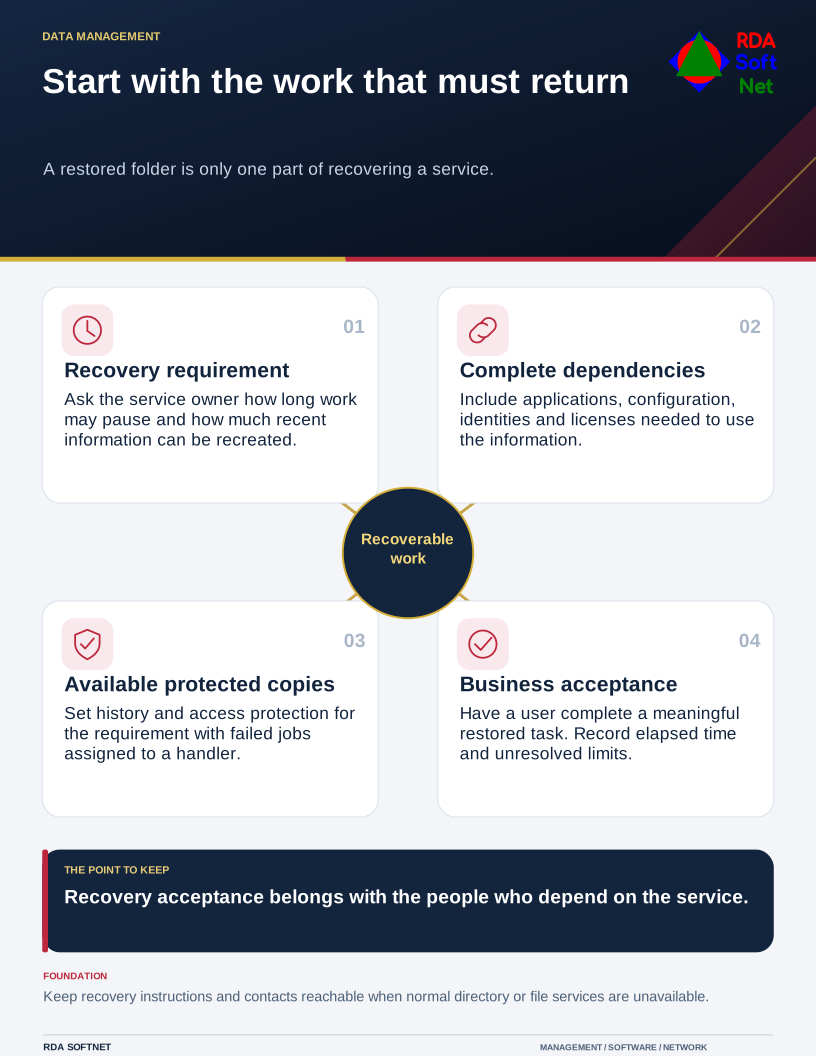
Start with a short list of essential work. Ask the people responsible how long it could pause and how much recent information could reasonably be recreated. Those answers establish the requirements the technical design must meet.
Identify the complete recovery
Record where each service keeps its information. Include local systems, employee devices where permitted, hosted applications, and organizational cloud storage. Then identify the accounts, licenses, installation material, and supporting services required to make a restored copy usable.
The backup and recovery guide connects that scope with ownership and test evidence. A new application or file location should prompt a review of protection, rather than wait for the next annual exercise.
Cloud synchronization can help people work across devices, but it should not be assumed to provide every recovery capability. Deletion or unwanted changes may synchronize too. Examine the provider's recovery features, limits, administrative dependencies, and the organization's need for additional protection.
CISA's StopRansomware guide recommends offline, encrypted backup arrangements and regular tests. The important design question is whether useful copies remain available after an incident affects the normal systems and their administrators. A backup product name alone does not answer it.
Make failure visible to someone who can act
Assign a person or support team to review failed jobs, missed devices, capacity problems, and changes in scope. Automated notices need a recipient with a response procedure. A recurring warning should become assigned work, not a permanent item that everyone learns to ignore.
Set backup frequency and retained history from the recovery requirement. A generic daily, weekly, or monthly schedule may be unsuitable for a service that changes continuously or for damage discovered well after it occurred. Estimate storage and operating costs with those requirements in view.
Protect the recovery instructions and access information. Staff should be able to reach the necessary contacts and documentation when the main directory or file service is unavailable. Connect those arrangements with the continuity plan.
Have a business user accept a restore
Choose a representative service and carry out an authorized test without disturbing production. Verify that the recovered information is readable, current enough for the requirement, and accessible to the appropriate people. Ask an actual user to complete a meaningful task.
Record what was restored, what dependencies were involved, the elapsed time, and the unresolved limitations. A small unsuccessful test is useful evidence if somebody fixes the problem afterward.
During a suspected security incident, coordinate recovery with the response team. Restoring immediately without understanding the exposure can return a compromised system or remove evidence needed for investigation. Agree who may authorize recovery, and review the plan when the service or its dependencies change.