
Keeping everything forever is not a retention policy. Neither is deleting files whenever storage becomes inconvenient. The organization needs to know which records it holds, why they remain necessary, and who may authorize their eventual disposition.
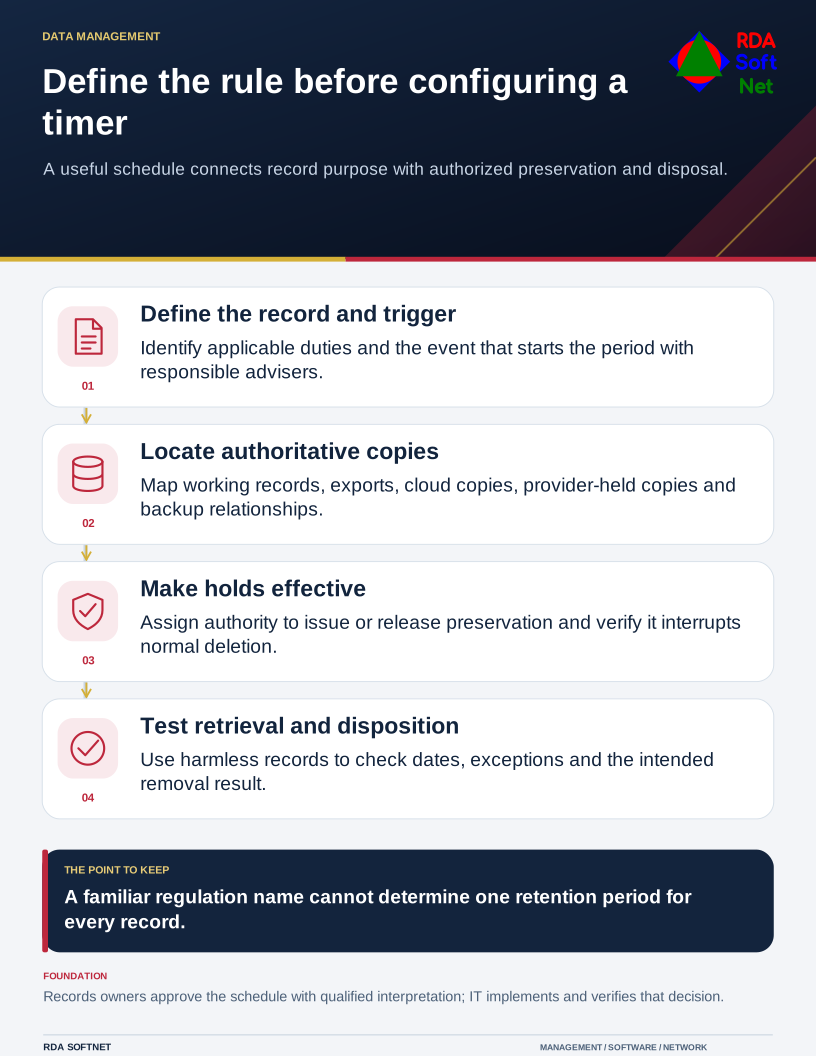
Define the rule before configuring a timer
A useful schedule connects record purpose with authorized preservation and disposal.
Begin with categories people understand: contracts, personnel information, operational records, financial documents, correspondence, and system activity. Similar-looking files can have different purposes and obligations, so avoid starting with a single rule for every mailbox or shared drive.
Establish the rule before configuring the timer
Bring the records owner, department, legal or compliance adviser, and IT together. Identify applicable law, contractual requirements, operational need, and preservation obligations. State what event starts the period, not just the number of years.
The records retention guide helps turn those decisions into a schedule with owners and exceptions. Retention should preserve a useful record: readable information, context, and the ability to retrieve it. Moving a file to cheaper storage does not settle those requirements.
Be precise about regulatory shorthand. HHS states that the HIPAA Privacy Rule does not itself set medical-record retention periods; state requirements generally govern that question. Do not translate a documentation requirement for one purpose into a universal six-year rule for all patient records.
Similarly, an organization must identify which financial, employment, public-record, or industry-specific duties apply to its actual records. A familiar regulation name is not enough to choose the schedule.
Find where the copies actually live
Map authoritative records, working copies, exports, local downloads, cloud applications, and backup arrangements. Include information held by providers. The data governance guide connects that map with access and privacy responsibilities.
The FTC's personal information guidance recommends retaining sensitive information only for a legitimate need and establishing a written retention approach. Apply that with the organization's obligations in view; a desire to reduce exposure does not authorize destroying material subject to preservation.
Check how a legal hold or other preservation instruction interrupts normal deletion. Decide who issues and releases it, which systems it covers, and how IT verifies that the instruction took effect. Do not leave the process dependent on a person remembering to disable an automated job.
Test the rule with harmless records
Before applying automation widely, confirm how dates, labels, permissions, and exceptions behave. Test retrieval and a planned disposition using representative nonproduction information. Record what was checked and which systems remain outside automated coverage.
Coordinate retention with backup and recovery. Protected recovery copies and operational records may have different purposes and schedules. Document the relationship instead of promising that every copy disappears immediately when a user deletes a file.
Give staff brief instructions about where records belong and how to raise a preservation question. Review the schedule when services, activities, contracts, or legal requirements change. A maintained schedule lets IT implement an authorized decision while keeping responsibility for the record with the people who understand it.